
You are not logged in.
- Topics: Active | Unanswered
#681 2026-10-08 14:59:17
- unklar
- Back to the roots 1.9

- From: #! BL
- Registered: 2015-10-31
- Posts: 3,190
Re: 2026 Screenshot Thread
^^^ @Sector11 : instead of grabbing the medit_1.4.1 package directly, select the 'Add repository and install manually' option. This will give you instructions for adding the medit-gtk3 repository and relevant gpg-key.
Below is a print-out of the commands for debian13 install:echo 'deb http://download.opensuse.org/repositories/home:/antonbatenev:/medit/Debian_13/ /' | sudo tee /etc/apt/sources.list.d/home:antonbatenev:medit.list curl -fsSL https://download.opensuse.org/repositories/home:antonbatenev:medit/Debian_13/Release.key | gpg --dearmor | sudo tee /etc/apt/trusted.gpg.d/home_antonbatenev_medit.gpg > /dev/null sudo apt update sudo apt install meditYou can of course disable the source and key after install, but I guess it makes sense to keep it active for a while in order to get further updates for this gtk3 version.

Thanks.
Works perfectly. Here with openbox/carbon/debian13.
On Wayland, both with bunsen-wayland and on sid, a memory access error occurs.
Offline
#682 2026-10-08 19:44:50
- hhh
- Hercule Poirot

- From: Belgium
- Registered: 2015-09-17
- Posts: 17,853
- Website
Re: 2026 Screenshot Thread
johnraff wrote:^Can you find a deb file for medit-gtk3?
No.
Huh? There are debs for Debian 12 and 13 linked from the medit-gtk3 github page...
https://software.opensuse.org/download. … kage=medit
Click Debian>Grab binary packages directly
Why why why why?!!???
Online
#683 2026-10-08 20:02:22
- chroot
- Member
- Registered: 2024-12-12
- Posts: 187
Re: 2026 Screenshot Thread

Offline
#684 2026-10-08 21:12:39
- Sector11
- Mod Squid Tpyo Knig

- From: Upstairs
- Registered: 2015-08-20
- Posts: 8,566
Re: 2026 Screenshot Thread
Sector11 wrote:johnraff wrote:^Can you find a deb file for medit-gtk3?
No.
Huh? There are debs for Debian 12 and 13 linked from the medit-gtk3 github page...
https://software.opensuse.org/download. … kage=meditClick Debian>Grab binary packages directly
Yes, I know that. I was very excited about getting medit back up and running.
I grabbed the Debian 13 .deb file and stored it on my drive:
/media/10/DEBs/medit_1.4.1-1_all.debThen as explained here it did not install because Debian 13 has no medit-gtk3 package to install with it.
= = =
OFF TOPIC - sorry I brought it here
Carry on folks nothing else to see here.
Beardog Linux, hosted by SoxDog
(Debian 13 - X11)
Still a Conky 1.9er at heart.
Offline
#685 2026-10-08 23:14:37
- PackRat
- jgmenu user Numero Uno

- Registered: 2015-10-02
- Posts: 3,160
Re: 2026 Screenshot Thread
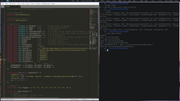
You must unlearn what you have learned.
-- yoda
Offline
#686 2026-10-09 00:35:34
- hhh
- Hercule Poirot
- From: Belgium
- Registered: 2015-09-17
- Posts: 17,853
- Website
Re: 2026 Screenshot Thread
@Sector, it's fine, we discuss a bunch of Linux stuff here.
Sorry I misunderstood, but what in the actual... ??!?!!!?? Why offer a Debian metapackage that pulls in a package that doesn't exist? Why didn't he just link to a build of medit-gtk3?
Your supposed to add the repo, then install the metapackage? Just do that, then remove the repo(s) from your sources and forget that stupid github page ever existed.
Here's the deb, what a clusterduck...
http://download.opensuse.org/repositori … _amd64.deb
-edit- It installed with no issues on Carbon, and it appears in jmenu (not shown in my scrot).

Last edited by hhh (2026-10-09 00:48:24)
Why why why why?!!???
Online
#687 2026-10-09 19:34:23
- Döbbie03
- Resident Metalhead

- From: New Zealand
- Registered: 2015-09-29
- Posts: 4,492
Re: 2026 Screenshot Thread


"All we are is dust in the wind, dude"
- Theodore "Ted" Logan
"Led Zeppelin didn't write tunes that everybody liked, they left that to the Bee Gees."
- Wayne Campbell
Offline
#688 2026-10-09 19:48:11
- Sun For Miles
- Member

- Registered: 2017-04-12
- Posts: 284
Re: 2026 Screenshot Thread
Hey Döbbie03, impressive and polished interface, as always!
Music player layout caught my eye. Is that mpd? What kind of client are you using, or if not mpd what program is that? Gives away strong foobar2000 layout vibes, which I used to really like.
Señor Chang, why do you teach Spanish?
Offline
#689 2026-10-09 20:07:06
- Döbbie03
- Resident Metalhead
- From: New Zealand
- Registered: 2015-09-29
- Posts: 4,492
Re: 2026 Screenshot Thread
Hey Döbbie03, impressive and polished interface, as always!
Music player layout caught my eye. Is that mpd? What kind of client are you using, or if not mpd what program is that? Gives away strong foobar2000 layout vibes, which I used to really like.
Thanks! I love Foobar too! The ONLY thing I miss from Windows.
It is mpd underneath, this is a quickshell plugin. I can toggle play, forward / back etc and choose from the queue.
It's hidden, I just have it show when I want to view something. Clicking the artwork stops the spinning record and slides it out to show it.

"All we are is dust in the wind, dude"
- Theodore "Ted" Logan
"Led Zeppelin didn't write tunes that everybody liked, they left that to the Bee Gees."
- Wayne Campbell
Offline
#690 2026-10-10 02:31:00
- Sector11
- Mod Squid Tpyo Knig
- From: Upstairs
- Registered: 2015-08-20
- Posts: 8,566
Re: 2026 Screenshot Thread
@Sector, it's fine, we discuss a bunch of Linux stuff here.
Sorry I misunderstood, but what in the actual... ??!?!!!?? Why offer a Debian metapackage that pulls in a package that doesn't exist? Why didn't he just link to a build of medit-gtk3?
Exactly! Glad you found it!
{ s n i p } clusterduck... «««««« That's a keeper
-edit- It installed with no issues on Carbon, and it appears in jmenu (not shown in my scrot).
YUP Here to. Thanks hhh!

Feels GOOD!
Beardog Linux, hosted by SoxDog
(Debian 13 - X11)
Still a Conky 1.9er at heart.
Offline
#691 2026-10-10 02:33:58
- Sector11
- Mod Squid Tpyo Knig
- From: Upstairs
- Registered: 2015-08-20
- Posts: 8,566
Re: 2026 Screenshot Thread
https://t3.pixhost.cc/thumbs/6310/781628735_screenshot-2026-10-10-at-07-53-35.png https://t3.pixhost.cc/thumbs/6310/781628830_screenshot-2026-10-10-at-07-54-49.png https://t3.pixhost.cc/thumbs/6310/781629001_screenshot-2026-10-10-at-07-55-05.png https://t3.pixhost.cc/thumbs/6310/781629180_screenshot-2026-10-10-at-07-55-26.png https://t3.pixhost.cc/thumbs/6310/781629366_screenshot-2026-10-10-at-07-55-41.png https://t3.pixhost.cc/thumbs/6310/781629573_screenshot-2026-10-10-at-07-56-08.png https://t3.pixhost.cc/thumbs/6310/781629734_screenshot-2026-10-10-at-07-56-32.png https://t3.pixhost.cc/thumbs/6310/781630540_screenshot-2026-10-10-at-08-31-49.png
@Döbbir03 - THAT'S one fine set up you got going there
Beardog Linux, hosted by SoxDog
(Debian 13 - X11)
Still a Conky 1.9er at heart.
Offline
#692 2026-10-10 03:40:59
- Döbbie03
- Resident Metalhead
- From: New Zealand
- Registered: 2015-09-29
- Posts: 4,492
Re: 2026 Screenshot Thread
Döbbie03 wrote:https://t3.pixhost.cc/thumbs/6310/781628735_screenshot-2026-10-10-at-07-53-35.png https://t3.pixhost.cc/thumbs/6310/781628830_screenshot-2026-10-10-at-07-54-49.png https://t3.pixhost.cc/thumbs/6310/781629001_screenshot-2026-10-10-at-07-55-05.png https://t3.pixhost.cc/thumbs/6310/781629180_screenshot-2026-10-10-at-07-55-26.png https://t3.pixhost.cc/thumbs/6310/781629366_screenshot-2026-10-10-at-07-55-41.png https://t3.pixhost.cc/thumbs/6310/781629573_screenshot-2026-10-10-at-07-56-08.png https://t3.pixhost.cc/thumbs/6310/781629734_screenshot-2026-10-10-at-07-56-32.png https://t3.pixhost.cc/thumbs/6310/781630540_screenshot-2026-10-10-at-08-31-49.png
@Döbbir03 - THAT'S one fine set up you got going there
Thanks! I'm very happy with it.
"All we are is dust in the wind, dude"
- Theodore "Ted" Logan
"Led Zeppelin didn't write tunes that everybody liked, they left that to the Bee Gees."
- Wayne Campbell
Offline
#693 2026-10-10 11:39:04
- hhh
- Hercule Poirot
- From: Belgium
- Registered: 2015-09-17
- Posts: 17,853
- Website
Re: 2026 Screenshot Thread
@Sector11, no problem, glad I could help!
Why why why why?!!???
Online
#694 2026-10-10 16:28:42
- hhh
- Hercule Poirot
- From: Belgium
- Registered: 2015-09-17
- Posts: 17,853
- Website
Re: 2026 Screenshot Thread
Playing with labwc on BL Carbon, I made a wall in GIMP+Inkscape and modified an old theme (Boron-darkred)...

Why why why why?!!???
Online
#695 2026-10-10 16:49:17
- greenjeans
- Member

- Registered: 2025-01-18
- Posts: 402
- Website
Re: 2026 Screenshot Thread
Great screenies all around guys!
Count me in as an old Foobar fan as well, around 2007-2008 when I first started using linux, one of the first things I did was install Wine just so I could continue using Foobar. 
Still not quite happy with most music players, so a few months ago I made myself a dirt-simple player using ffplay for the backend, quite the challenge and months later i'm still working on it here and there, but works great if you're like me and just want to start the music playing and minimize the player.
Edit: well the thumbnail imgbb genned doesn't see to be working, so here's a link:
https://i.ibb.co/zgCg55Z/2026-10-10-113 … -scrot.png

Last edited by greenjeans (2026-10-10 16:51:09)
Offline
#696 2026-10-10 18:06:04
- unklar
- Back to the roots 1.9
- From: #! BL
- Registered: 2015-10-31
- Posts: 3,190
Re: 2026 Screenshot Thread
My precious gem is back 


Offline
#697 2026-10-10 22:40:29
- PackRat
- jgmenu user Numero Uno
- Registered: 2015-10-02
- Posts: 3,160
Re: 2026 Screenshot Thread
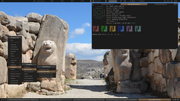
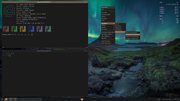
You must unlearn what you have learned.
-- yoda
Offline
#698 2026-10-12 12:29:27
- unklar
- Back to the roots 1.9
- From: #! BL
- Registered: 2015-10-31
- Posts: 3,190
Re: 2026 Screenshot Thread
^Honestly, I don't like the Papirus icons. Even though the color is changed to match the wallpaper here on Noctalia.

Ultimately, I'll be using the Sage and SuruPlusPlus icons from BL here as well. There's nothing better. 
Offline
#699 2026-10-12 13:23:26
- hhh
- Hercule Poirot
- From: Belgium
- Registered: 2015-09-17
- Posts: 17,853
- Website
Re: 2026 Screenshot Thread
^ Newaita icons would match that MacOS Golden Gate wallpaper really well! And they have 13 possible folder icon colors...
https://github.com/cbrnix/Newaita
Add some padding to alacritty. Create ~/.config/alacritty/alacritty.toml with the content...
[window]
padding = { x = 12, y = 12 }
dynamic_padding = true
Last edited by hhh (2026-10-12 14:16:27)
Why why why why?!!???
Online
#700 2026-10-12 14:24:55
- PackRat
- jgmenu user Numero Uno
- Registered: 2015-10-02
- Posts: 3,160
Re: 2026 Screenshot Thread
^ Newaita icons would match that MacOS Golden Gate wallpaper really well! And they have 13 possible folder icon colors...
https://github.com/cbrnix/Newaita
There's a bug in that icon set where the trash can may not show (or stop showing) in the file manager sidebar. Running:
gtk-update-icon-cacheon the Newaita and/or Newaita-dark icon folder will usually fix it. May need to delete the icon-theme.cache file first to totally recreate it.
Checking to see if an old usb optical drive still works:
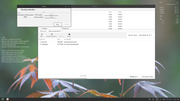
Burning data to the usb optical drive. Reading the data CD from the internal optical drive.
You must unlearn what you have learned.
-- yoda
Offline