![[BunsenLabs Logo]](/img/bl.svg)
You are not logged in.
- Topics: Active | Unanswered
#681 Yesterday 14:59:17
- unklar
- Back to the roots 1.9

- From: #! BL
- Registered: 2015-10-31
- Posts: 3,116
Re: 2026 Screenshot Thread
^^^ @Sector11 : instead of grabbing the medit_1.4.1 package directly, select the 'Add repository and install manually' option. This will give you instructions for adding the medit-gtk3 repository and relevant gpg-key.
Below is a print-out of the commands for debian13 install:echo 'deb http://download.opensuse.org/repositories/home:/antonbatenev:/medit/Debian_13/ /' | sudo tee /etc/apt/sources.list.d/home:antonbatenev:medit.list curl -fsSL https://download.opensuse.org/repositories/home:antonbatenev:medit/Debian_13/Release.key | gpg --dearmor | sudo tee /etc/apt/trusted.gpg.d/home_antonbatenev_medit.gpg > /dev/null sudo apt update sudo apt install meditYou can of course disable the source and key after install, but I guess it makes sense to keep it active for a while in order to get further updates for this gtk3 version.

Thanks.
Works perfectly. Here with openbox/carbon/debian13.
On Wayland, both with bunsen-wayland and on sid, a memory access error occurs.
Offline
#682 Yesterday 19:44:50
- hhh
- Hercule Poirot

- From: Belgium
- Registered: 2015-09-17
- Posts: 17,566
- Website
Re: 2026 Screenshot Thread
johnraff wrote:^Can you find a deb file for medit-gtk3?
No.
Huh? There are debs for Debian 12 and 13 linked from the medit-gtk3 github page...
https://software.opensuse.org/download. … kage=medit
Click Debian>Grab binary packages directly
Why why why why?!!???
Offline
#683 Yesterday 20:02:22
- chroot
- Member
- Registered: 2024-12-12
- Posts: 180
Re: 2026 Screenshot Thread

Offline
#684 Yesterday 21:12:39
- Sector11
- Mod Squid Tpyo Knig

- From: Upstairs
- Registered: 2015-08-20
- Posts: 8,442
Re: 2026 Screenshot Thread
Sector11 wrote:johnraff wrote:^Can you find a deb file for medit-gtk3?
No.
Huh? There are debs for Debian 12 and 13 linked from the medit-gtk3 github page...
https://software.opensuse.org/download. … kage=meditClick Debian>Grab binary packages directly
Yes, I know that. I was very excited about getting medit back up and running.
I grabbed the Debian 13 .deb file and stored it on my drive:
/media/10/DEBs/medit_1.4.1-1_all.debThen as explained here it did not install because Debian 13 has no medit-gtk3 package to install with it.
= = =
OFF TOPIC - sorry I brought it here
Carry on folks nothing else to see here.
Debian 13 Beardog hosted by SoxDog
Still a Conky 1.9er at heart.
Offline
#685 Yesterday 23:14:37
- PackRat
- jgmenu user Numero Uno

- Registered: 2015-10-02
- Posts: 3,083
Re: 2026 Screenshot Thread
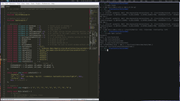
You must unlearn what you have learned.
-- yoda
Offline
#686 Today 00:35:34
- hhh
- Hercule Poirot
- From: Belgium
- Registered: 2015-09-17
- Posts: 17,566
- Website
Re: 2026 Screenshot Thread
@Secot, it's fine, we discuss a bunch of Linux stuff here.
Sorry I misunderstood, but what in the actual... ??!?!!!?? Why offer a Debian metapackage that pulls in a package that doesn't exist? Why didn't he just link to a build of medit-gtk3?
Your supposed to add the repo, then install the metapackage? Just do that, then remove the repo(s) from your sources and forget that stupid github page ever existed.
Here's the deb, what a clusterduck...
http://download.opensuse.org/repositori … _amd64.deb
-edit- It installed with no issues on Carbon, and it appears in jmenu (not shown in my scrot).

Last edited by hhh (Today 00:48:24)
Why why why why?!!???
Offline