![[BunsenLabs Logo]](/img/bl.svg)
You are not logged in.
- Topics: Active | Unanswered
#681 Today 14:59:17
- unklar
- Back to the roots 1.9

- From: #! BL
- Registered: 2015-10-31
- Posts: 3,116
Re: 2026 Screenshot Thread
^^^ @Sector11 : instead of grabbing the medit_1.4.1 package directly, select the 'Add repository and install manually' option. This will give you instructions for adding the medit-gtk3 repository and relevant gpg-key.
Below is a print-out of the commands for debian13 install:echo 'deb http://download.opensuse.org/repositories/home:/antonbatenev:/medit/Debian_13/ /' | sudo tee /etc/apt/sources.list.d/home:antonbatenev:medit.list curl -fsSL https://download.opensuse.org/repositories/home:antonbatenev:medit/Debian_13/Release.key | gpg --dearmor | sudo tee /etc/apt/trusted.gpg.d/home_antonbatenev_medit.gpg > /dev/null sudo apt update sudo apt install meditYou can of course disable the source and key after install, but I guess it makes sense to keep it active for a while in order to get further updates for this gtk3 version.

Thanks.
Works perfectly. Here with openbox/carbon/debian13.
On Wayland, both with bunsen-wayland and on sid, a memory access error occurs.
Offline
#682 Today 19:44:50
- hhh
- Hercule Poirot

- From: Belgium
- Registered: 2015-09-17
- Posts: 17,565
- Website
Re: 2026 Screenshot Thread
johnraff wrote:^Can you find a deb file for medit-gtk3?
No.
Huh? There are debs for Debian 12 and 13 linked from the medit-gtk3 github page...
https://software.opensuse.org/download. … kage=medit
Click Debian>Grab binary packages directly
Why why why why?!!???
Offline
#683 Today 20:02:22
- chroot
- Member
- Registered: 2024-12-12
- Posts: 180
Re: 2026 Screenshot Thread

Offline
#684 Today 21:12:39
- Sector11
- Mod Squid Tpyo Knig

- From: Upstairs
- Registered: 2015-08-20
- Posts: 8,442
Re: 2026 Screenshot Thread
Sector11 wrote:johnraff wrote:^Can you find a deb file for medit-gtk3?
No.
Huh? There are debs for Debian 12 and 13 linked from the medit-gtk3 github page...
https://software.opensuse.org/download. … kage=meditClick Debian>Grab binary packages directly
Yes, I know that. I was very excited about getting medit back up and running.
I grabbed the Debian 13 .deb file and stored it on my drive:
/media/10/DEBs/medit_1.4.1-1_all.debThen as explained here it did not install because Debian 13 has no medit-gtk3 package to install with it.
= = =
OFF TOPIC - sorry I brought it here
Carry on folks nothing else to see here.
Debian 13 Beardog hosted by SoxDog
Still a Conky 1.9er at heart.
Offline
#685 Today 23:14:37
- PackRat
- jgmenu user Numero Uno

- Registered: 2015-10-02
- Posts: 3,083
Re: 2026 Screenshot Thread
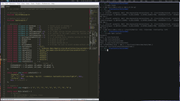
You must unlearn what you have learned.
-- yoda
Offline