![[BunsenLabs Logo]](/img/bl.svg)
You are not logged in.
- Topics: Active | Unanswered
#2681 2026-04-27 18:32:21
- marens
- Member

- From: World without M$
- Registered: 2023-02-02
- Posts: 1,303
Re: Show us your conky
^ It is best to use the date command for next hours.
From my mf-conky:
https://forums.bunsenlabs.org/viewtopic … 93#p150293
${color 48bcff}\
${goto 35}${texeci 90 date -d '+1 hour' '+%H:00'}\
${goto 125}${texeci 90 date -d '+2 hour' '+%H:00'}\
${goto 215}${texeci 90 date -d '+3 hour' '+%H:00'}\
${goto 305}${texeci 90 date -d '+4 hour' '+%H:00'}\
${goto 395}${texeci 90 date -d '+5 hour' '+%H:00'}${color}
Try the desired format in the terminal.
Example:
$ date -d '+1 hour' '+%H h'
21 h

$ date -d '+2 hour' '+%H h'
22 h

$ date -d '+3 hour' '+%H h'
23 h

---
Last edited by marens (2026-04-27 18:38:40)
If people would know how little brain is ruling the world, they would die of fear.
Offline
#2682 2026-04-27 20:53:11
- Sector11
- Mod Squid Tpyo Knig

- From: Upstairs
- Registered: 2015-08-20
- Posts: 8,432
Re: Show us your conky
{snip} have no chance against the prevailing window rules.
Always a BUT or OOPS!
Still looks good.
Debian 13 Beardog hosted by SoxDog
Still a Conky 1.9er at heart.
Offline
#2683 2026-04-28 08:23:13
- unklar
- Back to the roots 1.9

- From: #! BL
- Registered: 2015-10-31
- Posts: 3,108
Re: Show us your conky
unklar wrote:{snip} have no chance against the prevailing window rules.
Always a BUT or OOPS!
Still looks good.
Highly impractical  on this desktop
Offline
#2684 2026-04-30 13:22:55
- unklar
- Back to the roots 1.9
- From: #! BL
- Registered: 2015-10-31
- Posts: 3,108
Re: Show us your conky
Offline
#2685 2026-04-30 15:15:39
- Sector11
- Mod Squid Tpyo Knig
- From: Upstairs
- Registered: 2015-08-20
- Posts: 8,432
Re: Show us your conky
@unklar - did you miss email?
Debian 13 Beardog hosted by SoxDog
Still a Conky 1.9er at heart.
Offline
#2686 2026-05-01 13:40:50
- unklar
- Back to the roots 1.9
- From: #! BL
- Registered: 2015-10-31
- Posts: 3,108
Re: Show us your conky
^^no; done 
---------------------
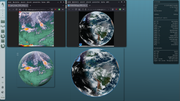
Amazing, @ragamatrix's conky's still work with the internet address. 
Offline
#2687 2026-05-05 18:18:20
- marens
- Member
- From: World without M$
- Registered: 2023-02-02
- Posts: 1,303
Re: Show us your conky
SACAD (Smart Automatic Cover Art Downloader)
Latest release:
https://github.com/desbma/sacad/releases/tag/3.0.1
$ sacad --version
sacad 3.0.1
If people would know how little brain is ruling the world, they would die of fear.
Offline
#2688 2026-05-08 15:38:11
- unklar
- Back to the roots 1.9
- From: #! BL
- Registered: 2015-10-31
- Posts: 3,108
Re: Show us your conky

https://workupload.com/file/NE9skNB7pBF
Contents:
- conkyrc config
- fonts 'ge_inspira', 'monofur'
- script 'myForecast' by @marens and weather images
Fonts installation I suggest the two in
~/.fonts and run the command in the terminal:
fc-cache -v -fdone
Last edited by unklar (2026-05-09 13:34:56)
Offline
#2689 2026-05-09 21:29:55
- Sector11
- Mod Squid Tpyo Knig
- From: Upstairs
- Registered: 2015-08-20
- Posts: 8,432
Re: Show us your conky
https://i.postimg.cc/QVtMNJCx/Bildschirmfoto-2026-05-08-17-30-36.png
https://workupload.com/file/NE9skNB7pBF
Contents:
- conkyrc config
- fonts 'ge_inspira', 'monofur'
- script 'myForecast' by @marens and weather images
Fonts installation I suggest the two in
~/.fonts and run the command in the terminal:fc-cache -v -fdone
Nice, I'll see is I can conky-v9 that. 
Debian 13 Beardog hosted by SoxDog
Still a Conky 1.9er at heart.
Offline
#2690 2026-05-10 00:54:20
- marens
- Member
- From: World without M$
- Registered: 2023-02-02
- Posts: 1,303
Re: Show us your conky
Weather Scripts - Update Interval
I am asking everyone not to run the myforecast/TAD/accuweather script from conky too often.
If web developers notice an increased number of requests, access may be disabled.
I really don't understand why someone has to check the weather forecast every ten minutes or less?
Half an hour (1800 seconds) or more is quite enough.
This is from my mf-conky:
${texeci 1800 bash $HOME/MyForecast/myforecast}I use the same interval in tad-conky and for accuweather it is 45 minutes (2700 seconds).
The problem is not that you might get banned, but that others won't be able to use these scripts.
Think about it.
Thanks in advance!
If people would know how little brain is ruling the world, they would die of fear.
Offline
#2691 2026-05-10 12:12:29
- unklar
- Back to the roots 1.9
- From: #! BL
- Registered: 2015-10-31
- Posts: 3,108
Re: Show us your conky
unklar wrote:https://i.postimg.cc/QVtMNJCx/Bildschirmfoto-2026-05-08-17-30-36.png
https://workupload.com/file/NE9skNB7pBF
Contents:
- conkyrc config
- fonts 'ge_inspira', 'monofur'
- script 'myForecast' by @marens and weather images
Fonts installation I suggest the two in
~/.fonts and run the command in the terminal:fc-cache -v -fdone
Nice, I'll see is I can conky-v9 that.
Since you are the older of the two of us, I did this for you 'as a teenager'.
I hope it works.
# @unklar based on @maren's myForecast script 2026-04-19

    own_window yes
   own_window_type normal
   own_window_transparent no
   own_window_hints skip_taskbar,skip_pager,undecorated,below
	own_window_colour 000000
    own_window_argb_visual yes
	own_window_argb_value 120
    own_window_class Conky

   minimum_size 660 220
#maximum_width 655
   gap_x 40 # l|r
   gap_y 60 # u|d
   alignment br

   use_xft yes
   xftfont GE Inspira:size=9
   xftalpha 1.0
   override_utf8_locale yes

   draw_shades no
   default_shade_color 000000
   draw_outline no
   default_outline_color 000000

   default_color ffffff
#color0 ffffff
   color1 778899 # LightSlateGray
   color2 FFA07A # LightSalmon
   color3 87CEFA # LightSkyBlue
   color4 48D1CC # MediumTurquoise
   color5 FFDEAD # NavajoWhite
   color6 00BFFF # DeepSkyBlue
   color7 ffffff
   color8 FFD700 # Gold
   color9 ffffff #

   draw_borders yes #no
	draw_shades yes #no
   draw_graph_borders yes #no
--   stippled_borders 5
   border_inner_margin 5
   border_outer_margin 0
   border_width 0 #8

   background no
   use_spacer none
   no_buffers yes
   double_buffer yes
	text_buffer_size 1024
	imlib_cache_size 0

   update_interval = 1

   lua_load ~/MyForecast/scripts/image.lua


TEXT
##### Start #####
${texeci 500 bash $HOME/MyForecast/myforecast}
##### Zeit #####
${voffset -15}${font GE Inspira:size=55}${time %H}:${time %M}${font GE Inspira:size=20}${color 808080}${goto 185}${time %S}${color}
##### Datum #####
${goto 300}${voffset -55}${font monofur:size=14}${time %a. %d %B %Y}
##### Wind-Info-Anzeige ######
${goto 300}${font monofur:size=12}Wind     : ${execi 90 sed -n '5p' $HOME/MyForecast/now} ${execi 90 sed -n '6p' $HOME/MyForecast/now}
${goto 300}Humidity : ${execi 90 sed -n '9p' $HOME/MyForecast/now}
${goto 300}Pressure : ${execi 90 sed -n '10p' $HOME/MyForecast/now}
#### Stadt ####
${voffset -5}${font monofur:size=14}myCity : ${font} ${execi 90 sed -n '1p' $HOME/MyForecast/aktualisiert}
${font monofur:size=18}${goto 135}${execi 90 sed -n '2p' $HOME/MyForecast/now} ${font} Gefühlt :  ${voffset -8}${font monofur:size=18}${execi 90 sed -n '3p' $HOME/MyForecast/now}
${goto 555}${voffset -124}${font ubuntu:size=11}N
${goto 522}${voffset 8}${font Ubuntu:size=6}NNW ${goto 583}NNE
${goto 493}${voffset -6}${font Ubuntu:size=9}NW ${goto 611}NE
${goto 486}${voffset 10}${font Ubuntu:size=6}WNW ${goto 618}ENE
${goto 468}${voffset 5}${font Ubuntu:size=11}W ${goto 641}E
${goto 486}${voffset 9}${font Ubuntu:size=6}WSW ${goto 618}ESE
${goto 493}${voffset 16}${font Ubuntu:size=9}SW ${goto 611}SE
${goto 522}${voffset -4}${font Ubuntu:size=6}SSW ${goto 583}SSE
${goto 555}${voffset 4}${font Ubuntu:size=11}S ${font}
#### Anzeige der nächsten drei Stunden und drei Tage ####
${voffset -60}${goto 20}${tztime GMT-3 %H} h\
${goto 95}${tztime GMT-4 %H} h\
${goto 170}${tztime GMT-5 %H} h\
${goto 245}${execi 3600 echo `date --date="1 day" | awk '{print $1" "$2}'`}\
${goto 320}${execi 3600 echo `date --date="2 day" | awk '{print $1" "$2}'`}\
${goto 400}${execi 3600 echo `date --date="3 day" | awk '{print $1" "$2}'`}
##### Temperaturanzeige  #####
${voffset 25}
${goto 20}${execi 90 sed -n '1p' $HOME/MyForecast/hourly/temperature}\
${goto 95}${execi 90 sed -n '2p' $HOME/MyForecast/hourly/temperature}\
${goto 170}${execi 90 sed -n '3p' $HOME/MyForecast/hourly/temperature}\
${goto 245}${color9}${execi 90 sed -n '1p' $HOME/MyForecast/high_temp}${color}/${color7}${execi 90 sed -n '1p' $HOME/MyForecast/low_temp}${color}\
${goto 320}${color9}${execi 90 sed -n '2p' $HOME/MyForecast/high_temp}${color}/${color7}${execi 90 sed -n '2p' $HOME/MyForecast/low_temp}${color}\
${goto 400}${color9}${execi 90 sed -n '3p' $HOME/MyForecast/high_temp}${color}/${color7}${execi 90 sed -n '3p' $HOME/MyForecast/low_temp}${color}
#### Icons aktuelle Bedingungen und Wind ####
${lua fDrawImage $HOME/MyForecast/0.png 180 0 130 130 0}${lua fDrawImage $HOME/MyForecast/wind_0.png 497 63 128 128 0}\
#### Icons für die nächsten 3 Stunden und 3 Tage ####
${lua fDrawImage $HOME/MyForecast/hourly/hourly_1.png 5 165 50 50 0} \
${lua fDrawImage $HOME/MyForecast/hourly/hourly_2.png 80 165 50 50 0} \
${lua fDrawImage $HOME/MyForecast/hourly/hourly_3.png 155 165 50 50 0} \
${lua fDrawImage $HOME/MyForecast/day_2.png 230 165 50 50 0}\
${lua fDrawImage $HOME/MyForecast/day_3.png 305 165 50 50 0}\
${lua fDrawImage $HOME/MyForecast/day_4.png 385 165 50 50 0}
${voffset -800}
I also forgot to deliver the image.lua with 'off'
 --créer par Didier-T

require 'cairo'
require 'cairo_xlib'
home = os.getenv ('HOME')

--Fonction d'affichage
function conky_fDrawImage(path,x,y,w,h,arc)

	path = string.gsub(path, "~", home)
	path = string.gsub(path, "$HOME", home)

	local cs = cairo_xlib_surface_create(conky_window.display, conky_window.drawable, conky_window.visual, conky_window.width, conky_window.height)

	local function fDrawImage(path,x,y,w,h,arc)
		x=x+(w/2)
		y=y+(h/2)
		local img =  cairo_image_surface_create_from_png(path)
		local w_img, h_img = cairo_image_surface_get_width (img), cairo_image_surface_get_height (img)

		local cr = cairo_create (cs)
		cairo_translate (cr, x, y)

		if arc then
			cairo_rotate (cr, arc)
		end

		cairo_scale (cr, w/w_img, h/h_img)
		cairo_set_source_surface (cr, img, -w_img/2, -h_img/2)
		cairo_paint (cr)
		cairo_destroy(cr)
		cairo_surface_destroy (img)
	end
	fDrawImage(path,x,y,w,h,arc)
	cairo_surface_destroy(cs)
	return ""
end
----------------------------------------------------------------
Is it possible that there are '5 emails' in spam folders in the meantime? I mean proton and gmail? Because, I don't understand it. 
Last edited by unklar (2026-05-11 07:16:19)
Offline
#2692 2026-05-11 04:03:43
- Sector11
- Mod Squid Tpyo Knig
- From: Upstairs
- Registered: 2015-08-20
- Posts: 8,432
Re: Show us your conky
I don't understand this:
	path = string.gsub(path, "~", home)
	path = string.gsub(path, "$HOME", home)
I don't put any conkys in my $HOME directory
/media/5/Conky/MyForecast/MyForcast.unklar.conky
/media/5/Conky/MyForecast/myforecast
/media/5/Conky/MyForecast/image.lua
myforcast line is different tot the examples:
address_daily="https://www.myforecast.com/index.php?
cwid=gn2878037&metric=true&city_count=&zip_code=&condition=act&data=1049342677&lang=english"

address_daily="https://www.myforecast.com/index.php?cwid=gn3435910&zipcode=&language=en&metric=true&city_count=&search=1"
So not running it and have not even looked at it.
I'll stay with my simple conky that shows current conditions and use my phone for other weather.
PS: No spam emails in gmail, and proton is gone.
Debian 13 Beardog hosted by SoxDog
Still a Conky 1.9er at heart.
Offline
#2693 2026-05-11 07:14:54
- unklar
- Back to the roots 1.9
- From: #! BL
- Registered: 2015-10-31
- Posts: 3,108
Re: Show us your conky
^^Sorry, this actually belongs in the 'head' of the lua script: --créer par Didier-T
I have corrected it.
You know him, remember? I don't know why that slipped through my fingers.
It actually means nothing more than showing Conky where to look. 'Modern' is now this:
package.path = script_dir .. "../?.lua;" .. package.pathTo my shame I have to admit that I no longer actively use a 1.9. @HoaS's deadbang should be suitable, I'll try it.
myforcast line is different tot the examples:
address_daily="https://www.myforecast.com/index.php?
The upper is my location and the lower is yours.
Last edited by unklar (2026-05-11 14:12:01)
Offline
#2694 2026-05-11 09:20:21
- loutch
- Member
- Registered: 2015-12-12
- Posts: 1,075
Re: Show us your conky
Hallo
Lieber Freund, verwendet dein Conky ein Hintergrundbild vom Typ „glass.png“ oder handelt es sich um ein Lua-Skript?
Falls es sich um eine PNG-Datei handelt, wäre es möglich, diese sowie die quadratische Version zu teilen?.
Danke viel mals.
----------------------------------------------------------------------------------------------------------------------------
Hello
Dear friend, is your Conky using a background like glass.png, or is it a Lua script?
If it’s a .png, is it possible to share it, along with the square version?
Tanks
@+
Linuxmint 22.1 Xia xfce & mageia 9 XFCE on ssd hp pavilion g7
Xubuntu 18.04 lts & 24.04 lts on ASUS Rog STRIX
Offline
#2695 2026-05-11 12:02:40
- marens
- Member
- From: World without M$
- Registered: 2023-02-02
- Posts: 1,303
Re: Show us your conky
@Sector11
Addresses (daily + hourly) must be in the same format as here.
See below "HOW?":
https://forums.bunsenlabs.org/viewtopic … 80#p150180
Buenos Aires
Daily:
address_daily="https://www.myforecast.com/index.php?cwid=gn3435907&metric=true&city_count=&zip_code=&condition=act&data=85737165&lang=english"Hourly:
address_hourly="https://www.myforecast.com/hourly-forecast.php?cwid=gn3435907&metric=true&city_count=&zip_code=&condition=act&data=1248534696&lang=english"If people would know how little brain is ruling the world, they would die of fear.
Offline
#2696 2026-05-11 14:10:41
- unklar
- Back to the roots 1.9
- From: #! BL
- Registered: 2015-10-31
- Posts: 3,108
Re: Show us your conky
Hallo
unklar wrote:Lieber Freund, verwendet dein Conky ein Hintergrundbild vom Typ „glass.png“ oder handelt es sich um ein Lua-Skript?
Falls es sich um eine PNG-Datei handelt, wäre es möglich, diese sowie die quadratische Version zu teilen?.
Danke viel mals.
----------------------------------------------------------------------------------------------------------------------------
Hello
Dear friend, is your Conky using a background like glass.png, or is it a Lua script?
If it’s a .png, is it possible to share it, along with the square version?
Tanks
@+
Ni l'un ni l'autre.
C'est sur BL-carbon, et l'effet résulte de la combinaison d'une image d'arrière-plan adaptée et du compositeur « picom » utilisé dans Carbon.
----------------------
Neither.
This is on BL-carbon, and the effect is created by combining a suitable background image with the ‘picom’ compositor used in carbon.
Offline
#2697 2026-05-11 14:17:32
- loutch
- Member
- Registered: 2015-12-12
- Posts: 1,075
Re: Show us your conky
Re
Oki-doki
Danke
@+
Linuxmint 22.1 Xia xfce & mageia 9 XFCE on ssd hp pavilion g7
Xubuntu 18.04 lts & 24.04 lts on ASUS Rog STRIX
Offline
#2698 2026-05-11 18:22:50
- Sector11
- Mod Squid Tpyo Knig
- From: Upstairs
- Registered: 2015-08-20
- Posts: 8,432
Re: Show us your conky
^^Sorry, this actually belongs in the 'head' of the lua script: --créer par Didier-T
I have corrected it.
You know him, remember? I don't know why that slipped through my fingers.
Yeah, I remember Didier-T. He has done some really awesome stuff with Conky. Much respect for him.
I have a {koff}few{koff} of his conkys and lua scripts here tweakeed and in original form.
It actually means nothing more than showing Conky where to look. 'Modern' is now this:
package.path = script_dir .. "../?.lua;" .. package.pathTo my shame I have to admit that I no longer actively use a 1.9. @HoaS's deadbang should be suitable, I'll try it.
myforcast line is different tot the examples:
address_daily="https://www.myforecast.com/index.php?The upper is my location and the lower is yours.
 I actually figured it out by clicking on the options at the site.
just that the lua script has got me confused. I'll get it.
I've been away from conky a long time.
Debian 13 Beardog hosted by SoxDog
Still a Conky 1.9er at heart.
Offline
#2699 2026-05-11 18:27:46
- Sector11
- Mod Squid Tpyo Knig
- From: Upstairs
- Registered: 2015-08-20
- Posts: 8,432
Re: Show us your conky
@Sector11
Got it all on my own.
Debian 13 Beardog hosted by SoxDog
Still a Conky 1.9er at heart.
Offline
#2700 2026-05-12 06:47:27
- unklar
- Back to the roots 1.9
- From: #! BL
- Registered: 2015-10-31
- Posts: 3,108
Re: Show us your conky
^^^@Sector11 lol
To my shame I have to admit that I no longer actively use a 1.9. @HoaS's deadbang should be suitable, I'll try it.
I didn't use deadbang, but an 'old Boron installation'
I couldn't do it because of a dependency on libxmms.., which cannot be installed.
I once knew how to get around that...
Offline