![[BunsenLabs Logo]](/img/bl.svg)
You are not logged in.
- Topics: Active | Unanswered
#41 2025-10-09 20:48:17
- hhh
- Hercule Poirot

- From: Belgium
- Registered: 2015-09-17
- Posts: 17,594
- Website
Re: [RC2 now out] Carbon alpha iso was available for testing
^That looks quite nice in fact.
And the inline systray makes sense there, where there's more horizontal space and less vertical.
I'll have to look up how to export the config, I forgot. Some profile manager, if I recall correctly.
-edit- Thank goodness, I still have half my mind left...
https://packages.debian.org/trixie/xfce4-panel-profiles
Last edited by hhh (2025-10-09 20:53:42)
Why why why why?!!???
Offline
#42 2025-10-11 01:30:11
- johnraff
- nullglob

- From: Nagoya, Japan
- Registered: 2015-09-09
- Posts: 13,513
- Website
Re: [RC2 now out] Carbon alpha iso was available for testing
^Yeah I think xfce4-panel-profiles is in the "full" install list, so we can ship vert and horiz variants easily.
...elevator in the Brain Hotel, broken down but just as well...
( a boring Japan blog (currently paused), now on Bluesky and Mastodon, there's also some GitStuff )
Offline
#43 2025-10-11 09:50:05
- johnraff
- nullglob
- From: Nagoya, Japan
- Registered: 2015-09-09
- Posts: 13,513
- Website
Re: [RC2 now out] Carbon alpha iso was available for testing
johnraff wrote:You clicked the file, and nothing happened at all? There's something wrong there...
No.
A prompt appeared asking me to select which application should open the file.
Before doing a fresh iso build, or even a fresh install (both time-consuming) I had another thought. Maybe it would help to know what your system thought about that "text" file.
If it's still available, could you post the output of:
file <path to the text file>
# and
file --mime <path to the text file>
Thanks!
...elevator in the Brain Hotel, broken down but just as well...
( a boring Japan blog (currently paused), now on Bluesky and Mastodon, there's also some GitStuff )
Offline
#44 2025-10-11 10:08:55
- unklar
- Back to the roots 1.9

- From: #! BL
- Registered: 2015-10-31
- Posts: 3,132
Re: [RC2 now out] Carbon alpha iso was available for testing
unklar wrote:johnraff wrote:You clicked the file, and nothing happened at all? There's something wrong there...
No.
A prompt appeared asking me to select which application should open the file.Before doing a fresh iso build, or even a fresh install (both time-consuming) I had another thought. Maybe it would help to know what your system thought about that "text" file.
If it's still available, could you post the output of:
file <path to the text file>
# and
file --mime <path to the text file>
Thanks!
I'll check...
Edit: Unfortunately, no.
Last edited by unklar (2025-10-11 10:52:04)
Offline
#45 2025-10-12 04:26:03
- johnraff
- nullglob
- From: Nagoya, Japan
- Registered: 2015-09-09
- Posts: 13,513
- Website
Re: [RC2 now out] Carbon alpha iso was available for testing
^Oh dear. Then I don't think there's any way of getting to the bottom of it. Until a similar issue comes up...
...elevator in the Brain Hotel, broken down but just as well...
( a boring Japan blog (currently paused), now on Bluesky and Mastodon, there's also some GitStuff )
Offline
#46 2025-10-12 08:02:27
- unklar
- Back to the roots 1.9
- From: #! BL
- Registered: 2015-10-31
- Posts: 3,132
Re: [RC2 now out] Carbon alpha iso was available for testing
^Oh dear. Then I don't think there's any way of getting to the bottom of it. Until a similar issue comes up...
I did a second installation on the same computer.
The result:
file ~/Documents/derTEST
/home/unklar/Documents/derTEST: empty
file --mime ~/Documents/derTEST
/home/unklar/Documents/derTEST: inode/x-empty; charset=binaryfile ~/Documents/derTEST.txt
/home/unklar/Documents/derTEST.txt: emptyfile --mime ~/Documents/derTEST.txt
/home/unklar/Documents/derTEST.txt: inode/x-empty; charset=binaryThe files are still empty. Hopefully this helps you. 

Edit:
derTEST
was created by right-clicking in Thunar.
derTEST.txt
was created with ‘touch...’ in the terminal.
Last edited by unklar (2025-10-12 08:05:10)
Offline
#47 2025-10-13 01:09:11
- micko01
- void main()

- From: Queensland, Australia
- Registered: 2024-04-07
- Posts: 578
- Website
Re: [RC2 now out] Carbon alpha iso was available for testing
I just installed on my old, quite capable dell laptop. All good
One minor nitpick is that we could do without the PAE check in the welcome script as (unfortunately) we are 64bit only now.
#!/bin/sh
echo '#include <stdio.h>\nvoid main() { printf("Hi, bunsenlabs\\n"); return; }' > bunsen.c
gcc bunsen.c -o bunsen
./bunsen
Offline
#48 2025-10-13 01:23:50
- johnraff
- nullglob
- From: Nagoya, Japan
- Registered: 2015-09-09
- Posts: 13,513
- Website
Re: [RC2 now out] Carbon alpha iso was available for testing
file ~/Documents/derTEST
/home/unklar/Documents/derTEST: empty
file --mime ~/Documents/derTEST /home/unklar/Documents/derTEST: inode/x-empty; charset=binaryfile ~/Documents/derTEST.txt /home/unklar/Documents/derTEST.txt: emptyfile --mime ~/Documents/derTEST.txt /home/unklar/Documents/derTEST.txt: inode/x-empty; charset=binary
Thanks - I think that clears it up. There is no issue. Linux systems ignore filename extensions like .txt (although some applications do take them into account) and determine the file type by looking at its contents. So an empty file cannot be detected as a text file - or an audio file or anything - whatever its name is. If you click on a file in Thunar then the mime-type (in this case inode/x-empty; charset=binary) is checked against ~/.config/mimeapps.list and because there is no application registered it asks you what to do. I think that's the correct behaviour.
If you already have a text editor open then you can ask it to open eg /home/unklar/Documents/derTEST and it will treat it as a text file. If the file doesn't exist it will probably create it. But if you don't save any content, I think the file will remain an empty inode.
...elevator in the Brain Hotel, broken down but just as well...
( a boring Japan blog (currently paused), now on Bluesky and Mastodon, there's also some GitStuff )
Offline
#49 2025-10-13 01:26:02
- johnraff
- nullglob
- From: Nagoya, Japan
- Registered: 2015-09-09
- Posts: 13,513
- Website
Re: [RC2 now out] Carbon alpha iso was available for testing
One minor nitpick is that we could do without the PAE check in the welcome script as (unfortunately) we are 64bit only now.
Good point. All 64bit processors will be regarded as PAE-supporting by the script and the message is meaningless. It does no harm, but I'll take the test out of bl-welcome.
...elevator in the Brain Hotel, broken down but just as well...
( a boring Japan blog (currently paused), now on Bluesky and Mastodon, there's also some GitStuff )
Offline
#50 2025-10-13 09:29:28
- unklar
- Back to the roots 1.9
- From: #! BL
- Registered: 2015-10-31
- Posts: 3,132
Re: [RC2 now out] Carbon alpha iso was available for testing
unklar wrote:file ~/Documents/derTEST /home/unklar/Documents/derTEST: emptyfile --mime ~/Documents/derTEST /home/unklar/Documents/derTEST: inode/x-empty; charset=binaryfile ~/Documents/derTEST.txt /home/unklar/Documents/derTEST.txt: emptyfile --mime ~/Documents/derTEST.txt /home/unklar/Documents/derTEST.txt: inode/x-empty; charset=binaryThanks - I think that clears it up. There is no issue. Linux systems ignore filename extensions like .txt (although some applications do take them into account) and determine the file type by looking at its contents. So an empty file cannot be detected as a text file - or an audio file or anything - whatever its name is. If you click on a file in Thunar then the mime-type (in this case inode/x-empty; charset=binary) is checked against ~/.config/mimeapps.list and because there is no application registered it asks you what to do. I think that's the correct behaviour.
If you already have a text editor open then you can ask it to open eg /home/unklar/Documents/derTEST and it will treat it as a text file. If the file doesn't exist it will probably create it. But if you don't save any content, I think the file will remain an empty inode.
+1
Thanks for clarifying that.
Offline
#51 2025-10-22 14:51:15
- sleekmason
- zoom

- Registered: 2018-05-22
- Posts: 1,163
- Website
Re: [RC2 now out] Carbon alpha iso was available for testing
Is this where I should post possible corrections for Carbon? Please move if needed.
* EDIT - Mod - might be better here: https://forums.bunsenlabs.org/viewtopic.php?id=9556
A couple of things I noticed right off, first was maybe changing the terminal background color out of the blue range?
Also, the initial color for the grub menu selection in the live ISO. - Currently the color is a purplish color if I remember right, and to me, it didn't really go with the splash. The change line for this is located in /config/bootloaders/syslinux-common/stdmenu.cfg
I guess I would like to know how deep would you like to go in finding items that you might want to adjust? Anyway, just did a reinstall and will be loading up BL here shortly, so will look further at all the rest too!
Last edited by sleekmason (2025-10-22 14:53:42)
Offline
#52 2025-10-22 16:33:21
- hhh
- Hercule Poirot
- From: Belgium
- Registered: 2015-09-17
- Posts: 17,594
- Website
Re: [RC2 now out] Carbon alpha iso was available for testing
... first was maybe changing the terminal background color out of the blue range?!
A custom dark background and text color for lxterminal to match yaru-dark, for sure, or else use xfce4-terminal instead where we can set "Use system theme" in the Colors settings. It's an easy package swapout.
Why why why why?!!???
Offline
#53 2025-10-22 23:28:55
- sleekmason
- zoom
- Registered: 2018-05-22
- Posts: 1,163
- Website
Re: [RC2 now out] Carbon alpha iso was available for testing
^ Yep! Awesome work on the theming btw. I've enjoyed the experience of going through the distro a bit from a live session to an install. Really not a whole lot of issues of any kind. Bl has always been rock solid, and that is no easy feat.
So, here are the notes I took during an install. Some of these don't matter at all, and others are just choices to be made, and not mine to make. I tried to keep the prospective of someone who knows just enough to find us here. In any event, I always appreciated when folks would do this for me, so here goes.
I installed in a VM (Oracle Virtualbox), because it seems a bit more important for Trixie with the 3d issues and all. Some of what I'm stating is obvious and may have been mentioned elsewhere. Cool.
On live boot, conky is hard to see.. Consider moving it, Changing the text color, or changing the configuration to 'draw_shades = true,' and finding a matching dark brown color that will work well. Currently it is set to black.
The theming itself works rather well! I like the Sage theme alternative:)
Love the menu icons. Nice! There are a few missing in the Settings section of the Applications Menu. All the rest are good to go.
I dig the new panel too. xfce4 panel should be fun to mess with there. No real opinion on the rounded corners argument, or the contents. I just think it looks nice:)
I would suggest rewriting the Live welcome screen and shrinking it a bit for those who check out BL in a VM.
Speaking of VM's, the dang 3d issue with Picom this round should be addressed. Lots of people know how to start up a VM, but can't be bothered with changing internal settings. - Is it possible to start without Picom enabled? or maybe just for the live session? Being able to open the basics like Thunar in a VM is probably important enough to consider this option.
Installation of Carbon went as expected. Meaning without issue... The blue highlight color in the installer could be changed to match the other grub menu highlight colors.
Nice matching Grub screen. As above, I would also match the highlight colors of the installed grub menu and the ISO boot menu highlight colors to keep things uniform.
Welcome script is very nice:) Very well developed information!
Display - So, even though it's right there in the menu, Its right there!! it seems hard to find ARandr, and the settings dialog for it would freak out a newcomer in my opinion. Yes, yes, the debate over who the user for BL is, but still, some things should be easy to deal with right off the bat. And of course, just my two cents. Coffee's on me.
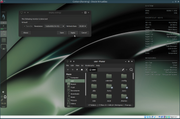
So.. mainly for VM use, consider the possibility of using lxrandr? (419kb installed) (screenshot), in at least the live session, It is about as simple as it gets for changing basic display geometry.
I would also consider making the display setting more prominent somehow. Again, mainly for use in a VM, but this does seem the way most are trying out new distros these days.. In fact, just brainstorming here, you could install lxrandr for the live session use only, and even add an ability for quick access. For BL, that might just mean a simple alias addition, or a keybind, which also could be shown in the shortcuts for those just starting BL. Okay, quit throwing bricks at me. lol.
But why do this? Well, it goes along with the picom without 3d enabled in a VM bit. Making it easier for people to test BL should be somewhat a priority. Make it easy to do initial adjustments. Make it easy for folks to wonder why they just spent an hour using BL when they just wanted to check it out for a minute.
The whole qt thing... man... I'm just using the qt5gtk and qt6gtk packages that were linked from the forum here, and they work fine with "export QT_QPA_PLATFORMTHEME=gtk2". using qt5ct or qt6ct is an option to set the other qt settings, but it will probably throw an error without the qt5-gtk-platformtheme. I'm currently leaving them out. They are not necessary, but are lightweight.
Is there a fix for those programs requiring gtk-4.0? if not, consider changing programs like transmission-gtk and file-roller to their gtk counterparts. Probably qbitttorrent and xarchiver for those two, though there are others. Two schools of thought on this. We like what we like, and both of those are tops, but the other options don't seem much of an issue to use as replacements. Just a thought.
So that is it here on first glance. Really, if this is all that is noticeable, then life is good and Carbon's coming soon. :)
Bunsenlabs is such a complete and stable setup, and all the devs should be very proud of how it has come together over the years. Good work. Thank you also for giving us cool forum spaces to work with. Goodness all around. :)
Last edited by sleekmason (2025-10-22 23:50:39)
Offline
#54 2025-10-23 01:42:31
- johnraff
- nullglob
- From: Nagoya, Japan
- Registered: 2015-09-09
- Posts: 13,513
- Website
Re: [RC2 now out] Carbon alpha iso was available for testing
^@sleekmason many thanks for that careful review! Some of those issues are sort-of known about, but hadn't yet been dealt with in the alpha iso, others are new. I'll come back to this post and look over all the points you raised. Maybe other devs have something to say too?
...elevator in the Brain Hotel, broken down but just as well...
( a boring Japan blog (currently paused), now on Bluesky and Mastodon, there's also some GitStuff )
Offline
#55 2025-10-23 01:47:47
- johnraff
- nullglob
- From: Nagoya, Japan
- Registered: 2015-09-09
- Posts: 13,513
- Website
Re: [RC2 now out] Carbon alpha iso was available for testing
...or else use xfce4-terminal instead where we can set "Use system theme" in the Colors settings. It's an easy package swapout.
I have no objections at all to making xfce4-terminal the default instead of lxterminal. I forget now why we ended up choosing the latter, but the xfce app was on the shortlist. I'll try and search out the discussion...
...elevator in the Brain Hotel, broken down but just as well...
( a boring Japan blog (currently paused), now on Bluesky and Mastodon, there's also some GitStuff )
Offline
#56 2025-10-23 03:09:37
- hhh
- Hercule Poirot
- From: Belgium
- Registered: 2015-09-17
- Posts: 17,594
- Website
Re: [RC2 now out] Carbon alpha iso was available for testing
^ Not important how we got here. We use a bunch of Xfce anyway, and I love their terminal. +1 for swapping lxterminal for xfcce4-terminal.
Why why why why?!!???
Offline
#57 2025-10-23 04:46:22
- johnraff
- nullglob
- From: Nagoya, Japan
- Registered: 2015-09-09
- Posts: 13,513
- Website
Re: [RC2 now out] Carbon alpha iso was available for testing
^ Not important how we got here.
I want to make sure there wasn't an important reason for the choice. Or if there was, that it doesn't matter any more. I'm sure xfce4-terminal is fine - I think it was my personal preference at the time.
EDIT I looked around, and maybe the original dev discussion got lost, but I found a couple of threads:
https://forums.bunsenlabs.org/viewtopic.php?id=6037
https://forums.bunsenlabs.org/viewtopic.php?id=4767
But no matter. At the time lxterminal was chosen because it was smaller and had fewer dependencies than xfce4-panel (it still does). I'm OK with either, but xfce4-panel has more bells and whistles. I'll swap it in on the upcoming beta iso and let's see what the reaction is...
Last edited by johnraff (2025-10-23 05:58:59)
...elevator in the Brain Hotel, broken down but just as well...
( a boring Japan blog (currently paused), now on Bluesky and Mastodon, there's also some GitStuff )
Offline
#58 2025-10-23 06:37:33
- hhh
- Hercule Poirot
- From: Belgium
- Registered: 2015-09-17
- Posts: 17,594
- Website
Re: [RC2 now out] Carbon alpha iso was available for testing
^ I appreciate your research. I think the change will go unnoticed, but the simplified theming is a bonus.
Why why why why?!!???
Offline
#59 2025-10-23 07:58:04
- johnraff
- nullglob
- From: Nagoya, Japan
- Registered: 2015-09-09
- Posts: 13,513
- Website
Re: [RC2 now out] Carbon alpha iso was available for testing
^yes, just set the colours to system theme, and leave the other settings at default?
...elevator in the Brain Hotel, broken down but just as well...
( a boring Japan blog (currently paused), now on Bluesky and Mastodon, there's also some GitStuff )
Offline
#60 2025-10-23 08:00:17
- johnraff
- nullglob
- From: Nagoya, Japan
- Registered: 2015-09-09
- Posts: 13,513
- Website
Re: [RC2 now out] Carbon alpha iso was available for testing
Off topic but this long list of terminal emulators just crossed the radar screen:
https://blog.randomstring.org/2025/09/2 … emulators/
It would have been nice if he'd checked Wayland compatibility too though.
Last edited by johnraff (2025-10-23 08:02:06)
...elevator in the Brain Hotel, broken down but just as well...
( a boring Japan blog (currently paused), now on Bluesky and Mastodon, there's also some GitStuff )
Offline