![[BunsenLabs Logo]](/img/bl.svg)
You are not logged in.
- Topics: Active | Unanswered
#2781 2026-10-18 18:02:26
- loutch
- Member
- Registered: 2015-12-12
- Posts: 1,084
Re: Show us your conky
Hello
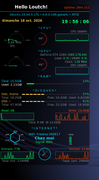
Ich habe es mit Lua und mit Hilfe von Gemini hinbekommen (mit zunehmendem Alter werden die Neuronen langsam alt und funktionieren nicht mehr richtig) – nur das Exagon macht mir Probleme; ich habe es nicht geschafft, es ohne einen Segmentierungsfehler zu drehen.
-----------------------------------------------------------------------------------
I’ve got it working with Lua and with the help of Gemini (I’m getting on a bit – my brain cells aren’t working properly any more), but it’s just the hexagon that’s playing up – I haven’t managed to rotate it without getting a segmentation fault.
@+
Linuxmint 22.1 Xia xfce & mageia 9 XFCE on ssd hp pavilion g7
Xubuntu 18.04 lts & 24.04 lts on ASUS Rog STRIX
Offline
#2782 2026-10-18 18:45:02
- Sector11
- Mod Squid Tpyo Knig

- From: Upstairs
- Registered: 2015-08-20
- Posts: 8,507
Re: Show us your conky
@Sector11, my friend.
Here's another "old clunker" that works perfectly on Wayland with version 1.24.2.
{snip}
The really great thing is, you don't have to worry about the rounded corners at all with the Conky. The Compostor takes care of all that, either Niri here or Picom for BL.
WOW!!! Nice. Glad to see.
Beardog Linux, hosted by SoxDog
(Debian 13 - X11)
Still a Conky 1.9er at heart.
Offline
#2783 2026-10-18 18:55:16
- Sector11
- Mod Squid Tpyo Knig
- From: Upstairs
- Registered: 2015-08-20
- Posts: 8,507
Re: Show us your conky
Hello
Ich habe es mit Lua und mit Hilfe von Gemini hinbekommen (mit zunehmendem Alter werden die Neuronen langsam alt und funktionieren nicht mehr richtig) – nur das Exagon macht mir Probleme; ich habe es nicht geschafft, es ohne einen Segmentierungsfehler zu drehen.
-----------------------------------------------------------------------------------
I’ve got it working with Lua and with the help of Gemini (I’m getting on a bit – my brain cells aren’t working properly any more), but it’s just the hexagon that’s playing up – I haven’t managed to rotate it without getting a segmentation fault.
@+
Loutch, unklar and myself.
Just three conkystadors getting old together still doing conkys.
Nur drei Conkystadors, die zusammen alt werden, machen immer noch Conkys.
Seulement trois conkystadors qui vieillissent ensemble font encore des conkys.
If you remember when did you start with conky? Dec 2007 for me
Wenn Sie sich erinnern, wann haben Sie mit Conky angefangen? Dez 2007 für mich
Si vous vous souvenez quand avez-vous commencé avec conky ? Déc 2007 pour moi
Beardog Linux, hosted by SoxDog
(Debian 13 - X11)
Still a Conky 1.9er at heart.
Offline
#2784 2026-10-19 05:34:28
- loutch
- Member
- Registered: 2015-12-12
- Posts: 1,084
Re: Show us your conky
Hello
First post on 12 December 2015 regarding a problem with the `moon_giant_script` file
-------------------------------------------------------------
Erster Beitrag am 12.12.2015 zu einem Problem in der Datei „moon_giant_script“
@+
Linuxmint 22.1 Xia xfce & mageia 9 XFCE on ssd hp pavilion g7
Xubuntu 18.04 lts & 24.04 lts on ASUS Rog STRIX
Offline
#2785 2026-10-19 12:06:51
- unklar
- Back to the roots 1.9

- From: #! BL
- Registered: 2015-10-31
- Posts: 3,149
Re: Show us your conky
Hello
Ich habe es mit Lua und mit Hilfe von Gemini hinbekommen (mit zunehmendem Alter werden die Neuronen langsam alt und funktionieren nicht mehr richtig) – nur das Exagon macht mir Probleme; ich habe es nicht geschafft, es ohne einen Segmentierungsfehler zu drehen.
https://i.postimg.cc/CRNRbdKj/Capture-d-ecran-2026-10-18-19-56-08.png
-----------------------------------------------------------------------------------
I’ve got it working with Lua and with the help of Gemini (I’m getting on a bit – my brain cells aren’t working properly any more), but it’s just the hexagon that’s playing up – I haven’t managed to rotate it without getting a segmentation fault.
@+
Very good, the AI... 
Yes, Wayland is definitely necessary for this Conky. I just tried it with Carbon. X11 fails, but carbon-wayland works with conky_v1.22.1

Offline
#2786 2026-10-19 12:16:09
- unklar
- Back to the roots 1.9
- From: #! BL
- Registered: 2015-10-31
- Posts: 3,149
Re: Show us your conky
loutch wrote:Hello
Ich habe es mit Lua und mit Hilfe von Gemini hinbekommen (mit zunehmendem Alter werden die Neuronen langsam alt und funktionieren nicht mehr richtig) – nur das Exagon macht mir Probleme; ich habe es nicht geschafft, es ohne einen Segmentierungsfehler zu drehen.
-----------------------------------------------------------------------------------
I’ve got it working with Lua and with the help of Gemini (I’m getting on a bit – my brain cells aren’t working properly any more), but it’s just the hexagon that’s playing up – I haven’t managed to rotate it without getting a segmentation fault.
@+
Loutch, unklar and myself.
Just three conkystadors getting old together still doing conkys.
Nur drei Conkystadors, die zusammen alt werden, machen immer noch Conkys.
Seulement trois conkystadors qui vieillissent ensemble font encore des conkys.If you remember when did you start with conky? Dec 2007 for me
Wenn Sie sich erinnern, wann haben Sie mit Conky angefangen? Dez 2007 für mich
Si vous vous souvenez quand avez-vous commencé avec conky ? Déc 2007 pour moi
For me it was the 2012-03-05 / 20:58 with mageia2 beta1 version.
El Conkystador (el conquistador = der Sieger) ein Markenzeichen für @Sector11, you won!
Offline
#2787 2026-10-19 16:42:27
- loutch
- Member
- Registered: 2015-12-12
- Posts: 1,084
Re: Show us your conky
Hello
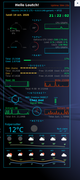
Jus ad weather
@+
Last edited by loutch (2026-10-19 19:29:30)
Linuxmint 22.1 Xia xfce & mageia 9 XFCE on ssd hp pavilion g7
Xubuntu 18.04 lts & 24.04 lts on ASUS Rog STRIX
Offline
#2788 2026-10-19 23:01:02
- Sector11
- Mod Squid Tpyo Knig
- From: Upstairs
- Registered: 2015-08-20
- Posts: 8,507
Re: Show us your conky
Sector11 wrote:{snip}
If you remember when did you start with conky? Dec 2007 for me
Wenn Sie sich erinnern, wann haben Sie mit Conky angefangen? Dez 2007 für mich
Si vous vous souvenez quand avez-vous commencé avec conky ? Déc 2007 pour moiFor me it was the 2012-03-05 / 20:58 with mageia2 beta1 version.
Ahhh yes, and sometime after you came to #! for Teo's weather scripts where we met.
El Conkystador (el conquistador = der Sieger) ein Markenzeichen für @Sector11, you won!
Actually Conkystador is a play on words from the Spanish "conquistadore" or "conqueor" in English.
The conqueors came and conquored the village
Die Eroberungen kamen, ein erdrungenes Dorf
And in Spanish Conkystador and conquistadore are pronounced "almost" the same, only the stress would be different.
And IMHO Conkystadors are a group of friends that have conquored Conky, and in that respect you are a winner as well.
El Conkystador unklar and honorary member of:
Wait!
Conky thread - a v1.9 conky still working except for hddtemp - it's not in trixie repos 

 2026·10·19 @ 19:55:29 ~
   $ ser hdd
p   hddemux                           - HTTP/1.x and DNS demultiplexer
p   vdr-plugin-dvbhddevice            - Plugin that adds support for full featured H

 2026·10·19 @ 19:55:32 ~
   $ sen
Sensors:
  System Temperatures: cpu: 33.9 C mobo: N/A gpu: amdgpu temp: 33.0 C
  Fan Speeds (rpm): N/A gpu: amdgpu fan: 1425

 2026·10·19 @ 19:56:46 ~
   $ hdd
Drives:
  Local Storage: total: 931.51 GiB used: 173.22 GiB (18.6%)
  ID-1: /dev/sda vendor: Western Digital model: WD10EZEX-08WN4A0
    size: 931.51 GiB speed: 6.0 Gb/s serial: WD-WCC6Y4SART1L
  Message: No optical or floppy data found.

 2026·10·19 @ 19:56:59 ~
   $
CHIMO!
Last edited by Sector11 (2026-10-19 23:06:55)
Beardog Linux, hosted by SoxDog
(Debian 13 - X11)
Still a Conky 1.9er at heart.
Offline
#2789 2026-10-19 23:35:10
- PackRat
- jgmenu user Numero Uno

- Registered: 2015-10-02
- Posts: 3,117
Re: Show us your conky
@Sector11 -
hddtemp has been replaced by the kernel module drivetemp
https://sources.debian.org/src/hddtemp/ … w_referer=
I'm sure a using your preferred search engine for "drivetemp in conky" will generate some examples.
Edit - like this one https://forums.bunsenlabs.org/viewtopic.php?id=8257
Looks like you're already using it.
You must unlearn what you have learned.
-- yoda
Online
#2790 2026-10-20 03:11:20
- Sector11
- Mod Squid Tpyo Knig
- From: Upstairs
- Registered: 2015-08-20
- Posts: 8,507
Re: Show us your conky
@Sector11 -
hddtemp has been replaced by the kernel module drivetemp
https://sources.debian.org/src/hddtemp/ … w_referer=
I'm sure a using your preferred search engine for "drivetemp in conky" will generate some examples.
Edit - like this one https://forums.bunsenlabs.org/viewtopic.php?id=8257
Looks like you're already using it.
OH BOY! My forgetter is getting better. drivetemp totally did not remember.
Also you didn't notice this post where unklar recommended I wait until I find an OOPS! 4 years pass and OOPS! I found one in that flaming frame conky.
And I have since then fixed it with hddtemp.
» went to Debian's packages page, and downloaded hddtemp from OldOldStable
» did a "get /media/10/DEBs/Deb-11/hddtemp_0.3-beta15-54_amd64.deb"
» » hoping it would install - it did.
» A LONG time ago I had two conky "websites",
» » 1st was Conky Hardcore
» » 2nd was Conky PitStop
» they are gone now, BUT I also have them here locally.
» I checked CP Tips and Tricks page for "Using hddtemp (en)" (it's in English / French)
and found, the important things:
sudo hddtemp /dev/sdX
sudo chmod u+s /usr/sbin/hddtemp
» no longer need sudo
 2026·10·19 @ 23:07:48 ~
   $ hddtemp /dev/sda
/dev/sda: WDC WD10EZEX-08WN4A0: 32°C

 2026·10·19 @ 23:08:01 ~
   $ hddtemp /dev/sda | cut -c 33-34
32

 2026·10·19 @ 23:10:28 ~
   $
» so it back in conky:
${execi 10 hddtemp /dev/sda | cut -c 33-34}°» That was all before seeing this post.
OK. Lets talk about "drivetemp" - not a fan. Here's why.
Today my hdd temp might be on hwmon0 , two or three reboots from now it might be on hwmon1 or 2.
Like it says at Conky PitStop: 1 Using Sensors page that has three methods:
» 1.1 METHOD 1 - grep, awk, sed, etc. (old way, some new info)
» 1.2 METHOD 2 - hwmon
» 1.3 METHOD 3 - platform
EDIT-ADDITIONAL
Sometimes you might find that when you run sensors after a restart the sensors load in a different order k10temp-pci-00c3 may not necessarily be shown first. If this is the case the above commands will give you a different reading, as (in the example above) you are matching the first instance of temp1. To get around this, you can call each sensor individually by typing the name of the sensor after the sensors command like so:
sensors k10temp-pci-00c3Then you can use similar grep and awk commands to get the temp number
sensors k10temp-pci-00c3 | grep 'temp1' | awk -F'+' '{print $2}' | awk -F'.' '{print $1}'You don't need the sed commands as there will only be one temp1 for grep to match
The above tip from stinkeyeI suspect that the loading order of the sensors will also affect the contents of the hwmon folders used in method 2 below. Note: it does - at times (VastOne).
SO when hwmon0, 1, 2 maybe 3 or 4 start moving around it really MUCKS things up.
Now that post you posted to might be superseeced by this page that tells me to do this:
echo drivetemp > /etc/modules-load.d/drivetemp.confdid that and rebooted....
And I do my magic "sensen" bash script outputting sensors and inxi -s
   $ sensen
sensors && =-=-=-=-=-=-= && inxi -s -c24
drivetemp-scsi-0-0
Adapter: SCSI adapter
temp1:        +32.0°C  (low  =  +0.0°C, high = +60.0°C)
                       (crit low = -41.0°C, crit = +85.0°C)
                       (lowest = +22.0°C, highest = +33.0°C)

amdgpu-pci-0100
Adapter: PCI adapter
vddgfx:      937.00 mV
fan1:        1424 RPM  (min =  900 RPM, max = 4500 RPM)
edge:         +34.0°C  (crit = +94.0°C, hyst = -273.1°C)
PPT:          17.20 W  (cap = 130.00 W)
pwm1:             24%
sclk:           1 GHz
mclk:         300 MHz

k10temp-pci-00c3
Adapter: PCI adapter
Tctl:         +34.0°C

=-=-=-=-=-=-=
Sensors:
  System Temperatures: cpu: 34.2 C mobo: N/A gpu: amdgpu temp: 34.0 C
  Fan Speeds (rpm): N/A gpu: amdgpu fan: 1423

 2026·10·19 @ 23:34:53 ~
   $
And there it is on the top. Now to do the magic line:
 2026·10·19 @ 23:37:26 ~
   $ for m in /sys/class/hwmon/* ; do echo -n "$m = " ; cat $m/name ; done
/sys/class/hwmon/hwmon0 = drivetemp
/sys/class/hwmon/hwmon1 = k10temp
/sys/class/hwmon/hwmon2 = asus
/sys/class/hwmon/hwmon3 = amdgpu

 2026·10·19 @ 23:38:34 ~
   $
do I gamble that it will always be hwmon0?
OR:
   $ sensors drivetemp-scsi-0-0
drivetemp-scsi-0-0
Adapter: SCSI adapter
temp1:        +32.0°C  (low  =  +0.0°C, high = +60.0°C)
                       (crit low = -41.0°C, crit = +85.0°C)
                       (lowest = +22.0°C, highest = +33.0°C)

   $ sensors drivetemp-scsi-0-0 | grep 'temp1' | awk -F'+' '{print $2}' | awk -F'.' '{print $1}'
32
and in my test conky:
  HDDTEMP: ${execi 10 hddtemp /dev/sda |cut -c33-34}°
 hwmon0.1: ${hwmon 0 temp 1}°
  sensors: ${execi 10 sensors drivetemp-scsi-0-0 | grep 'temp1' | awk -F'+' '{print $2}' | awk -F'.' '{print $1}'}°
I have OPTIONS
Beardog Linux, hosted by SoxDog
(Debian 13 - X11)
Still a Conky 1.9er at heart.
Offline
#2791 2026-10-20 13:27:10
- loutch
- Member
- Registered: 2015-12-12
- Posts: 1,084
Re: Show us your conky
Hello
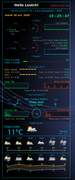
Last update i think i have it
@+
Last edited by loutch (2026-10-20 13:27:23)
Linuxmint 22.1 Xia xfce & mageia 9 XFCE on ssd hp pavilion g7
Xubuntu 18.04 lts & 24.04 lts on ASUS Rog STRIX
Offline
#2792 2026-10-20 15:15:21
- unklar
- Back to the roots 1.9
- From: #! BL
- Registered: 2015-10-31
- Posts: 3,149
Re: Show us your conky
^@loutch, fabulous! +1
---------
El Conkystador unklar and honorary member of:
787664161_alert-fc.webp
Take the Coin to the embassy so they can fly it to Berlin...
SO when hwmon0, 1, 2 maybe 3 or 4 start moving around it really MUCKS things up.
It always annoyed me that the device files had different interfaces depending on how they were registered with the computer. It was like a case of "who gets there first?"
Therefore, another method:
» 1.2 METHOD 2 - hwmon
» 1.2.1 METHOD 2 - hwmon(if_existing)
${if_existing /sys/class/hwmon/hwmon4/temp1_input}${eval ${hwmon 4 temp 1}}°C${else}${if_existing /sys/class/hwmon/hwmon0/temp1_input}${eval ${hwmon 0 temp 1}}°C${endif}${endif}Example using the CPU 
Lately, I've hardly observed this behavior anymore. With my installations using the latest Kernel+Wayland, I've gotten the impression that kernel development has improved enormously in this regard. Presumably, the registration of device files is much more 'organized' than in the past. At least hwmon4 temp1 hwmon4 temp1 remains that.
Offline
#2793 2026-10-20 17:48:44
- Sector11
- Mod Squid Tpyo Knig
- From: Upstairs
- Registered: 2015-08-20
- Posts: 8,507
Re: Show us your conky
^@loutch, fabulous! +1
---------Sector11 wrote:El Conkystador unklar and honorary member of:
787664161_alert-fc.webpTake the Coin to the embassy so they can fly it to Berlin...

You'll have to settle for the image like I do. It was created many years after I was there.
Nunavut is the largest and northernmost territory of Canada. It was separated from the Northwest Territories in 1999, I was in Alert in the 70's and it was ALL the Northwest Territories then.
SO when hwmon0, 1, 2 maybe 3 or 4 start moving around it really MUCKS things up.
It always annoyed me that the device files had different interfaces depending on how they were registered with the computer. It was like a case of "who gets there first?"
Therefore, another method:
» 1.2 METHOD 2.0 - hwmon
» 1.2.1 METHOD 2 - hwmon(if_existing)${if_existing /sys/class/hwmon/hwmon4/temp1_input}${eval ${hwmon 4 temp 1}}°C${else}${if_existing /sys/class/hwmon/hwmon0/temp1_input}${eval ${hwmon 0 temp 1}}°C${endif}${endif}Example using the CPU https://i.imgur.com/tOgXjH9t.png
Lately, I've hardly observed this behavior anymore. With my installations using the latest Kernel+Wayland, I've gotten the impression that kernel development has improved enormously in this regard. Presumably, the registration of device files is much more 'organized' than in the past. At least hwmon4 temp1 hwmon4 temp1 remains that.
Actually I think there is a newer method - we do not need "if_existing" anymore.
» 1.2.0 METHOD 2 - hwmon - by name
I see:
${hwmon (dev) type n (factor offset)}

Hwmon sensor from sysfs (Linux 2.6). Parameter dev can be:

    Number. e.g 1 means hwmon1.
    Module name. e.g. k10temp means the first hwmon device whose module name is k10temp.
    Omitted. Then the first hwmon device (hwmon0) will be used.

Parameter type is either in or vol meaning voltage; power meaning power; fan meaning fan; temp meaning temperature. Parameter n is number of the sensor. See /sys/class/hwmon/ on your local computer. The optional arguments factor and offset allow precalculation of the raw input, which is being modified as follows: input = input * factor + offset. Note that they have to be given as decimal values (i.e. contain at least one decimal place).

${hwmonbar (height),(width) (dev) type n (factor offset)}

Same as hwmon, but displays the sensor reading as a horizontal bar. Use factor and offset to scale the value reported by hwmon into the 0-100 range. Temperature values are already converted from millidegrees. Height and width default to default_bar_height and default_bar_width respectively.
SOOOOOO your line:
$ for m in /sys/class/hwmon/* ; do echo -n "$m = " ; cat $m/name ; donepoints the way:
NOTE TO SELF: MUST NOT FORGET THE UNKLAR LINE
/sys/class/hwmon/hwmon0 = drivetemp
/sys/class/hwmon/hwmon1/name = k10temp
/sys/class/hwmon/hwmon2/name = asus
/sys/class/hwmon/hwmon3/name = amdgpu
hwmon no longer needs to look for hwmon0, 1, 2, 3, ...
It looks for "/name"
METHOD 2.0
 drivetemp      ${hwmon drivetemp temp 1}°
 k10temp        ${hwmon k10temp temp 1}°
 amdgpu temp 1  ${hwmon amdgpu temp 1}°
 amdgpu fan 1   ${hwmon amdgpu fan 1}RPM
 amdgpu freq 1  ${hwmon amdgpu freq 1}
 amdgpu freq 2  ${hwmon amdgpu freq 2}
 amdgpu in 0    ${hwmon amdgpu in 0}
 amdgpu power 1 ${hwmon amdgpu power 1}
Thank you unklar!
Beardog Linux, hosted by SoxDog
(Debian 13 - X11)
Still a Conky 1.9er at heart.
Offline
#2794 2026-10-20 17:55:23
- Sector11
- Mod Squid Tpyo Knig
- From: Upstairs
- Registered: 2015-08-20
- Posts: 8,507
Re: Show us your conky
${hwmon (dev) type n (factor offset)}
${hwmonbar (height),(width) (dev) type n (factor offset)}
Must reserch what these REALLY mean
height, width, dev, n, I got but (factor offset) ... cannot wrap my head around that.
Parameter type is either in or vol meaning voltage; power meaning power; fan meaning fan; temp meaning temperature. Parameter n is number of the sensor. See /sys/class/hwmon/ on your local computer. The optional arguments factor and offset allow precalculation of the raw input, which is being modified as follows: input = input * factor + offset. Note that they have to be given as decimal values (i.e. contain at least one decimal place).
Beardog Linux, hosted by SoxDog
(Debian 13 - X11)
Still a Conky 1.9er at heart.
Offline
#2795 2026-10-21 17:26:21
- unklar
- Back to the roots 1.9
- From: #! BL
- Registered: 2015-10-31
- Posts: 3,149
Re: Show us your conky
${hwmon (dev) type n (factor offset)}

Hwmon sensor from sysfs (Linux 2.6). Parameter dev can be:

    Number. e.g 1 means hwmon1.
    Module name. e.g. k10temp means the first hwmon device whose module name is k10temp.
    Omitted. Then the first hwmon device (hwmon0) will be used.

Parameter type is either in or vol meaning voltage; power meaning power; fan meaning fan; temp meaning temperature. Parameter n is number of the sensor. See /sys/class/hwmon/ on your local computer. The optional arguments factor and offset allow precalculation of the raw input, which is being modified as follows: input = input * factor + offset. Note that they have to be given as decimal values (i.e. contain at least one decimal place).

${hwmonbar (height),(width) (dev) type n (factor offset)}

Same as hwmon, but displays the sensor reading as a horizontal bar. Use factor and offset to scale the value reported by hwmon into the 0-100 range. Temperature values are already converted from millidegrees. Height and width default to default_bar_height and default_bar_width respectively.
That's cool! I have to try that!
By the way: The AI of FF-esr "Flash Response" says in response to your question:
The HWMON subsystem in the Linux kernel uses the “Factor” and “Offset” parameters to convert raw sensor values into physically meaningful units. These mechanisms are crucial because hardware sensors often provide raw digital data that cannot be directly interpreted as temperature, voltage, or current. The kernel provides a standardized interface through which drivers apply these mathematical transformations before the data is output to userspace via the sysfs interface.
The Offset serves as an additive constant to compensate for a zero point or a baseline shift. Many sensors, particularly temperature sensors, operate using two’s-complement representations or have a systematic measurement error that must be corrected by a fixed value. Adding the offset ensures that the measured value is correctly set to zero at a reference temperature or in an idle state. This is particularly relevant for sensors that must measure negative temperatures or whose output voltage does not start at 0 volts.
The factor acts as a multiplicative scaling factor to convert the sensor's resolution into the desired physical unit. Since digital interfaces often return only integer values, this factor must take into account the sensor's bit depth and sensitivity. For example, a factor of 0.001 converts a value to milligrads Celsius, while for current sensors, a more complex factor accounts for the shunt resistances and gain factors of the hardware. This multiplication typically takes place in the driver before the value is written to the sysfs attribute.
Together, the factor and offset enable a consistent representation of sensor values regardless of the specific hardware architecture. System administrators and monitoring tools such as lm_sensors can thus access consistent units without needing to know the details of the underlying hardware conversion. This abstraction is central to the robustness of the HWMON subsystem, as it facilitates driver maintainability and ensures compatibility between different sensor chips.
https://www.reddit.com/r/conky/comments … mon_works/
Last edited by unklar (2026-10-21 17:35:43)
Offline
#2796 2026-10-22 01:26:54
- Sector11
- Mod Squid Tpyo Knig
- From: Upstairs
- Registered: 2015-08-20
- Posts: 8,507
Re: Show us your conky
Thank you unklar.
Beardog Linux, hosted by SoxDog
(Debian 13 - X11)
Still a Conky 1.9er at heart.
Offline
#2797 Yesterday 11:36:21
- unklar
- Back to the roots 1.9
- From: #! BL
- Registered: 2015-10-31
- Posts: 3,149
Re: Show us your conky
^^My computer doesn't have fans. Nevertheless, I've now implemented this.
It's amazing how little RAM the four Conky's actually use here on carbon. 

the hwmon-config
--[[@unklar 2026-05-13
found in @mpeachy's allcombined.lua
function 'loadstring' changed to 'load' --from lua5.2
]]
conky.config = {
	double_buffer = true,
	no_buffers = true,
	update_interval = 1,
	cpu_avg_samples = 2,
	net_avg_samples = 2,
	background = true,
	use_spacer = 'none',
	uppercase = false,

	own_window = true,
	own_window_type = 'normal',--desktop
	own_window_transparent = true,--false,
	own_window_hints = 'undecorated,below,skip_taskbar,skip_pager',--sticky,
--	own_window_colour = '#000000',
	own_window_argb_visual = true,
--	own_window_argb_value = 140,
	own_window_class = 'conky',
	out_to_console = false,
	out_to_wayland = false,
	use_xft = true,
	font = 'FiraMono:size=10',
	xftalpha = 0,

	draw_shades = false,
	draw_outline = false,
	draw_borders = false,
	draw_graph_borders = true,--false,
	stippled_borders = 0,
	border_width = 0,

	alignment = 'bottom_right', --middle',
	minimum_width = 300, minimum_height = 100,
	gap_x = 85,
	gap_y = 40,

-- colors
	default_color = '#ffffff',
	default_shade_color = '#000000',
	default_outline_color = '#0000000',
	color0 = '#ffffff',--white
	color1 = '#144556',--dunkelblue
	color2 = '#33b0dc',--hellblue
	color3 = '#ff8c00',--dark orange
	color4 = '#00ffff',--cain
	color5 = '#c0c0c0',--silver
	color6 = '#808080',--gray

--	lua_load = os.getenv("HOME") .. './allcombined2.lua',
	lua_load = './scripts/allcombined2.lua',


};

conky.text = [[
${goto 60}${color5}${font SEXY SPANISH ERASMUS GIRLS V.2.0:size=20}  q  B  3  >  x${font}${color}
${voffset -10}${font monofur:size=14}${color3}CPU Use ${swapbar 1,200}${color}
${execi 86400 grep -m1 -oP '^model name\s+:\s\K(.*)' /proc/cpuinfo}
${color6}${font monofur:size=12}Temp:CPU1 ${hwmon coretemp temp 1}°   CPU2 ${hwmon coretemp temp 2}°   CPU3 ${hwmon coretemp temp 10}°   CPU4 ${hwmon coretemp temp 11}°
${alignc}${cpugraph 10,350 000000 FFD710}${color}
${color6}Disk:sda8 ${hwmon drivetemp temp 1}°

${voffset -15}${font monofur:size=10}Avg.${goto 50} : ${cpu cpu0}% ${lua gradbar {100, 123, "${cpu cpu0}", 100, 40, 2, 10, 1, 0xFFFFFF, 0.25, 0x00FF00, 1, 0xFFFF00, 1, 0xFF0000, 1}}${goto 230}${color}${freq 1} MHz
CPU-1${goto 50} : ${cpu cpu1}% ${lua gradbar {100, 138, "${cpu cpu1}", 100, 40, 2, 10, 1, 0xFFFFFF, 0.25, 0x00FF00, 1, 0xFFFF00, 1, 0xFF0000, 1}}${goto 230}${color}${freq 2} MHz
CPU-2${goto 50} : ${cpu cpu2}% ${lua gradbar {100, 153, "${cpu cpu2}", 100, 40, 2, 10, 1, 0xFFFFFF, 0.25, 0x00FF00, 1, 0xFFFF00, 1, 0xFF0000, 1}}${goto 230}${color}${freq 3} MHz
CPU-3${goto 50} : ${cpu cpu3}% ${lua gradbar {100, 168, "${cpu cpu3}", 100, 40, 2, 10, 1, 0xFFFFFF, 0.25, 0x00FF00, 1, 0xFFFF00, 1, 0xFF0000, 1}}${goto 230}${color}${freq 4} MHz
CPU-4${goto 50} : ${cpu cpu4}% ${lua gradbar {100, 183, "${cpu cpu4}", 100, 40, 2, 10, 1, 0xFFFFFF, 0.25, 0x00FF00, 1, 0xFFFF00, 1, 0xFF0000, 1}}${goto 230}${color}${freq 5} MHz
${voffset 15}
]];
Thanks, @Sector11 ! 
Last edited by unklar (Yesterday 12:51:21)
Offline
#2798 Yesterday 14:29:32
- Sector11
- Mod Squid Tpyo Knig
- From: Upstairs
- Registered: 2015-08-20
- Posts: 8,507
Re: Show us your conky
^^My computer doesn't have fans. Nevertheless, I've now implemented this.
Thanks, @Sector11 !
You're more than welcome my friend.
LOOKIN' GOOD!!
Beardog Linux, hosted by SoxDog
(Debian 13 - X11)
Still a Conky 1.9er at heart.
Offline