![[BunsenLabs Logo]](/img/bl.svg)
You are not logged in.
- Topics: Active | Unanswered
#2661 2026-04-10 08:22:25
- loutch
- Member
- Registered: 2015-12-12
- Posts: 1,075
Re: Show us your conky
Hello
Change it to to open-meteo.com , for the moment it work

@+
Linuxmint 22.1 Xia xfce & mageia 9 XFCE on ssd hp pavilion g7
Xubuntu 18.04 lts & 24.04 lts on ASUS Rog STRIX
Offline
#2662 2026-04-11 09:40:26
- unklar
- Back to the roots 1.9

- From: #! BL
- Registered: 2015-10-31
- Posts: 3,108
Re: Show us your conky
 There's always something to do, even if it's f***ing EU summer time.


Based on the 'Grimm Fairy Tale', who is the fairest in the land?
The differences between the weather sites are striking (well, not everyone can tell the location  )
)
EDIT: FAMILY SAFE
Last edited by Sector11 (2026-04-12 13:30:17)
Offline
#2663 2026-04-11 13:54:50
- Sector11
- Mod Squid Tpyo Knig

- From: Upstairs
- Registered: 2015-08-20
- Posts: 8,432
Re: Show us your conky
...
EDIT: Ummmmm "fanless" ?
{snip}
Yes, fanless - no fan.
Sweet looking little rig there
sensors doesn't show anything about CPUs at all:
This is your CPU.
Yes I know. What I meant is mine, an AMD, does show 'individual" CPU temps like your Intel does.
Sorry for the misunderstanding.
And for that reason I use:
CPU ${exec sensors | grep -n 'Tctl' | awk -F'+' '{print $2}' | awk -F'.' '{print $1}'}°\ 2026·04·11 @ 11:17:54 ~
$ sensors | grep -n 'Tctl' | awk -F'+' '{print $2}' | awk -F'.' '{print $1}'
35I really should get an Intel - maybe
Debian 13 Beardog hosted by SoxDog
Still a Conky 1.9er at heart.
Offline
#2664 2026-04-11 14:35:17
- Sector11
- Mod Squid Tpyo Knig
- From: Upstairs
- Registered: 2015-08-20
- Posts: 8,432
Re: Show us your conky
unklar wrote:@Sector11
Hello, my friend.
Check this out on my 'fanless' computer and @Olgmen's Conky.Simply Awesome - Exactly what I was looking for to work my steampunk network speed conky!
I might have a conky you'd be interested in, Steampunk . or at least mechanical:
It's a highly modofied one from:
# written by easysid
# Sun, 20 Oct 2013 10:44:04 IST
Here's easysids almost done version on youtube:
https://www.youtube.com/watch?v=WfM8ReK80Rk

Debian 13 Beardog hosted by SoxDog
Still a Conky 1.9er at heart.
Offline
#2665 2026-04-12 00:04:20
- marens
- Member

- From: World without M$
- Registered: 2023-02-02
- Posts: 1,303
Re: Show us your conky
RadioTray-NG - Now Playing
SACAD (Smart Automatic Cover Art Downloader)
You can download the latest version sacad 3.0.0 here:
https://github.com/desbma/sacad/releases/tag/3.0.0
If people would know how little brain is ruling the world, they would die of fear.
Offline
#2666 2026-04-12 00:48:20
- Sector11
- Mod Squid Tpyo Knig
- From: Upstairs
- Registered: 2015-08-20
- Posts: 8,432
Re: Show us your conky
RadioTray-NG - Now Playing
SACAD (Smart Automatic Cover Art Downloader)
You can download the latest version sacad 3.0.0 here:
https://github.com/desbma/sacad/releases/tag/3.0.0
This is not a conky
Debian 13 Beardog hosted by SoxDog
Still a Conky 1.9er at heart.
Offline
#2667 2026-04-12 00:54:40
- marens
- Member
- From: World without M$
- Registered: 2023-02-02
- Posts: 1,303
Re: Show us your conky
^ SACAD is integrated into my radiotray-ng-sacad conky script:
https://forums.bunsenlabs.org/viewtopic … 42#p149742
If people would know how little brain is ruling the world, they would die of fear.
Offline
#2668 2026-04-12 08:44:35
- unklar
- Back to the roots 1.9
- From: #! BL
- Registered: 2015-10-31
- Posts: 3,108
Re: Show us your conky
And for that reason I use:
CPU ${exec sensors | grep -n 'Tctl' | awk -F'+' '{print $2}' | awk -F'.' '{print $1}'}°\
^^and, my misunderstanding was that you forgot that
I really should get an Intel - maybe
Don't do that, it will just cost unnecessary money and it won't change much. 
Offline
#2669 2026-04-12 08:54:03
- unklar
- Back to the roots 1.9
- From: #! BL
- Registered: 2015-10-31
- Posts: 3,108
Re: Show us your conky
^ SACAD is integrated into my radiotray-ng-sacad conky script:
https://forums.bunsenlabs.org/viewtopic … 42#p149742
Unfortunately, unlike the 'old' audacious-stream-swiss-pop script, this doesn't work. The log says:
error: invalid value 'la lune' for '<SIZE>': invalid digit found in string

For more information, try '--help'.
and
error: invalid value 'www.radioswisspop.ch' for '<SIZE>': invalid digit found in string

For more information, try '--help'.
Sagad-3.0.0 is in use.
Offline
#2670 2026-04-12 13:00:53
- marens
- Member
- From: World without M$
- Registered: 2023-02-02
- Posts: 1,303
Re: Show us your conky
How to install SACAD?
1) You can download the latest version sacad_3.0.0_linux_x86_64.tar.gz here:
https://github.com/desbma/sacad/releases/tag/3.0.0
2) Right click on ~/Downloads/sacad_3.0.0_linux_x86_64.tar.gz > Extract Here
3) Open folder ~/Downloads/sacad_3.0.0_linux_x86_64
4) Copy/Paste file sacad to /usr/local/bin
Done.
Open terminal:
$ sacad "metallica" "master of puppets" 600 AlbumArt.jpgOpen your file manager and check if AlbumArt.jpg is there:
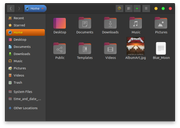
Note *
The radiotray-ng-sacad script is written for operating systems that use the PulseAudio sound server.
Otherwise, it is necessary to replace the test1 and test2 lines (Artist and Title).
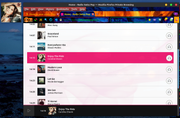
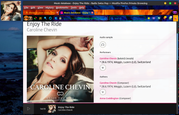
EDIT
Audacious makes things easier because it has its own commands for the Artist and Title:
https://forums.bunsenlabs.org/viewtopic … 93#p149793
  test1=$(audtool current-song-tuple-data title | awk -F' - ' '{print $1}')

  test2=$(audtool current-song-tuple-data title | awk -F' - ' '{print $2}')
Last edited by marens (2026-04-12 14:26:59)
If people would know how little brain is ruling the world, they would die of fear.
Offline
#2671 2026-04-12 13:38:11
- Sector11
- Mod Squid Tpyo Knig
- From: Upstairs
- Registered: 2015-08-20
- Posts: 8,432
Re: Show us your conky
Based on the 'Grimm Fairy Tale', who is the fairest in the land?
The differences between the weather sites are striking (well, not everyone can tell the location
Well, lucky you, not everytone can pick and choose what weather they want for today. 
 2026·04·12 @ 10:33:32 ~
   $ bsas
Weather report: buenos aires

      \   /     Sunny
       .-.      19 °C
    ― (   ) ―   ↓ 6 km/h
       `-’      10 km
      /   \     0.0 mm
2026·04·12 @ 10:35:54 ~
$ wea
Weather:
Report: temperature: 20.47 C (69 F) conditions: clear sky wind: from SW at
1.6 m/s (6 km/h, 4 mph). Gusting to 1.6 m/s (6 km/h, 4 mph)
cloud cover: 2% humidity: 61% pressure: 1016 mb (34 in)
Locale: Buenos aires, Argentina current time: Sun 12 Apr 2026 10:36:02 AM
Source: OpenWeatherMap.org
2026·04·12 @ 10:36:02 ~
$ But I can too, phone says: 20°
Conky and remind: https://ibb.co/tPCjZhyk
Debian 13 Beardog hosted by SoxDog
Still a Conky 1.9er at heart.
Offline
#2672 2026-04-12 17:52:22
- unklar
- Back to the roots 1.9
- From: #! BL
- Registered: 2015-10-31
- Posts: 3,108
Re: Show us your conky
^^@marens,
it was and is done just as you say:
$ sacad "metallica" "master of puppets" 600 AlbumArt.jpg
error: invalid value 'master of puppets' for '<SIZE>': invalid digit found in string

For more information, try '--help'.
Offline
#2673 2026-04-12 23:00:40
- marens
- Member
- From: World without M$
- Registered: 2023-02-02
- Posts: 1,303
Re: Show us your conky
Smart Automatic Cover Art Downloader
SACAD is multiplatform (Windows/Mac/Linux).
I managed to find a way (for my OS) to install it without adding dependencies.
If my method does not work for you, just remove the /usr/local/bin/sacad file.
EDIT
Maybe /usr/local/bin is not the right folder for the sacad file in your OS.
Check where it might be located:
$ echo $PATH
/usr/local/sbin:/usr/local/bin:/usr/sbin:/usr/bin:/sbin:/bin:/usr/games:/usr/local/games:/snap/bin
I chose /usr/local/bin, yours may be different.
END of EDITING
Here's how to install the Python version:
https://github.com/desbma/sacad/tree/2.x
This might also be interesting:
https://github.com/desbma/sacad/issues/82
I ran a simulation to check the dependencies:
$ sudo apt install build-essential python3-dev -s
[sudo] password for marens:
Reading package lists... Done
Building dependency tree
Reading state information... Done
build-essential is already the newest version (12.8ubuntu1.1).
build-essential set to manually installed.
The following additional packages will be installed:
  libpython3-dev libpython3.8-dev python3.8-dev
The following NEW packages will be installed:
  libpython3-dev libpython3.8-dev python3-dev python3.8-dev
0 upgraded, 4 newly installed, 0 to remove and 0 not upgraded.
Inst libpython3.8-dev (3.8.10-0ubuntu1~20.04.18+esm6 UbuntuESM:20.04/focal-infra-security [amd64])
Inst libpython3-dev (3.8.2-0ubuntu2 Ubuntu:20.04/focal [amd64])
Inst python3.8-dev (3.8.10-0ubuntu1~20.04.18+esm6 UbuntuESM:20.04/focal-infra-security [amd64])
Inst python3-dev (3.8.2-0ubuntu2 Ubuntu:20.04/focal [amd64])
Conf libpython3.8-dev (3.8.10-0ubuntu1~20.04.18+esm6 UbuntuESM:20.04/focal-infra-security [amd64])
Conf libpython3-dev (3.8.2-0ubuntu2 Ubuntu:20.04/focal [amd64])
Conf python3.8-dev (3.8.10-0ubuntu1~20.04.18+esm6 UbuntuESM:20.04/focal-infra-security [amd64])
Conf python3-dev (3.8.2-0ubuntu2 Ubuntu:20.04/focal [amd64])
It seems I don't have python3-dev installed.
Also, SACAD requires Python >= 3.10, but it works for me with Python 3.8.
I don't know how I got around that.
Since version 3.0, this tool has been completely rewritten in Rust.
Here is the installation guide:
https://github.com/desbma/sacad
Last edited by marens (2026-04-13 00:42:20)
If people would know how little brain is ruling the world, they would die of fear.
Offline
#2674 2026-04-13 08:11:05
- unklar
- Back to the roots 1.9
- From: #! BL
- Registered: 2015-10-31
- Posts: 3,108
Re: Show us your conky
I am here on 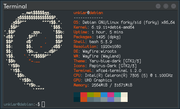 and use the latest version of sacad written in Rust.
https://github.com/desbma/sacad
There is python3-13 on board
As I understand it, the bug is 9 years old https://github.com/desbma/sacad/issues/ … 1404421193 and, I can't imagine that it was adopted in Rust.
Apparently it concerns 'spaces' in cover title/artist.
If I have time, I will repeat the test in Carbon here because there are more options with Python3.
Thanks for your help.
Offline
#2675 2026-04-13 09:23:54
- unklar
- Back to the roots 1.9
- From: #! BL
- Registered: 2015-10-31
- Posts: 3,108
Re: Show us your conky
An ancient Conky from @SLK from 2011.
At that time I discovered this in the Russian Ubunto forum.
Prepared for today's conditions.
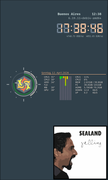
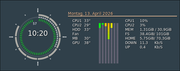
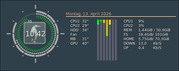
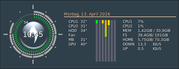
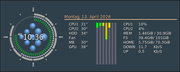
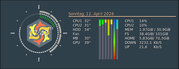
The files follow...
Edit:
Sorry for the delay, here they are: https://workupload.com/file/mBPE22Txh7M
This package also contains the original files in Syntax 1.9
Last edited by unklar (2026-04-14 10:27:28)
Offline
#2676 2026-04-13 12:22:40
- marens
- Member
- From: World without M$
- Registered: 2023-02-02
- Posts: 1,303
Re: Show us your conky
Smart Automatic Cover Art Downloader
SACAD is a really great command line tool that uses five different sources to find the best album cover.
It was easy to integrate it into my radiotray-ng script.
Here are more details:
$ sacad --help
Smart Automatic Cover Art Downloader

Usage: sacad [OPTIONS] <ARTIST> <ALBUM> <SIZE> <OUTPUT_FILEPATH>

Arguments:
  <ARTIST>           Artist to search for
  <ALBUM>            Album to search for
  <SIZE>             Target image size
  <OUTPUT_FILEPATH>  Output image file path

Options:
  -t, --size-tolerance <SIZE_TOLERANCE_PRCT>
          Tolerate this percentage of size difference with the target size. Note that covers with size above or close to the target size will still be preferred if available [default: 25]
  -s, --cover-sources <COVER_SOURCES>
          Cover sources to use, if not set use all of them. Use multiple times to search from several sources [default: coverartarchive deezer discogs itunes lastfm]
  -p, --preserve-format
          Preserve source image format if possible
  -v, --verbosity <VERBOSITY>
          Level of logging output [default: info] [possible values: error, warn, info, debug, trace]
  -h, --help
          Print help
  -V, --version
          Print version
Version:
$ sacad --version
sacad 3.0.0
For me, RadioTray-NG is always on.
Being able to see album cover takes radio listening to the next level.
The conky scripts radiotray-ng and radiotray-ng-sacad do a great job.
If people would know how little brain is ruling the world, they would die of fear.
Offline
#2677 2026-04-13 13:58:13
- unklar
- Back to the roots 1.9
- From: #! BL
- Registered: 2015-10-31
- Posts: 3,108
Re: Show us your conky
^It seems to work here in carbon.
❯ sacad --version
sacad 3.0.0
In contrast to Wayland/Wayfire, the package python3-dev is also on board. Anyway, it turns out
❯ sacad "metallica" "master of puppets" 600 AlbumArt.jpg the desired result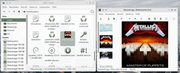
However, I get errors like this in conky(sacad.log)
WARN  [sacad] No cover to download for artist Some("kiki nam nam") and album "chasing butterflies"
or
WARN  [sacad] No cover to download for artist Some("caroline chevin") and album "good when we're together"
because this error also does not allow the cover to be displayed
/home/unklar/.config/conky/Audacious/audacious-sacad: Line 28: sacad: Command not found.#!/bin/bash
test1=$(audtool current-song-tuple-data title | awk -F' - ' '{print $1}')
test2=$(audtool current-song-tuple-data title | awk -F' - ' '{print $2}')
if [[ "$test1" == "$(sed -n '1p' $HOME/.config/conky/Audacious/album_cover)" && "$test2" == "$(sed -n '2p' $HOME/.config/conky/Audacious/album_cover)" ]]; then
exit 0
fi
echo $test1 > $HOME/.config/conky/Audacious/album_cover
echo $test2 >> $HOME/.config/conky/Audacious/album_cover
if [[ "$test1" == "" && "$test2" == "" ]]; then
cp $HOME/.config/conky/Audacious/headphone.png $HOME/.config/conky/Audacious/album_art.png
else
artist=$(sed -n '1p' $HOME/.config/conky/Audacious/album_cover | tr '[A-Z]' '[a-z]')
title=$(sed -n '2p' $HOME/.config/conky/Audacious/album_cover | tr '[A-Z]' '[a-z]')
cover=$(sacad "$artist" "$title" 300 $HOME/.config/conky/Audacious/album_art.jpg &> $HOME/.config/conky/Audacious/sacad.log)
echo $cover
check=$(cat $HOME/.config/conky/Audacious/sacad.log)
if [[ $check =~ "No cover to download" ]]; then
cp $HOME/.config/conky/Audacious/not_available.png $HOME/.config/conky/Audacious/album_art.png
else
convert $HOME/.config/conky/Audacious/album_art.jpg $HOME/.config/conky/Audacious/album_art.png
fi
fi
#### Disable audacious-stream-conky when turn off Audacious
test3=$(ps -A | grep audacious)
if [[ "$test3" == "" ]]; then
audacious_conky=$(pgrep -a conky | awk '/P-Rconky10.conf/{print $1}')
kill -SIGKILL $audacious_conky
fiNow I don't understand anything anymore!
Pause!
Last edited by unklar (2026-04-13 13:58:48)
Offline
#2678 2026-04-13 14:44:20
- marens
- Member
- From: World without M$
- Registered: 2023-02-02
- Posts: 1,303
Re: Show us your conky
^ It is normal that Sacad cannot find every album cover.
The sacad.log file works great.
Warnings and errors can be tracked if there are any.
It's interesting that sometimes there are many warnings (or errors) but SACAD uses five different sources and mostly finds the right album cover.
Such warnings are expected and the script recognizes them:
WARN [sacad] No cover to download for artist Some("kiki nam nam") and album "chasing butterflies"The script in this case displays the image not-available.png as album_art.png:
...
check=$(cat $HOME/.config/conky/Audacious/sacad.log)

    if [[ $check =~ "No cover to download" ]]; then

       cp $HOME/.config/conky/Audacious/not_available.png $HOME/.config/conky/Audacious/album_art.png
...
EDIT
For a Radio Swiss Pop station that has many local artists, it is best to use my script that downloads album cover from a website.
At the end of the song (about 20 seconds earlier), Radio Swiss Pop sends a notification:
Radio Swiss Pop
www.radioswisspop.ch
That's why the image not_available.png may appear unexpectedly (temporarily).
This can be prevented by replacing:
  echo $test1 > $HOME/.config/conky/Audacious/album_cover
  echo $test2 >> $HOME/.config/conky/Audacious/album_cover
with:
  if [[ "$test1" == "Radio Swiss Pop" && "$test2" == "www.radioswisspop.ch" ]]; then

    exit 0

  fi

  echo $test1 > $HOME/.config/conky/Audacious/album_cover
  echo $test2 >> $HOME/.config/conky/Audacious/album_coverr
Last edited by marens (2026-04-13 17:32:52)
If people would know how little brain is ruling the world, they would die of fear.
Offline
#2679 2026-04-26 13:36:40
- marens
- Member
- From: World without M$
- Registered: 2023-02-02
- Posts: 1,303
Re: Show us your conky
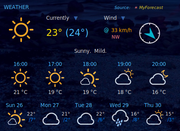
TAD: MyForecast: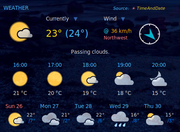
If people would know how little brain is ruling the world, they would die of fear.
Offline
#2680 2026-04-27 17:32:11
- unklar
- Back to the roots 1.9
- From: #! BL
- Registered: 2015-10-31
- Posts: 3,108
Re: Show us your conky
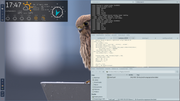
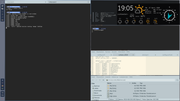
^Conky(in this case MyForecast) can also be mapped to hatchery+mango and quickshell.
However, the settings 'override' etc. have no chance against the prevailing window rules.
Offline