![[BunsenLabs Logo]](/img/bl.svg)
You are not logged in.
- Topics: Active | Unanswered
#2761 2026-01-28 00:15:36
- hhh
- Hercule Poirot

- From: Belgium
- Registered: 2015-09-17
- Posts: 17,582
- Website
Re: Distro-hoppers anonymous
I doubt it's at-spi2-core (Assisted Technology), that's an accessibility package for people with impairments. It can be removed, the warning is annoying but meaningless.
Why why why why?!!???
Offline
#2762 2026-01-28 07:28:42
- cog
- Member

- From: The Southwest
- Registered: 2015-10-27
- Posts: 683
- Website
Re: Distro-hoppers anonymous
@unklar I’ve been collaborating a lot with another guy on our discord and am probably going to be replacing hyprland with mangowc.
It’s already in my repos now and quickshell is still being used. I’ll let you know when the changes take place. I’ll add your
env = ELECTRON_OZONE_PLATFORM_HINT,autoas it will be the same in mango. Thanks for the info. You can follow the configuration updates here:
https://github.com/troutcobbler/hatchery-quickshell
https://github.com/troutcobbler/hatchery-mango
It’ll basically be the same as hyprland but better performance and easier for me to maintain than hyprland and its many dependencies.
Last edited by cog (2026-01-28 07:43:00)
Offline
#2763 2026-01-28 07:55:49
- Colonel Panic
- Member
- Registered: 2018-11-13
- Posts: 1,853
Re: Distro-hoppers anonymous
Back in Nobara, which I managed to mess up (mustn't swear here). All I can say is, don't mix up the toolkits; if you want to install Cinnamon (as I did), start with the Gnome version instead of the KDE one, it's easier.
Anyway, got it working again more or less but I can't access any terminal from the menu; need to fix that if I'm to carry on using it. Might just as well bin it though and start again with something else.
On its merits, it's a decent enough distro but it does need a fairly modern machine because it makes heavy demands on your system resources. With just six tabs open in Firefox I'm already using 4.2 GB of RAM (switching to Cinnamon was supposed to fix this, but it didn't).
Last edited by Colonel Panic (2026-01-28 19:31:35)
Offline
#2764 2026-01-28 09:42:33
- unklar
- Back to the roots 1.9

- From: #! BL
- Registered: 2015-10-31
- Posts: 3,127
Re: Distro-hoppers anonymous
I doubt it's at-spi2-core (Assisted Technology), that's an accessibility package for people with impairments. It can be removed, the warning is annoying but meaningless.
Thanks for your correction.
I hadn't checked what the package was for. Nevertheless, these are errors that irritate USERS, especially since this solution is over 10 years old and no one at Debian notices it.
Because the error message from “gtk3dialog” is gone! 
Offline
#2765 2026-01-28 09:58:57
- unklar
- Back to the roots 1.9
- From: #! BL
- Registered: 2015-10-31
- Posts: 3,127
Re: Distro-hoppers anonymous
@cog,
Thank you very much for your hard work.
It’ll basically be the same as hyprland but better performance and easier for me to maintain than hyprland and its many dependencies.
I'm excited, although I admit that it's difficult to follow your pace of development. But that's exactly how I live my life.
Maybe you can still solve my problem with the screenshots. Why do the keyboard shortcuts only work with an empty png file while the commands in Terminal give a correct result?
Offline
#2766 2026-01-29 17:02:35
- unklar
- Back to the roots 1.9
- From: #! BL
- Registered: 2015-10-31
- Posts: 3,127
Re: Distro-hoppers anonymous
I've also tried round corners. Here, in the hyprland-config (unlike JaKooLith) only the corners at the top/bottom left and right/top/bottom are changed.
https://forums.bunsenlabs.org/viewtopic … 12#p148612
^This additional script is not required. In 'hyprland.conf' there is the option to set round corners in the decoration section.
# https://wiki.hypr.land/Configuring/Variables/#decoration
decoration {
    rounding = 0
    rounding_power = 2
This does the job on all 4 corners of the window. Sorry!
Offline
#2767 2026-01-31 18:27:20
- PackRat
- jgmenu user Numero Uno

- Registered: 2015-10-02
- Posts: 3,087
Re: Distro-hoppers anonymous
Hatchery Linux.
Based on Debian trixie, mangowc default compositor on the latest iso release ( https://hatcherylinux.org/ )
Pretty minimal; firefox-esr, thunar, xfce4-terminal for gui, vim for editor.
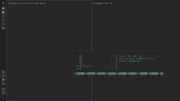
3 terminals and firefox (workspace 2) open.
quickshell to create the panel.
You must unlearn what you have learned.
-- yoda
Offline
#2768 2026-01-31 19:49:33
- Colonel Panic
- Member
- Registered: 2018-11-13
- Posts: 1,853
Re: Distro-hoppers anonymous
Hot on the heels of the difficulties I've had in trying to install OpenSUSE Leap 16.0, I've also run into problems trying to install Fedora 43 (Cinnamon).
First of all, Fedora doesn't come woth gparted as standard so you can't partition the hard drive from the live disk to create a fresh partition before installation; but secondly, its installer insists on your having a separate /boot partition before it will proceed (I think this is because it has btrfs as its standard file system).
In the end I gave it up as a bad job, at least until I know a bit more about file systems and partitioning, although I think I'd still choose ext4 over btrfs if I was given the choice.
Last edited by Colonel Panic (2026-01-31 19:50:16)
Offline
#2769 2026-01-31 20:01:21
- PackRat
- jgmenu user Numero Uno
- Registered: 2015-10-02
- Posts: 3,087
Re: Distro-hoppers anonymous
First of all, Fedora doesn't come woth gparted as standard so you can't partition the hard drive from the live disk
Does it include cfdisk? Easy to use partitioner from command line.
Can you install gparted in the live session before you begin the install? If you can't use a different live session like BL to prep the disk before booting and installing Fedora.
have a quick look through the docs for the version you're installing - https://docs.fedoraproject.org/en-US/docs/
Edit - Fedora ships with the gnome disks utility; a gui app for partitioning and formatting. It's in the System submenu.
You must unlearn what you have learned.
-- yoda
Offline
#2770 2026-02-01 08:00:07
- Colonel Panic
- Member
- Registered: 2018-11-13
- Posts: 1,853
Re: Distro-hoppers anonymous
Colonel Panic wrote:First of all, Fedora doesn't come woth gparted as standard so you can't partition the hard drive from the live disk
Does it include cfdisk? Easy to use partitioner from command line.
Can you install gparted in the live session before you begin the install? If you can't use a different live session like BL to prep the disk before booting and installing Fedora.
have a quick look through the docs for the version you're installing - https://docs.fedoraproject.org/en-US/docs/
Edit - Fedora ships with the gnome disks utility; a gui app for partitioning and formatting. It's in the System submenu.
Thanks, but it's a bit late now - I installed Slackel Openbox 8 instead 
I probably will give Fedora another go, and soon - it's too good a distro and I've got too big a hard drive to fill not to.
Last edited by Colonel Panic (2026-02-01 08:23:04)
Offline
#2771 2026-02-01 14:20:34
- DeepDayze
- Like sands through an hourglass...
- From: In Linux Land
- Registered: 2017-05-28
- Posts: 2,004
Re: Distro-hoppers anonymous
PackRat wrote:Colonel Panic wrote:First of all, Fedora doesn't come woth gparted as standard so you can't partition the hard drive from the live disk
Does it include cfdisk? Easy to use partitioner from command line.
Can you install gparted in the live session before you begin the install? If you can't use a different live session like BL to prep the disk before booting and installing Fedora.
have a quick look through the docs for the version you're installing - https://docs.fedoraproject.org/en-US/docs/
Edit - Fedora ships with the gnome disks utility; a gui app for partitioning and formatting. It's in the System submenu.
Thanks, but it's a bit late now - I installed Slackel Openbox 8 instead
I probably will give Fedora another go, and soon - it's too good a distro and I've got too big a hard drive to fill not to.
Ahh Slackel..isn't that based on Slackware? I might give a Slackware based distro a spin as Slack is where I got started with Linux way back in 1994.
Real Men Use Linux
Offline
#2772 2026-02-01 15:04:15
- PackRat
- jgmenu user Numero Uno
- Registered: 2015-10-02
- Posts: 3,087
Re: Distro-hoppers anonymous
Colonel Panic wrote:PackRat wrote:Does it include cfdisk? Easy to use partitioner from command line.
Can you install gparted in the live session before you begin the install? If you can't use a different live session like BL to prep the disk before booting and installing Fedora.
have a quick look through the docs for the version you're installing - https://docs.fedoraproject.org/en-US/docs/
Edit - Fedora ships with the gnome disks utility; a gui app for partitioning and formatting. It's in the System submenu.
Thanks, but it's a bit late now - I installed Slackel Openbox 8 instead
I probably will give Fedora another go, and soon - it's too good a distro and I've got too big a hard drive to fill not to.
Ahh Slackel..isn't that based on Slackware? I might give a Slackware based distro a spin as Slack is where I got started with Linux way back in 1994.
Slackel is based on Slackware-current. Sister project of Salix which is based on Slackware.
Salix, Slakel and Zenwalk (also slackware current) are all solid distros.
You must unlearn what you have learned.
-- yoda
Offline
#2773 2026-02-02 00:28:50
- Colonel Panic
- Member
- Registered: 2018-11-13
- Posts: 1,853
Re: Distro-hoppers anonymous
Ahh Slackel..isn't that based on Slackware? I might give a Slackware based distro a spin as Slack is where I got started with Linux way back in 1994.
Yes it is, it's a Greek distro. It has quite a good suite of software included as standard including LibreOffice (which Slackware itself doesn't have).
The only problem I've had with it so far is that the video display doesn't always refresh properly.
Last edited by Colonel Panic (2026-02-02 09:02:33)
Offline
#2774 2026-02-02 22:54:34
- Martin
- Member

- From: Stockholm, Sweden
- Registered: 2015-10-01
- Posts: 852
- Website
Re: Distro-hoppers anonymous
My FreeBSD saga continues.
I followed Robonuggie's suggestions for tuning FreeBSD for desktop use and found it resulted in reduced screen resolution. Strange as I find the same recommendations in several places. I undid all the changes (kept localization) and got my screen resolution back. I am now in the process of reintroducing the changes one-by-one. So far so good and I am none the wiser.
I have installed more applications (LaTeX, Gummi, LyX, Okular, baobab, btop) and set up orgmode 'my way'. So far everything has worked right out of the box. I have created PDFs both with LyX and emacs+orgmode+LaTeX.
One thing that does not work properly is localization. At least not in Thunar. Menus are in Swedish but if I want to create a new file Thunar does not see my templates unless that folder is named "Templates". On my Linux boxes (Debian) I can have Swedish names on the folders and it still works.
Enough for tonight.
/Martin
"Problems worthy of attack
prove their worth by hitting back."
Piet Hein
Offline
#2775 2026-02-04 10:17:41
- Colonel Panic
- Member
- Registered: 2018-11-13
- Posts: 1,853
Re: Distro-hoppers anonymous
I've just installed Besgnulinux again (hopefully third time lucky this time), which is a Turkish Debian-based distro with JWM as its window manager.
The last time I tried it the theming broke, the software I installed didn't always show up on the menu and the internet stopped working, but it's so pretty I decided to give it another chance.
It also has Brave as its default browser, which is an interesting and unusual choice.
In other news, I've updated Slackware using slackpkg and it all went without a hitch. Still not brave enough to try updating the kernel yet though (and not even sure I need to).
Last edited by Colonel Panic (2026-02-04 10:37:57)
Offline
#2776 2026-02-04 20:48:10
- Martin
- Member
- From: Stockholm, Sweden
- Registered: 2015-10-01
- Posts: 852
- Website
Re: Distro-hoppers anonymous
More fun with FreeBSD.
Today I made sound work. FreeBSD is clearly not desktop ready out of the box. Everything related to that needs to be activated or installed/activated/configured by hand. It is not challenging really as the handbook is good and there are several tutorials out there. I got sound on my first attempt.
Updating/upgrading is as exciting as in Debian. The command is "pkg" instead of "apt". Hence, "pkg update" followed by "pkg upgrade".
/Martin
"Problems worthy of attack
prove their worth by hitting back."
Piet Hein
Offline
#2777 2026-02-04 20:54:50
- MarkW
- Member
- Registered: 2024-11-03
- Posts: 570
Re: Distro-hoppers anonymous
If I had a bigger disk drive I'd definitely give it a go.
Offline
#2778 2026-02-05 11:09:52
- Colonel Panic
- Member
- Registered: 2018-11-13
- Posts: 1,853
Re: Distro-hoppers anonymous
I've just updated Omega Linux, which as you might recall is the work of a young lad from Chile;
https://github.com/ohjhas/omega-linux/releases/
It's based on Lubuntu and LXDE but with everything nonessential stripped out. There's no snap and no office suite or e-mail client, for example, and certainly no games or packages that enable you to play games; if you want these you have to install them yourself, and the software repository is a bit limited. I wasn't able to install either deadbeef or xmms, for example.
Nevertheless, I think the developer deserves a lot of credit for what he's achieved here; starting from a Ubuntu-based distro he's produced something that is a real alternative for people with old or lower specced computers. It even includes a short tutorial for newbies that's accessible from the menu.
Last edited by Colonel Panic (2026-02-05 11:47:30)
Offline
#2779 2026-02-07 20:44:46
- Colonel Panic
- Member
- Registered: 2018-11-13
- Posts: 1,853
Re: Distro-hoppers anonymous
Slackel is based on Slackware-current. Sister project of Salix which is based on Slackware.
Salix, Slackel and Zenwalk (also slackware current) are all solid distros.
One thing to watch out for in Slackel is that the menus you get from the "Start" button in LXPanel and the one you get in Openbox from right-clicking on the desktop don't always align.
For example, LibreOffice Draw is in "Graphics" if you right click on the desktop, and in "Office" if you click on the taskbar button. On the whole though, it seems to work pretty well.
The Trixie version of Lilidog has just been released and has appeared in Distrowatch's listings, and I look forward to giving it a try soon.
Offline
#2780 2026-02-08 02:27:07
- PackRat
- jgmenu user Numero Uno
- Registered: 2015-10-02
- Posts: 3,087
Re: Distro-hoppers anonymous
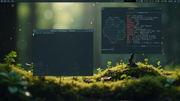
The Trixie version of Lilidog has just been released and has appeared in Distrowatch's listings, and I look forward to giving it a try soon.
And there is a new one; Waydog; labwc compositor -
You must unlearn what you have learned.
-- yoda
Offline