![[BunsenLabs Logo]](/img/bl.svg)
You are not logged in.
- Topics: Active | Unanswered
#2741 2026-01-20 14:27:14
- unklar
- Back to the roots 1.9

- From: #! BL
- Registered: 2015-10-31
- Posts: 3,127
Re: Distro-hoppers anonymous
Haven't really changed my setup in years. The only difference in this one is it's hyprland with eww instead of awesomewm that I normally use. The performance is a lot better than X11 on my ThinkPad. I'm planning on porting my eww setup to quickshell which is in my repos too but haven't gotten around to it yet.
https://forums.bunsenlabs.org/viewtopic … 29#p147529
^^@cog did it was done. He released his ISO with hyprland and quickshell on 2026-01-17. 
https://hatcherylinux.org/download/
It makes the usual good impression on 'Metal'.
It can be installed with calamares or the debian installer. I chose my trusted Expert installation because of my multi-setup.
Setting the language for the programs was a bit tricky. I already mistrusted the installer and then found the necessary setting in ENVIRONMENT VARIABLES it ~/.config/hypr/hyprland.conf
env = ELECTRON_OZONE_PLATFORM_HINT,auto@cog, if you read that, maybe you should already do this setting in the iso. New users then don’t need to search. 
At the moment I can't get any screenshots. Only empty .png files are created. 
And I haven't bothered with the 'quickshell' yet either.
Big thanks to @cog.
Offline
#2742 2026-01-20 14:33:20
- MarkW
- Member
- Registered: 2024-11-03
- Posts: 570
Re: Distro-hoppers anonymous
Eww is not a name that inspires confidence
Offline
#2743 2026-01-20 22:46:54
- hhh
- Hercule Poirot

- From: Belgium
- Registered: 2015-09-17
- Posts: 17,582
- Website
Re: Distro-hoppers anonymous
^ *laughs in Guh-NOME*
Why why why why?!!???
Offline
#2744 2026-01-21 22:38:15
- Colonel Panic
- Member
- Registered: 2018-11-13
- Posts: 1,853
Re: Distro-hoppers anonymous
Extrox 2.1, which is heavily based on MX XFce but with the Compiz compositing manager added in, has just come out and looks very promising. By combining XFce with Compiz, its devs aim to provide a desktop environment which has much of the flexibility of Plasma but which is much lighter in its resource demands. The devs have also made some tweaks to the distro's audio output too, in the hope of getting better sound quality on playback.
Last edited by Colonel Panic (2026-01-21 22:42:58)
Offline
#2745 2026-01-21 23:11:04
- hhh
- Hercule Poirot
- From: Belgium
- Registered: 2015-09-17
- Posts: 17,582
- Website
Re: Distro-hoppers anonymous
^ What's the custom audio-filter thingy?
Why why why why?!!???
Offline
#2746 2026-01-22 10:23:11
- Colonel Panic
- Member
- Registered: 2018-11-13
- Posts: 1,853
Re: Distro-hoppers anonymous
Thanks for replying, but I honestly don't know hhh. I tried to read what the devs said about it but gave up.
Here's an article about it though (and even the reviewer admits that the choice of tools can be overwhelming);
https://www.zdnet.com/article/extrox-di … ultimedia/
The only yardstick I'm going to use is a straightforward one of playing pieces of music through Extrox and then through a standard distro, and seeing which one I like better. Full marks to the devs for trying though.
Last edited by Colonel Panic (2026-01-23 19:04:14)
Offline
#2747 2026-01-22 15:29:48
- unklar
- Back to the roots 1.9
- From: #! BL
- Registered: 2015-10-31
- Posts: 3,127
Re: Distro-hoppers anonymous
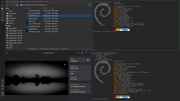
^Subsequent delivery 
Offline
#2748 2026-01-24 14:04:39
- unklar
- Back to the roots 1.9
- From: #! BL
- Registered: 2015-10-31
- Posts: 3,127
Re: Distro-hoppers anonymous
I was no longer familiar with the fact that @cog only offers the minimum packages in its ISOs for the desktop to work (I had simply forgotten that).
Now with the current ISO with hyprland and quickshell I don't want to change the background image with swaybg, but rather do it with a Tool. With quickshell itself I am offered this:
https://github.com/caniswim/slideshow-qs
I don't want to bother with pip3 and python3 at first, so I installed 'xwwall' from the BL-carbon repo.
xwwall starts correctly, but the selected image is not adopted. In the terminal it looks like this:
$ xwwall
Monitors:
0:
Xmonitor-0
HDMI-A-2
1920
1080
0
HDMI-A-2 = primary
1 outputs
GUI: MWdth=960 x MHght=715
================
/home/unklar/Pictures/wallpapers

(gtk3dialog:76552): dbind-WARNING **: 14:22:29.168: AT-SPI: Error retrieving accessibility bus address: org.freedesktop.DBus.Error.ServiceUnknown: The name org.a11y.Bus was not provided by any .service files

(gtk3dialog:76571): dbind-WARNING **: 14:22:29.256: AT-SPI: Error retrieving accessibility bus address: org.freedesktop.DBus.Error.ServiceUnknown: The name org.a11y.Bus was not provided by any .service files
GREETING=""
EXIT="GREETING"
and after selecting the image, the following happens again:
(gtk3dialog:76968): dbind-WARNING **: 14:23:07.166: AT-SPI: Error retrieving accessibility bus address: org.freedesktop.DBus.Error.ServiceUnknown: The name org.a11y.Bus was not provided by any .service files@cog, @micko01, @johnraff, @PackRat do you perhaps have a tip?
----------------------------------
Edit: The same problem exists with the screenshots using the key combination with [Print] or [Shift+Print].
This only creates an empty .png.
The same thing works in Terminal correct: 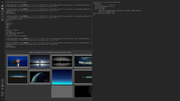
Last edited by unklar (2026-01-24 14:20:51)
Offline
#2749 2026-01-24 14:33:38
- PackRat
- jgmenu user Numero Uno

- Registered: 2015-10-02
- Posts: 3,087
Re: Distro-hoppers anonymous
@cog, @micko01, @johnraff, @PackRat do you perhaps have a tip?
----------------------------------
Edit: The same problem exists with the screenshots using the key combination with [Print] or [Shift+Print].
This only creates an empty .png.
The same thing works in Terminal correct:
https://i.postimg.cc/Ff7v6vk6/20260124-15h11m36s-grim.png
This is from the ArchLabs discord server; cog (troucobbler) had a couple tips for changing wallpaper:

You must unlearn what you have learned.
-- yoda
Offline
#2750 2026-01-24 22:53:33
- Martin
- Member

- From: Stockholm, Sweden
- Registered: 2015-10-01
- Posts: 852
- Website
Re: Distro-hoppers anonymous
I have spent some time this evening installing FreeBSD 15.0 on my old, de-commissioned, stationary computer. I do this out of curiosity -- a learning experience.
Non-graphical installer with many settings to do but straight forward -- at least after having 'cheated' by reading in the FreeBSD Handbook and watching some how-to videos. No hiccups and the system re-booted just fine after install.
I now have a very bare-bones BSD system with one user. No GUI, no applications but a two-disk mirror ZFS that could have been encrypted with less set-up fiddling than in any Linux install I have come across.
GUI and applications is the next step.
/Martin
"Problems worthy of attack
prove their worth by hitting back."
Piet Hein
Offline
#2751 2026-01-24 22:56:53
- MarkW
- Member
- Registered: 2024-11-03
- Posts: 570
Re: Distro-hoppers anonymous
Did you watch any of Robonuggie's FreeBSD videos?
If a nice cuppa and a buttered scone could talk, that's what it would sound like
Offline
#2752 2026-01-25 08:24:06
- Colonel Panic
- Member
- Registered: 2018-11-13
- Posts: 1,853
Re: Distro-hoppers anonymous
He certainly makes FreeBSD look tempting here;
https://www.youtube.com/watch?v=t5jW_rlnsYo
Every so often I download GhostBSD and give it a go on my machine, but to be honest there usually seems to be something majorly wrong with it (recently it's been things like no sound, or no networking); and then I'm faced with the prospect of having to get to grips with a (to me) mostly unfamiliar operating system to sort it out. The idea of giving one of the BSDs a spin still keeps appealing to me from time to time though, so I can't say I won't do it again.
One of my favourite writers about religion and spirituality, a retired doctor called Anthony Campbell, used to be a Linux user but recently made the change to OpenBSD and says he's never looked back since.
Last edited by Colonel Panic (2026-01-25 17:52:48)
Offline
#2753 2026-01-25 10:06:35
- unklar
- Back to the roots 1.9
- From: #! BL
- Registered: 2015-10-31
- Posts: 3,127
Re: Distro-hoppers anonymous
unklar wrote:@cog, @micko01, @johnraff, @PackRat do you perhaps have a tip?
----------------------------------
Edit: The same problem exists with the screenshots using the key combination with [Print] or [Shift+Print].
This only creates an empty .png.
The same thing works in Terminal correct:
https://i.postimg.cc/Ff7v6vk6/20260124-15h11m36s-grim.pngThis is from the ArchLabs discord server; cog (troucobbler) had a couple tips for changing wallpaper:
Thank you very much my friend.
I only managed with difficulty 1. using swaybg (which I don't want). Only when the PATH was full did the quickshell eat it.
The manual effort with swaybg is enormous.
Variant 2. doesn't work at all yet.
At some point xwwall will work...
Offline
#2754 2026-01-25 10:28:23
- PackRat
- jgmenu user Numero Uno
- Registered: 2015-10-02
- Posts: 3,087
Re: Distro-hoppers anonymous
I have spent some time this evening installing FreeBSD 15.0 on my old, de-commissioned, stationary computer. I do this out of curiosity -- a learning experience.
Enjoy the ride. FreeBSD is solid, but runs a bit hot on my laptops. No issues when I had it on the desktop. I really liked DragonFly BSD. Used it as an NFS server on an old desktop.
You must unlearn what you have learned.
-- yoda
Offline
#2755 2026-01-25 16:37:39
- hhh
- Hercule Poirot
- From: Belgium
- Registered: 2015-09-17
- Posts: 17,582
- Website
Re: Distro-hoppers anonymous
1. using swaybg (which I don't want).
Why why why why?!!???
Offline
#2756 2026-01-25 19:03:55
- unklar
- Back to the roots 1.9
- From: #! BL
- Registered: 2015-10-31
- Posts: 3,127
Re: Distro-hoppers anonymous
unklar wrote:1. using swaybg (which I don't want).
Thanks!
I have this in JaKooLit's debian-hyprland. In @cog's hatch it's too complicated for me.
xwwall is so good... Do you have a tip so that the wallpapers are displayed on the Quickshell? 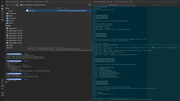 with swaybg
Last edited by unklar (2026-01-25 19:06:35)
Offline
#2757 2026-01-25 21:23:30
- Martin
- Member
- From: Stockholm, Sweden
- Registered: 2015-10-01
- Posts: 852
- Website
Re: Distro-hoppers anonymous
Did you watch any of Robonuggie's FreeBSD videos?
If a nice cuppa and a buttered scone could talk, that's what it would sound like
Yes, and a couple of others as his step-by-step instructions are for version 14.2 and the install process for version 15 has some new features. Looking at three 'experts' and the FreeBSD Handbook (not fully compatible with version 15) causes some confusion. Some breeze through the installation using only defaults without explaining much. Robonuggie, on the other hand, is on the verbose side of things. Most install on virtual machines and no-one attempts mirroring disks.
Anyways, I am posting from my new FreeBSD system. I now have vanilla xfce plus Firefox, emacs and Keepassxc installed. So far everything feels snappy despite the age of the HW. No sound yet. I haven't even tried to get that going.
First time lucky?
/Martin
"Problems worthy of attack
prove their worth by hitting back."
Piet Hein
Offline
#2758 2026-01-26 10:52:42
- unklar
- Back to the roots 1.9
- From: #! BL
- Registered: 2015-10-31
- Posts: 3,127
Re: Distro-hoppers anonymous
^hatchery with hyprland and the quickshell
The colors of the bar can also be easily changed in QuickShell (like in the previous hatchery-configurations @cog's).
I've also tried round corners. Here, in the hyprland-config (unlike JaKooLith) only the corners at the top/bottom left and right/top/bottom are changed.
Offline
#2759 2026-01-26 23:59:37
- hhh
- Hercule Poirot
- From: Belgium
- Registered: 2015-09-17
- Posts: 17,582
- Website
Re: Distro-hoppers anonymous
@unklar, I haven't used QuickShell, sorry.
Why why why why?!!???
Offline
#2760 2026-01-27 10:53:54
- unklar
- Back to the roots 1.9
- From: #! BL
- Registered: 2015-10-31
- Posts: 3,127
Re: Distro-hoppers anonymous
@unklar, I haven't used QuickShell, sorry.
Thanks.
In the meantime I was able to get the error message
(gtk3dialog:21452): dbind-WARNING **: 10:28:51.171: AT-SPI: Error retrieving accessibility bus address: org.freedesktop.DBus.Error.ServiceUnknown: The name org.a11y.Bus was not provided by any .service filesremove when starting xwwall.
The solution was to install the at-spi2-core package.
found here:
https://forums.raspberrypi.com/viewtopic.php?t=196070
https://gist.github.com/jeffcogswell/62 … 08f7eb7a05
https://github.com/NixOS/nixpkgs/issues/16327
The error message is gone in the terminal. Unfortunately xwwall still doesn't do it.
If @cog is reading here, I tried it in hyprland.conf:
exec-once = xwwall --restore
exec-once = xwwall,restore
exec-once = exec xwwall --restore
exec-once = hyprctl xwwall --restore
As I said, xwwall starts without any problems. Only the selected image will not be adopted.
And, there are no errors.
Offline