
You are not logged in.
- Topics: Active | Unanswered
#881 Yesterday 10:44:07
- unklar
- Back to the roots 1.9

- From: #! BL
- Registered: 2015-10-31
- Posts: 3,190
Re: 2026 Screenshot Thread
xfce4-panel 
------------------
@hhh, I'll try that.
Offline
#882 Yesterday 14:10:30
- PackRat
- jgmenu user Numero Uno

- Registered: 2015-10-02
- Posts: 3,160
Re: 2026 Screenshot Thread

Plasma desktop, waybar for system information.
Windows 10 finally crashed and burned on the desktop so no more dual booting. Clean install Void + Plasma only now.
You must unlearn what you have learned.
-- yoda
Offline
#883 Yesterday 14:43:04
- MarkW
- Member
- Registered: 2024-11-03
- Posts: 599
Re: 2026 Screenshot Thread
xfce4-panel
------------------
@hhh, I'll try that.
Hmm. I don't know if you can display just one workspace at a time on xfce4-panel. Is this some new experimental workspace switcher you're using hhh?
Offline
#884 Yesterday 19:48:43
- hhh
- Hercule Poirot

- From: Belgium
- Registered: 2015-09-17
- Posts: 17,855
- Website
Re: 2026 Screenshot Thread
@MarkW, xfce4-panel. It would be a great panel on both X11 and Wayland, except for one thing, and it's not that it's confusing to configure. It's the fact that transparency on the panel equals transparency on the panel icons. And the whole enter/leave settings are stupid.
Why why why why?!!???
Online
#885 Yesterday 19:54:07
- MarkW
- Member
- Registered: 2024-11-03
- Posts: 599
Re: 2026 Screenshot Thread
Do you have only one workspace? That's what I'm seeing
Offline
#886 Today 00:50:40
- hhh
- Hercule Poirot
- From: Belgium
- Registered: 2015-09-17
- Posts: 17,855
- Website
Re: 2026 Screenshot Thread
I haven't messed with workspaces yet, so just the one. Desktops are defined in labwc's rc.xml, configure it...
Why why why why?!!???
Online
#887 Today 02:01:39
- johnraff
- nullglob

- From: Nagoya, Japan
- Registered: 2015-09-09
- Posts: 13,700
- Website
Re: 2026 Screenshot Thread
@MarkW, xfce4-panel. It would be a great panel on both X11 and Wayland, except for one thing, and it's not that it's confusing to configure. It's the fact that transparency on the panel equals transparency on the panel icons. And the whole enter/leave settings are stupid.
Select a custom backgrond colour and slide the transparency right down. Seems to work for me.
Although the panel icons do seem a bit weak, yes. The systray looks OK though.
Not sure about enter/leave...
EDIT: OK enter is transparency when hovering over the panel, leave is when mouse is elsewhere. So you can have the panel pale and washed out most of the time, but solid when hovering. If that's what you want.
For a launcher panel at the top, I've got enter at 100 and leave at 59, along with "automatically hide" at "always". Not ideal, but it sort of works.
That "automatically hide" seems a bit unreliable too.
Generally I preferred tint2 but @hhh it was your years-long promotion of xfce4-panel that finally convinced me to switch for Carbon. Along with the fact that tint2 doesn't work on Wayland of course.
Last edited by johnraff (Today 02:13:03)
...elevator in the Brain Hotel, broken down but just as well...
( a boring Japan blog (currently paused), now on Bluesky and Mastodon, there's also some GitStuff )
Online
#888 Today 02:16:23
- hhh
- Hercule Poirot
- From: Belgium
- Registered: 2015-09-17
- Posts: 17,855
- Website
Re: 2026 Screenshot Thread
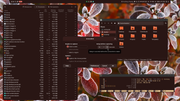
^ It's not the way it's supposed to work. Turn transparency down to 0, you'd expect to see floating icons not invisible ones. xfce4-panel=invisible icons (not mathematically accurate)
Enter/leave is supposed to be be for transparencies when hovering the cursor over the panel or something.
labwc minimal sid install...
https://github.com/labwc/labwc/issues/3808
Why why why why?!!???
Online
#889 Today 02:18:35
- hhh
- Hercule Poirot
- From: Belgium
- Registered: 2015-09-17
- Posts: 17,855
- Website
Re: 2026 Screenshot Thread
Generally I preferred tint2 but @hhh it was your years-long promotion of xfce4-panel that finally convinced me to switch for Carbon. Along with the fact that tint2 doesn't work on Wayland of course.
Yes.  Doesn't mean I can't complain about its flaws.
Why why why why?!!???
Online