![[BunsenLabs Logo]](/img/bl.svg)
You are not logged in.
- Topics: Active | Unanswered
#561 2026-09-12 06:38:16
- Döbbie03
- Resident Metalhead

- From: New Zealand
- Registered: 2015-09-29
- Posts: 4,435
Re: 2026 Screenshot Thread
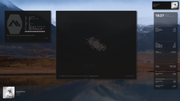
Some minor changes:
"All we are is dust in the wind, dude"
- Theodore "Ted" Logan
"Led Zeppelin didn't write tunes that everybody liked, they left that to the Bee Gees."
- Wayne Campbell
Offline
#562 2026-09-12 06:41:44
- cog
- Member

- From: The Southwest
- Registered: 2015-10-27
- Posts: 683
- Website
Re: 2026 Screenshot Thread
Looks like you’ve gone alpine.
Offline
#563 2026-09-12 06:43:48
- cog
- Member
- From: The Southwest
- Registered: 2015-10-27
- Posts: 683
- Website
Re: 2026 Screenshot Thread
I’ve thought often about rebasing all my stuff against it. Works perfectly. The only catch for me is onlyoffice for work. If euro office shapes up and alpine gets it I’ll probably be over there.
Offline
#564 2026-09-12 07:16:42
- Döbbie03
- Resident Metalhead
- From: New Zealand
- Registered: 2015-09-29
- Posts: 4,435
Re: 2026 Screenshot Thread
I have, well for today anyway. I learnt from my last Alpine exercise. As long as you don't need glibc you'll be okay.
"All we are is dust in the wind, dude"
- Theodore "Ted" Logan
"Led Zeppelin didn't write tunes that everybody liked, they left that to the Bee Gees."
- Wayne Campbell
Offline
#565 2026-09-12 23:08:02
- PackRat
- jgmenu user Numero Uno

- Registered: 2015-10-02
- Posts: 3,139
Re: 2026 Screenshot Thread
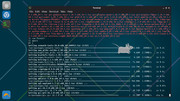
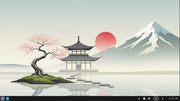
New release from Zenwalk (Slackware current)
You must unlearn what you have learned.
-- yoda
Offline
#566 2026-09-13 17:24:56
- hhh
- Hercule Poirot

- From: Belgium
- Registered: 2015-09-17
- Posts: 17,713
- Website
Re: 2026 Screenshot Thread
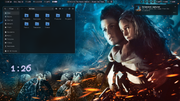
@PackRat, it's been a couple of days running this setup. I think Noctalia shell with any wayland compositor is way better than GNOME, both in design and philosophy. Using Niri on sid...
Why why why why?!!???
Offline
#567 2026-09-13 18:12:52
- PackRat
- jgmenu user Numero Uno
- Registered: 2015-10-02
- Posts: 3,139
Re: 2026 Screenshot Thread
@PackRat, it's been a couple of days running this setup. I think Noctalia shell with any wayland compositor is way better than GNOME, both in design and philosophy. Using Niri on sid...
https://i.postimg.cc/zHVjN88q/Screenshot-from-2026-09-13-13-26-52.png
They do nice work. I was running noctalia with mango (dwm-like compositor) and it was pretty smooth.
You must unlearn what you have learned.
-- yoda
Offline
#568 2026-09-14 22:56:45
- PackRat
- jgmenu user Numero Uno
- Registered: 2015-10-02
- Posts: 3,139
Re: 2026 Screenshot Thread
@PackRat, it's been a couple of days running this setup. I think Noctalia shell with any wayland compositor is way better than GNOME, both in design and philosophy. Using Niri on sid...
https://i.postimg.cc/zHVjN88q/Screenshot-from-2026-09-13-13-26-52.png
KaOS dropped plasma not too long ago; niri + noctalia shell is now default - https://kaosx.us/#features
You must unlearn what you have learned.
-- yoda
Offline
#569 2026-09-15 01:30:59
- hhh
- Hercule Poirot
- From: Belgium
- Registered: 2015-09-17
- Posts: 17,713
- Website
Re: 2026 Screenshot Thread
KaOS dropped plasma not too long ago; niri + noctalia shell is now default - https://kaosx.us/#features
Niri with Qt apps? I'll check it out, thanks.
The project is built directly on Wayland and OpenGL ES with no Qt or GTK dependency, so the UI, rendering, configuration, and IPC model are designed as one cohesive shell instead of a collection of unrelated panels and scripts.
Looking back at my original Noctalia post, the labwc scot had gedit, gnome-terminal and nautilus open (plus the volume popup and the labwc right-click menu) and the RAM widget showed 868 MiB being used, that's a bit lower than Carbon IIRC.
Why why why why?!!???
Offline
#570 2026-09-15 03:46:18
- hhh
- Hercule Poirot
- From: Belgium
- Registered: 2015-09-17
- Posts: 17,713
- Website
Re: 2026 Screenshot Thread
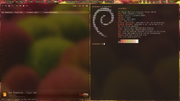
Yes, you can have Noctalia auto-theme your terminal colors as well.
Why why why why?!!???
Offline
#571 2026-09-15 09:39:08
- PackRat
- jgmenu user Numero Uno
- Registered: 2015-10-02
- Posts: 3,139
Re: 2026 Screenshot Thread
^ So cool it deserves a double post.
You must unlearn what you have learned.
-- yoda
Offline
#572 2026-09-15 13:37:18
- hhh
- Hercule Poirot
- From: Belgium
- Registered: 2015-09-17
- Posts: 17,713
- Website
Re: 2026 Screenshot Thread
^ lol, fixed,and I do think it's really cool!
Why why why why?!!???
Offline
#573 2026-09-16 15:33:33
- hhh
- Hercule Poirot
- From: Belgium
- Registered: 2015-09-17
- Posts: 17,713
- Website
Re: 2026 Screenshot Thread
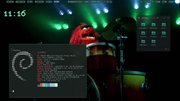
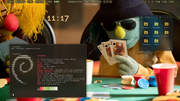
^ I thought that was cool... If you install papirus-icon-theme, either system-wide via apt or locally from the github repo, use them as-is without the papirus-folders script and set icons in nwg-look to 'Papirus', Noctalia will theme them with the closest available color.
Now everything is pretty much auto-themed with a change of wallpaper (pick a wall, color-generation scheme and whether you want a light or dark theme, put your bars/docks/notifications/desktop widgets where you want them, sync the login theme if you want, set your wall to crop or stretch or center, done)...
https://phazzadelic.bandcamp.com/album/ … ove-memory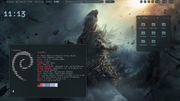
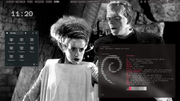
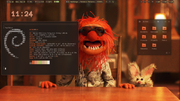


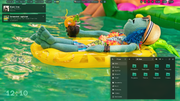
Wallpapers (from The Movie Database)..,
Godzilla Minus Zero
https://www.themoviedb.org/movie/138107 … /backdrops
Muppets
https://www.themoviedb.org/tv/194573-th … /backdrops
I thought Animal on the drumkit was in there, I don't see it. I guess I got it somewhere else. This should be OK...
https://www.peakpx.com/en/hd-wallpaper-desktop-akdff
Bride of Frankenstein
https://www.themoviedb.org/movie/229-br … /backdrops
Why why why why?!!???
Offline
#574 2026-09-17 09:22:15
- loutch
- Member
- Registered: 2015-12-12
- Posts: 1,087
Re: 2026 Screenshot Thread
Hello
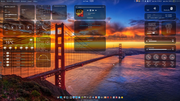
@+
Linuxmint 22.1 Xia xfce & mageia 9 XFCE on ssd hp pavilion g7
Xubuntu 18.04 lts & 24.04 lts on ASUS Rog STRIX
Offline
#575 2026-09-17 14:41:05
- chroot
- Member
- Registered: 2024-12-12
- Posts: 181
Re: 2026 Screenshot Thread
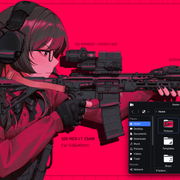
Last edited by chroot (2026-09-17 14:42:38)
Offline
#576 2026-09-17 21:03:53
- ceeslans
- Member

- Registered: 2015-09-30
- Posts: 234
Re: 2026 Screenshot Thread
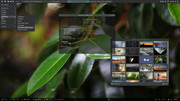
Offline
#577 2026-09-17 22:56:46
- Döbbie03
- Resident Metalhead
- From: New Zealand
- Registered: 2015-09-29
- Posts: 4,435
Re: 2026 Screenshot Thread
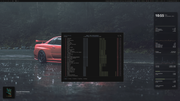
"All we are is dust in the wind, dude"
- Theodore "Ted" Logan
"Led Zeppelin didn't write tunes that everybody liked, they left that to the Bee Gees."
- Wayne Campbell
Offline
#578 2026-09-18 07:45:33
- unklar
- Back to the roots 1.9

- From: #! BL
- Registered: 2015-10-31
- Posts: 3,159
Re: 2026 Screenshot Thread
Yes, you can have Noctalia auto-theme your terminal colors as well.
https://i.postimg.cc/3yrqyPFF/Screenshot-from-2026-09-14-23-26-01.png
Great!
Unfortunately, I haven't been able to make this change yet. I must be doing something wrong.
Instead, here is the 'material-suruplusplus-icon-theme' by @micko01, which is my personal favorite.


Offline
#579 2026-09-18 13:31:54
- hhh
- Hercule Poirot
- From: Belgium
- Registered: 2015-09-17
- Posts: 17,713
- Website
Re: 2026 Screenshot Thread
Great scrots everyone, beautiful.
@unklar, I'll respond in the niri thread. Looks good already, though. How do you like it as a desktop?
Some cyberpunk showing off niri's fantastic, low-resource-usage xray blur...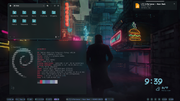
Why why why why?!!???
Offline
#580 2026-09-18 15:41:07
- PackRat
- jgmenu user Numero Uno
- Registered: 2015-10-02
- Posts: 3,139
Re: 2026 Screenshot Thread
The usual -
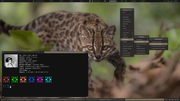
Wallpaper is the recently discovered wild cat in Bolivia - https://www.discoverwildlife.com/animal … ian-yungus
You must unlearn what you have learned.
-- yoda
Offline