![[BunsenLabs Logo]](/img/bl.svg)
You are not logged in.
- Topics: Active | Unanswered
#1 Yesterday 22:41:01
- JasonMehmel
- Member

- Registered: 2015-10-06
- Posts: 203
tiling window manager recommendations / advice?
So, I've got an older machine, an eeePC that I have running Boron at the moment.
It's not very powerful, and even baseline Boron can eat up too many CPU cycles than I'd like, because it's meant basically as a typewriter. (I write film scripts and essays in plain text first and then make them prettier later, usually on my main work machine.) So I want to extend the battery life in the cafe as long as possible.
(I'm trying to use terminal based text editors, for example.)
I got it in my head that a tiling window manager might be less intensive than even Openbox, but maybe that's an erroneous assumption?
From some searching, it looks like i3 is a common choice, as well as dwm. There's a thread here about spectrwm that I've caught as well.
I'm skilled enough to be daily driving with BunsenLabs, but I'm not a professional developer; I don't have the vi keys memorized, that sort of thing.
My main questions:
a) Would a tiling window manager be less resource intensive than something like Openbox?
b) Is there a tiling system that doesn't also rely on vim keybinds? (I suppose I could learn, but I'm trying not to frontload too much complexity when the point is to open the laptop and write.)
And based on those questions, what recommendations you'd make.
Here's the basic specs for the eeePC.
EEE PC 1001PXD
- Intel Atom® N455 1,66 GHz
- 1 GB DDR3-SDRAM 1 x 1 GB
- 250 GB HD
Fortune favours the bold.
ThinkPad T15 Gen 2i
Offline
#2 Yesterday 22:57:26
- hhh
- Hercule Poirot

- From: Belgium
- Registered: 2015-09-17
- Posts: 17,451
- Website
Re: tiling window manager recommendations / advice?
It is erroneous, IMO, I don't think whether the wm is floating or tiling makes a difference in RAM (and the tiling wm's I've used all have floating modes and witching doesn't change RAM usage). I'm also not sure that less RAM usage is going to extend battery cycles, but maybe.
Anyway, tiling wm's are great and on X11 I'd recommend starting with awesome window manager. It's small and fast. has it's own panel and doesn't require a launcher, I don't recall any vim shortcut syntax, there are lots of guides online and it's in the Debian repos.
https://awesomewm.org/recipes/
https://www.addictivetips.com/ubuntu-li … s-manager/
https://wiki.archlinux.org/title/Awesome
Why why why why?!!???
Offline
#3 Yesterday 23:07:12
- JasonMehmel
- Member
- Registered: 2015-10-06
- Posts: 203
Re: tiling window manager recommendations / advice?
It is erroneous, IMO, I don't think whether the wm is floating or tiling makes a difference in RAM (and the tiling wm's I've used all have floating modes and witching doesn't change RAM usage). I'm also not sure that less RAM usage is going to extend battery cycles, but maybe.
Anyway, tiling wm's are great and on X11 I'd recommend starting with awesome window manager. It has it's own panel and doesn't require a launcher, I don't recall any vim shortcut syntax, and it's in Debian.
Thanks for both the critique of the assumption and the advice!
Possibly a dumb question, but I always prefer to make sure... X11 is running underneath Openbox, right? Or would I need to install X11 on that Boron machine to try awesomewm?
Fortune favours the bold.
ThinkPad T15 Gen 2i
Offline
#4 Yesterday 23:23:27
- PackRat
- jgmenu user Numero Uno

- Registered: 2015-10-02
- Posts: 3,038
Re: tiling window manager recommendations / advice?
a) Would a tiling window manager be less resource intensive than something like Openbox?
Not necessarily. The main benefit of a tiling window manager is that (by default) it maximizes use of the screen real estate. Save yourself a bit of memory and don't set a wallpaper. The tiling windows are maximized so you don't see it anyway.
b) Is there a tiling system that doesn't also rely on vim keybinds?
You can change the keybindings in the config file.
Yes, openbox is an X11 window manager so the needed xorg dependencies will be installed. You can install awesomewm (also X11 app) alongside openbox without problems.
What is your screen resolution? If it's small, i3 may be the way to go. It's supports tabbed windows so the active window is always maximized, but you can see the tabs (screenshot for the visual):
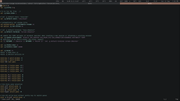
You can also create containers if you want the typical layout you see with dwm etc ....
i3 documentation is excellent and configuration files are plain text.
Awesome is also a good choice, but the configuration files are in lua.
You must unlearn what you have learned.
-- yoda
Offline
#5 Yesterday 23:28:00
- PackRat
- jgmenu user Numero Uno
- Registered: 2015-10-02
- Posts: 3,038
Re: tiling window manager recommendations / advice?
because it's meant basically as a typewriter. (I write film scripts and essays in plain text first and then make them prettier later, usually on my main work machine.)
If that's the case, you can save a lot of memory by not using a X11 at all. Boot/log in directly to the console. You would have to use a console based text editor like nano or vim, but other than that, you would basically be typing. You can use an application like tmux or screen to provide virtual desktops.
You must unlearn what you have learned.
-- yoda
Offline
#6 Today 00:00:07
- PackRat
- jgmenu user Numero Uno
- Registered: 2015-10-02
- Posts: 3,038
Re: tiling window manager recommendations / advice?
You can also save a lot of memory by disabling the services you don't need.
You can check the arch wiki for systemd ( https://wiki.archlinux.org/title/System … mctl_usage ) to see the various commands to show you what is running.
I did a quick check, but on Void Linux so your mileage will vary a bit.
i3 with slstatus for the system info and some basic services like cups running uses 213.2 MiB at idle (output from ps_mem)
Openbox with tint2 and conky uses 292.5 MiB at idle.
So, stopping some services, not using a wallpaper, etc ... can bring your Openbox memory use down quite a bit.
Also, see if there are low-resource applications you can use. Using geany as your text editor? That's a full-blown IDE, you can switch to a simple text editor like Mousepad and save some memory.
You must unlearn what you have learned.
-- yoda
Offline
#7 Today 00:10:19
- hhh
- Hercule Poirot
- From: Belgium
- Registered: 2015-09-17
- Posts: 17,451
- Website
Re: tiling window manager recommendations / advice?
X11[ is running underneath Openbox, right? Or would I need to install X11 on that Boron machine to try awesomewm?
X11 is the display server for all the BunsenLabs releases to date (they run xorg). X11/xorg is the protocol that runs under every client program that creates the desktop GUI... windows, cursors, movement, resizing, popups, etc...
There is a newer display server called Wayland. It's not new, it was created in 2008, but improvements made starting in 2013 led to GNOME adopting it and it started being the default desktop session (GNOME/Wayland) for Debian buster in 2019, and KDE on Debian now defaults to a Wayland session as well. Wayland window managers are called compositors, the window shadows, animations, opacity, blur and all that makes use of the Wayland protocol, while all X11 compositing is done at the application level. For example, BL OpenBox currently uses picom, and it used compton before that. Xfce4, GNOME, KDE all have there own window managers with what I'd guess you'd call dedicated compositors, they're integrated with the window manager, unlike picom which can be used with any WM that doesn't have it's own compositing software (there are many).
Hope that helps, Wikipedia has great info on all this stuff.
Have fun with awesomewm or i3!
Why why why why?!!???
Offline
#8 Today 01:26:27
- Döbbie03
- Resident Metalhead

- From: New Zealand
- Registered: 2015-09-29
- Posts: 4,341
Re: tiling window manager recommendations / advice?
So, I've got an older machine, an eeePC that I have running Boron at the moment.
It's not very powerful, and even baseline Boron can eat up too many CPU cycles than I'd like, because it's meant basically as a typewriter. (I write film scripts and essays in plain text first and then make them prettier later, usually on my main work machine.) So I want to extend the battery life in the cafe as long as possible.
(I'm trying to use terminal based text editors, for example.)
I got it in my head that a tiling window manager might be less intensive than even Openbox, but maybe that's an erroneous assumption?
From some searching, it looks like i3 is a common choice, as well as dwm. There's a thread here about spectrwm that I've caught as well.
I'm skilled enough to be daily driving with BunsenLabs, but I'm not a professional developer; I don't have the vi keys memorized, that sort of thing.
My main questions:
a) Would a tiling window manager be less resource intensive than something like Openbox?
b) Is there a tiling system that doesn't also rely on vim keybinds? (I suppose I could learn, but I'm trying not to frontload too much complexity when the point is to open the laptop and write.)
And based on those questions, what recommendations you'd make.
Here's the basic specs for the eeePC.
EEE PC 1001PXD
- Intel Atom® N455 1,66 GHz
- 1 GB DDR3-SDRAM 1 x 1 GB
- 250 GB HD
dwm.
You might be able to get away with vanilla dwm, but some patches are required.
You can set your own keybinds. I've been using nothing but dwm for 6-7 years now.
"All we are is dust in the wind, dude"
- Theodore "Ted" Logan
"Led Zeppelin didn't write tunes that everybody liked, they left that to the Bee Gees."
- Wayne Campbell
Online
#9 Today 14:45:45
- Sector11
- Mod Squid Tpyo Knig

- From: Upstairs
- Registered: 2015-08-20
- Posts: 8,368
Re: tiling window manager recommendations / advice?
Well, with Openbox already there, make it a fake tiling manager.
ALSO: Most is already done in BL I believe.
Edit the ~/.config/openbox/rc.xml file in the <keyboard> section
    <!-- A bit of tiling -->
    <keybind key="C-A-e">
      <action name="GrowToEdgeEast"/>
    </keybind>
    <keybind key="C-A-w">
      <action name="GrowToEdgeWest"/>
    </keybind>
    <keybind key="C-A-s">
      <action name="GrowToEdgeSouth"/>
    </keybind>
    <keybind key="C-A-n">
      <action name="GrowToEdgeNorth"/>
    </keybind>
    <keybind key="W-Up">
      <action name="MoveToEdge">
        <direction>north</direction>
      </action>
    </keybind>
    <keybind key="W-Right">
      <action name="MoveToEdge">
        <direction>east</direction>
      </action>
    </keybind>
    <keybind key="W-Down">
      <action name="MoveToEdge">
        <direction>south</direction>
      </action>
    </keybind>
    <keybind key="W-Left">
      <action name="MoveToEdge">
        <direction>west</direction>
      </action>
add a "border-noborder" function <keybiard> section as well
    <keybind key="W-b">
      <action name="ToggleDecorations"/>
    </keybind>
<!--
Modifier keys
S Shift key
C Control key
A Alt key
W Super key (the Windows Key)
M Meta key (AltGr)
H Hyper key (If it is bound to something) Don't think so.
-->Works for me
N ↑  | E → | S ↓  | ← W
GROW    To Edge    MOVE
 ↓         ↓        ↓
C+A+n    North     W+↑
C+A+e    East      W+→
C+A+s    South     W+↓
C+A+w    West      W+←
Debian 12 Beardog, SoxDog and still a Conky 1.9er
Offline
#10 Today 15:36:16
- hhh
- Hercule Poirot
- From: Belgium
- Registered: 2015-09-17
- Posts: 17,451
- Website
Re: tiling window manager recommendations / advice?
@Sector11, I think it was @cog who, when I was first exploring tiling managers, said something like "... until you realize the manual tiling in BL is all you need." 
Why why why why?!!???
Offline