![[BunsenLabs Logo]](/img/bl.svg)
You are not logged in.
- Topics: Active | Unanswered
Pages: 1
#1 2026-04-27 18:52:09
- ghorvath
- Member
- Registered: 2015-10-01
- Posts: 170
Conky hwmon 32-bit overflow?
Hi Team!
Using Bunsenlabs Carbon on my shiny new Framework laptop 13, and I love it, like I did all previous versions. I thought I create a nice conky for the amdgpu. This checks the frequency, the original number in sysfs is in Hz, so need to divide by 10^9 to get it in GHz:
${hwmon amdgpu freq 1 0,000000001 0,00}However, when on full speed, the frequency reaches almost 3 GHz, which in Hz is more than 2^31 Hz, and then conky actually produces a negative number. :-( I am assuming 32 bit overflow here, but I don' actually know.
I could write a shell script cat-ing the corresponding sysfs file, and with bc dividing by 10^9, but I would prefer to avoid that, because I believe conky uses less resources.
Is this some known limitation that I could not find?
Does anyone have any suggestions on how this can be worked around within conky itself?
Offline
#2 2026-04-28 08:17:38
- unklar
- Back to the roots 1.9

- From: #! BL
- Registered: 2015-10-31
- Posts: 3,140
Re: Conky hwmon 32-bit overflow?
^conky has the conversion built into its variables:
freqfor Mhz and
freq_gfor Ghz installed or build-in.
It counts from 1
1 CPU1      ${cpu cpu1}%  ${alignr}${freq 1} MHz
2 CPU2      ${cpu cpu2}%  ${alignr}${freq 2} MHz
3 CPU3      ${cpu cpu3}%  ${alignr}${freq 3} MHz
4 CPU4      ${cpu cpu4}%  ${alignr}${freq 4} MHz
===============================================
1 CPU1      ${cpu cpu1}%  ${alignr}${freq_g 1} GHz
2 CPU2      ${cpu cpu2}%  ${alignr}${freq_g 2} GHz
3 CPU3      ${cpu cpu3}%  ${alignr}${freq_g 3} GHz
4 CPU4      ${cpu cpu4}%  ${alignr}${freq_g 4} GHz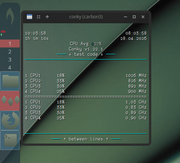
Offline
#3 2026-04-28 19:48:33
- ghorvath
- Member
- Registered: 2015-10-01
- Posts: 170
Re: Conky hwmon 32-bit overflow?
Hi @unklar!
Thanks for the suggestion. Though, I thought that freq and freq_g only works with the CPU cores. Would it also be able to query the GPU frequency?
${freq_g amdgpu}seems to query frequency for CPU core 1.
Offline
#4 2026-04-29 12:59:12
- unklar
- Back to the roots 1.9
- From: #! BL
- Registered: 2015-10-31
- Posts: 3,140
Re: Conky hwmon 32-bit overflow?
What is the command output of
for m in /sys/class/hwmon/* ; do echo -n "$m = " ; cat $m/name ; doneand
sensors?
Last edited by unklar (2026-04-29 12:59:39)
Offline
#5 2026-04-29 21:46:03
- ghorvath
- Member
- Registered: 2015-10-01
- Posts: 170
Re: Conky hwmon 32-bit overflow?
hwmon14 is the interesting one from here:
ghorvath@FrameWorkLaptop13:~$ for m in /sys/class/hwmon/* ; do echo -n "$m = " ; cat $m/name ; done
/sys/class/hwmon/hwmon0 = acpitz
/sys/class/hwmon/hwmon1 = acpi_fan
/sys/class/hwmon/hwmon10 = spd5118
/sys/class/hwmon/hwmon11 = spd5118
/sys/class/hwmon/hwmon12 = cros_ec
/sys/class/hwmon/hwmon13 = mt7925_phy0
/sys/class/hwmon/hwmon14 = amdgpu
/sys/class/hwmon/hwmon2 = BAT1
/sys/class/hwmon/hwmon3 = nvme
/sys/class/hwmon/hwmon4 = ucsi_source_psy_USBC000:001
/sys/class/hwmon/hwmon5 = ucsi_source_psy_USBC000:002
/sys/class/hwmon/hwmon6 = ucsi_source_psy_USBC000:003
/sys/class/hwmon/hwmon7 = ucsi_source_psy_USBC000:004
/sys/class/hwmon/hwmon8 = ACAD
/sys/class/hwmon/hwmon9 = k10temp
And from sensors the sclk 3 GHz is the value I want to get with conky:
ghorvath@FrameWorkLaptop13:~$ sensors
amdgpu-pci-c100
Adapter: PCI adapter
vddgfx:        0.00 V
vddnb:         0.00 V
edge:         +73.0°C
PPT:          31.04 W  (avg =  31.04 W)
sclk:           3 GHz

cros_ec-isa-000c
Adapter: ISA adapter
fan1:               0 RPM
local_f75303@4d:  +38.9°C
cpu_f75303@4d:    +46.9°C
ddr_f75303@4d:    +34.9°C
cpu@4c:           +72.8°C

ucsi_source_psy_USBC000:003-isa-0000
Adapter: ISA adapter
in0:           0.00 V  (min =  +0.00 V, max =  +0.00 V)
curr1:         0.00 A  (max =  +0.00 A)

spd5118-i2c-3-50
Adapter: SMBus PIIX4 adapter port 0 at 0b00
temp1:        +40.2°C  (low  =  +0.0°C, high = +55.0°C)
                       (crit low =  +0.0°C, crit = +85.0°C)

ucsi_source_psy_USBC000:001-isa-0000
Adapter: ISA adapter
in0:           0.00 V  (min =  +0.00 V, max =  +0.00 V)
curr1:         0.00 A  (max =  +0.00 A)

BAT1-acpi-0
Adapter: ACPI interface
in0:          16.62 V
curr1:       104.00 mA

acpitz-acpi-0
Adapter: ACPI interface
temp1:        +38.8°C
temp2:        +46.8°C
temp3:        +34.8°C
temp4:        +72.8°C

k10temp-pci-00c3
Adapter: PCI adapter
Tctl:         +73.8°C

mt7925_phy0-pci-c000
Adapter: PCI adapter
temp1:            N/A

ucsi_source_psy_USBC000:004-isa-0000
Adapter: ISA adapter
in0:          20.00 V  (min =  +5.00 V, max = +20.00 V)
curr1:         3.00 A  (max =  +3.00 A)

spd5118-i2c-3-51
Adapter: SMBus PIIX4 adapter port 0 at 0b00
temp1:        +41.5°C  (low  =  +0.0°C, high = +55.0°C)
                       (crit low =  +0.0°C, crit = +85.0°C)

ucsi_source_psy_USBC000:002-isa-0000
Adapter: ISA adapter
in0:           5.00 V  (min =  +5.00 V, max =  +5.00 V)
curr1:         0.00 A  (max =  +1.50 A)

nvme-pci-bf00
Adapter: PCI adapter
Composite:    +34.9°C  (low  = -40.1°C, high = +89.8°C)
                       (crit = +93.8°C)
Sensor 1:     +34.9°C  (low  = -273.1°C, high = +65261.8°C)
Sensor 2:     +35.9°C  (low  = -273.1°C, high = +65261.8°C)

acpi_fan-isa-0000
Adapter: ISA adapter
fan1:           0 RPM
power1:        0.00 W
When performance is low, I see 600 MHz in sensors, and the following code (correctly) returns 0.6 (in GHz):
${hwmon amdgpu freq 1 0,000000001 0,00}But when I am on max performace, and sensors show 3GHz for the AMDGPU sclk frequency, then the conky command shows -1.4 (GHz) instead of 3. This could kind of make sense: it overflows 2^31 Hz by ~850MHz, and -2^31 Hz+850MHz is ~-1.3GHz. That's where my suspicion comes that conky is working with a signed 32 bit integer here.
Offline
#6 2026-04-30 07:48:07
- unklar
- Back to the roots 1.9
- From: #! BL
- Registered: 2015-10-31
- Posts: 3,140
Re: Conky hwmon 32-bit overflow?
^I think it's time to play...  For example, I would be interested in:
sensors amdgpu-pci-c100 | grep 'sclk'this may also have to be done every second
${execi 1 sensors amdgpu-pci-c100 | grep 'sclk'}I can also imagine that under the register
/sys/class/hwmon/hwmon14further information to 'sclk' can be found.
Last edited by unklar (2026-04-30 07:50:01)
Offline
Pages: 1