![[BunsenLabs Logo]](/img/bl.svg)
You are not logged in.
- Topics: Active | Unanswered
#21 2026-04-15 07:13:53
- johnraff
- nullglob

- From: Nagoya, Japan
- Registered: 2015-09-09
- Posts: 13,595
- Website
Re: The Wayland plugin for Carbon
NOTE: I'll keep this post up to date with any changes that turn out to be needed, so until it's all in a proper BL package, please regard this as the current BL Carbon Wayland menu.
Here's menu.xml with all the above changes incorporated:
<openbox_menu>
<!-- defining submenus -->
<menu id="bl-xfce4panelConfig" label="xfce4-panel" icon="xfce4-panel" >
<item label="xfce4-panel Preferences" icon="" >
<action name="Execute" command="xfce4-panel -p" />
</item>
<item label="xfce4-panel Profiles" icon="" >
<action name="Execute" command="xfce4-panel-profiles" />
</item>
<item label="man xfce4-panel" icon="" >
<action name="Execute" command="x-terminal-emulator -T 'man xfce4-panel' -e man xfce4-panel" />
</item>
</menu>
<menu id="bl-blConfig" label="BunsenLabs Session" icon="distributor-logo-bunsenlabs" >
<item label="Edit autostart" icon="" >
<action name="Execute" command="bl-text-editor ~/.config/bunsen/autostart-wayland" />
</item>
<item label="Edit environment" icon="" >
<action name="Execute" command="bl-text-editor ~/.config/bunsen/environment-wayland" />
</item>
<separator />
<separator label="Manuals" />
<item label="bunsenlabs-session" icon="" >
<action name="Execute" command="x-terminal-emulator -T 'man bunsenlabs-session' -e man bunsenlabs-session" />
</item>
<item label="xdg-autostart" icon="" >
<action name="Execute" command="x-terminal-emulator -T 'man bl-xdg-autostart' -e man bl-xdg-autostart" />
</item>
</menu>
<menu id="bl-xbindkeysConfig" label="Keybinds" icon="preferences-desktop-keyboard" >
<menu id="bl-kb-pipemenu-kbmenu" label="Display Keybinds in menu" icon="" execute="bl-kb-pipemenu --kbmenu" />
<item label="Display Keybinds in new window" icon="" >
<action name="Execute" command="bl-kb-pipemenu --gui" />
</item>
<separator />
<item label="Backup and Edit openbox rc file" icon="" >
<action name="Execute" command="bl-kb-pipemenu --rcedit" />
</item>
<item label="Backup and Edit .xbindkeysrc" icon="" >
<action name="Execute" command="bl-kb-pipemenu --xbkedit" />
</item>
<item label="Reconfigure openbox" icon="" >
<action name="Execute" command="openbox --reconfigure" />
</item>
<item label="Restart xbindkeys" icon="" >
<action name="Execute" command="sh -c 'pkill -x xbindkeys; xbindkeys_autostart'" />
</item>
<separator label="Help" />
<item label="man xbindkeys" icon="" >
<action name="Execute" command="x-terminal-emulator -T 'man xbindkeys' -e man xbindkeys" />
</item>
</menu>
<menu id="bl-labwcConfig" label="labwc" icon="labwc" >
<item label="Edit rc.xml" icon="" >
<action name="Execute" command="bl-text-editor ~/.config/bunsen/labwc/rc.xml" />
</item>
<item label="Edit menu.xml" icon="" >
<action name="Execute" command="bl-text-editor ~/.config/bunsen/labwc/menu.xml" />
</item>
<separator />
<item label="Reconfigure" icon="" >
<action name="Execute" command="labwc --reconfigure" />
</item>
</menu>
<menu id="bl-DisplaySettings" label="Display settings" icon="video-display" >
<item label="Lxrandr Display Settings Editor" icon="" >
<action name="Execute" command="lxrandr.wrapper" />
</item>
<separator label="Help" />
<item label="How To Set Screen Resolution" icon="help-contents" >
<action name="Execute" command="x-www-browser "https://forums.bunsenlabs.org/viewtopic.php?pid=117065#p117065"" />
</item>
<item label="man xrandr" icon="" >
<action name="Execute" command="x-terminal-emulator -T 'man xrandr' -e man xrandr" />
</item>
</menu>
<menu id="bl-obConfig" label="Openbox" icon="openbox" >
<item label="obconf - GUI Config Tool" icon="" >
<action name="Execute" command="obconf --config-file ~/.config/bunsen/openbox/rc.xml" />
</item>
<separator />
<item label="Edit rc.xml" icon="" >
<action name="Execute" command="bl-text-editor ~/.config/bunsen/openbox/rc.xml" />
</item>
<separator />
<item label="Reconfigure" icon="" >
<action name="Execute" command="openbox --reconfigure" />
</item>
<item label="Restart" icon="" >
<action name="Execute" command="openbox --restart" />
</item>
</menu>
<menu id="bl-dmenuconfig" label="dmenu" icon="applications-development" >
<item label="Edit Start-up Script" icon="" >
<action name="Execute" command="bl-text-editor ~/.config/dmenu/dmenu-bind.sh" />
</item>
<separator label="Help" />
<item label="man page" icon="" >
<action name="Execute" command="x-terminal-emulator -T 'man dmenu' -e man dmenu" />
</item>
</menu>
<menu id="bl-gmrunconfig" label="gmrun" icon="gmrun" >
<item label="Edit Config File" icon="" >
<action name="Execute" command="bl-text-editor ~/.gmrunrc" />
</item>
<separator label="Help" />
<item label="man page" icon="" >
<action name="Execute" command="x-terminal-emulator -T 'man gmrun' -e man gmrun" />
</item>
</menu>
<menu id="bl-user-settings" label="User Settings" icon="preferences-desktop" >
<menu id="bl-blConfig" />
<menu id="bl-labwcConfig" />
<!-- <menu id="bl-jgmenuConfig" /> -->
<menu id="bl-xfce4panelConfig" />
<menu id="bl-xbindkeysConfig" />
<menu id="bl-compositor" label="Compositor" icon="picom" execute="bl-compositor" />
<menu id="bl-conky-pipemenu" label="Conky" icon="conky-manager" execute="bl-conky-pipemenu" />
<!--
<item label="BLOB Themes Manager" icon="distributor-logo-bunsenlabs" >
<action name="Execute" command="bl-obthemes" />
</item>
-->
<item label="Appearance" icon="preferences-desktop-theme" >
<action name="Execute" command="sh -c 'nwg-look; bl-reload-gtk23'" />
</item>
<item label="Reload GTK" icon="preferences-desktop-theme" >
<action name="Execute" command="bl-reload-gtk23" />
</item>
<item label="Font configuration" icon="preferences-desktop-font" >
<action name="Execute" command="bl-text-editor ~/.config/fontconfig/fonts.conf" />
</item>
<item label="Wallpaper" icon="preferences-desktop-wallpaper" >
<action name="Execute" command="xwwall" />
</item>
<item label="Notifications" icon="org.xfce.notification" >
<action name="Execute" command="xfce4-notifyd-config" />
</item>
<item label="Power Management" icon="xfce4-power-manager-settings" >
<action name="Execute" command="xfce4-power-manager-settings" />
</item>
<menu id="bl-dmenuconfig" />
<menu id="bl-gmrunconfig" />
<menu id="bl-DisplaySettings" />
<item label="Network Connections" icon="preferences-system-network" >
<action name="Execute" command="nm-connection-editor" />
</item>
</menu>
<menu id="bl-system-settings" label="System Settings" icon="applications-system" >
<item label="inxi - Quick System Info" icon="applications-development" >
<action name="Execute" command="x-terminal-emulator -T 'inxi system info (Q to close)' -e bash -c "inxi -e -m -d -J -l -o -p -r -u -xxx -z -c 2 | less -R"" />
</item>
<item label="Hardinfo GUI system profiler" icon="applications-development" >
<action name="Execute" command="hardinfo" />
</item>
<item label="BunsenLabs Install Info" icon="distributor-logo-bunsenlabs" >
<action name="Execute" command="x-terminal-emulator -T 'BunsenLabs install info (Q to close)' -e less '/etc/bunsen/bunsen_install'" />
</item>
<separator />
<menu id="bl-printing-pipemenu" label="Printers" icon="printer" execute="bl-printing-pipemenu" />
<item label="Task Manager (htop)" icon="htop" >
<action name="Execute" command="x-terminal-emulator -T 'htop task manager' -e htop" />
</item>
<menu id="bl-install-pipemenu" label="Install Favourite Packages" icon="synaptic" execute="bl-install-pipemenu" />
<item label="Synaptic Package Manager" icon="synaptic" >
<action name="Execute" command="sh -c 'pkexec.wrapper synaptic'" />
</item>
<item label="Login Settings" icon="lightdm-settings" >
<action name="Execute" command="sudoedit.wrapper /etc/lightdm/lightdm-gtk-greeter.conf /etc/lightdm/lightdm.conf" />
</item>
<item label="Login Interface" icon="lightdm-settings" >
<action name="Execute" command="lightdm-gtk-greeter-settings-pkexec" />
</item>
<item label="Show Lightdm Config" icon="lightdm-settings" >
<action name="Execute" command="x-terminal-emulator -T 'Lightdm Config' -e bash -c "lightdm --show-config; printf '\n%s' 'Press any key to close'; read -srn1"" />
</item>
<item label="GParted Partition Manager" icon="gparted" >
<action name="Execute" command="sh -c 'pkexec.wrapper gparted'" />
</item>
<item label="Set Default Browser" icon="applications-internet" >
<action name="Execute" command="x-terminal-emulator -T 'Select Default Browser' -e sh -c 'sudo update-alternatives --config x-www-browser; sleep 5'" />
</item>
<item label="Edit Debian Alternatives" icon="galternatives" >
<action name="Execute" command="galternatives" />
</item>
<separator />
<item label="About Bunsen Alternatives" icon="distributor-logo-bunsenlabs" >
<action name="Execute" command="yad --button="OK":0 --center --window-icon=distributor-logo-bunsenlabs --text-info --title="About Bunsen Alternatives" --filename="/usr/share/bunsen/docs/helpfiles/helpfile-bl-alternatives.txt" --width=900 --height=700 --fontname=Monospace" />
</item>
</menu>
<menu id="bl-utilities" label="Utilities" icon="system-run" >
<item label="App Finder" icon="org.xfce.appfinder" >
<action name="Execute" command="xfce4-appfinder --disable-server" />
</item>
<item label="Catfish File Finder" icon="org.xfce.catfish" >
<action name="Execute" command="catfish" />
</item>
<menu id="bl-scrot-pipemenu" label="Take Screenshot" icon="camera-photo" execute="bl-scrot-pipemenu" />
<menu id="bl-sshconfig-pipemenu" label="SSH" icon="folder-remote-ssh" execute="bl-sshconfig-pipemenu" />
<menu id="bl-remote-desktop-pipemenu" label="Remote Desktop" icon="folder-remote" execute="bl-remote-desktop-pipemenu" />
</menu>
<menu id="bl-jgmenuConfig" label="jgmenu" icon="jgmenu" >
<item label="Edit Menu Content" icon="" >
<action name="Execute" command="bl-text-editor ~/.config/jgmenu/prepend.csv" />
</item>
<item label="Edit Menu Settings" icon="" >
<action name="Execute" command="bl-text-editor ~/.config/jgmenu/jgmenurc" />
</item>
<separator />
<item label="Sync theme with OpenBox" icon="" >
<action name="Execute" command="JGMENU_RCXML=~/.config/bunsen/openbox/rc.xml jgmenu_run init --apply-obtheme" />
</item>
<separator label="Help" />
<item label="man page" icon="" >
<action name="Execute" command="x-terminal-emulator -T 'man jgmenu' -e man jgmenu" />
</item>
<item label="tutorial" icon="" >
<action name="Execute" command="x-terminal-emulator -T 'man jgmenututorial' -e man jgmenututorial" />
</item>
</menu>
<!-- help menu section -->
<menu id="Tint2WWW" label="Tint2" icon="" >
<item label="Tint2 Wiki: FAQ" icon="" >
<action name="Execute" command="x-www-browser "https://gitlab.com/o9000/tint2/wikis/FAQ"" />
</item>
<item label="Tint2 Wiki: Configuration" icon="" >
<action name="Execute" command="x-www-browser "https://gitlab.com/o9000/tint2/blob/master/doc/tint2.md"" />
</item>
<item label="Tint2 Forum Thread" icon="" >
<action name="Execute" command="x-www-browser "https://forums.bunsenlabs.org/viewtopic.php?id=254"" />
</item>
<item label="Tint2 man page" icon="" >
<action name="Execute" command="x-terminal-emulator -T "Tint2 man page" -e man tint2" />
</item>
<item label="Conky & Tint2 Manager Help" icon="" >
<action name="Execute" command="yad --button="OK":0 --center --window-icon=distributor-logo-bunsenlabs --text-info --title="Conky & Tint2 Manager Help" --filename="/usr/share/bunsen/docs/helpfiles/helpfile-conkytint2-manager.txt" --width=900 --height=700 --fontname=Monospace" />
</item>
</menu>
<menu id="ObWWW" label="Openbox Website" icon="" >
<item label="Openbox Homepage" icon="" >
<action name="Execute" command="x-www-browser "http://openbox.org/"" />
</item>
<item label="Openbox Getting Started" icon="" >
<action name="Execute" command="x-www-browser "http://openbox.org/wiki/Help:Getting_started"" />
</item>
<item label="Openbox Documentation" icon="" >
<action name="Execute" command="x-www-browser "http://openbox.org/wiki/Help:Contents"" />
</item>
<item label="Openbox FAQs" icon="" >
<action name="Execute" command="x-www-browser "http://openbox.org/wiki/Help:FAQ"" />
</item>
</menu>
<menu id="DebianWWW" label="Debian" icon="" >
<item label="Debian Documentation" icon="" >
<action name="Execute" command="x-www-browser "https://www.debian.org/doc/"" />
</item>
<item label="Debian Handbook" icon="" >
<action name="Execute" command="x-www-browser "https://debian-handbook.info/browse/stable/"" />
</item>
<item label="Debian Reference" icon="" >
<action name="Execute" command="x-www-browser "https://www.debian.org/doc/manuals/debian-reference/"" />
</item>
<item label="Wiki" icon="" >
<action name="Execute" command="x-www-browser "https://wiki.debian.org/"" />
</item>
<item label="FAQsFromDebianUser" icon="" >
<action name="Execute" command="x-www-browser "https://wiki.debian.org/FAQsFromDebianUser"" />
</item>
<item label="Forum" icon="" >
<action name="Execute" command="x-www-browser "http://forums.debian.net/"" />
</item>
<item label="Package Search" icon="" >
<action name="Execute" command="x-www-browser "https://www.debian.org/distrib/packages"" />
</item>
<item label="Package Tracker" icon="" >
<action name="Execute" command="x-www-browser "https://tracker.debian.org/"" />
</item>
<item label="Security Tracker" icon="" >
<action name="Execute" command="x-www-browser "https://security-tracker.debian.org/tracker/"" />
</item>
</menu>
<menu id="OpenboxWWW" label="Openbox" icon="" >
<menu id="ObWWW" />
<item label="ArchWiki Openbox Guide" icon="" >
<action name="Execute" command="x-www-browser "http://wiki.archlinux.org/index.php/Openbox"" />
</item>
<item label="Debian Wiki Openbox Guide" icon="" >
<action name="Execute" command="x-www-browser "https://wiki.debian.org/Openbox"" />
</item>
<item label="Urukramas Openbox Guide" icon="" >
<action name="Execute" command="x-www-browser "https://urukrama.wordpress.com/openbox-faq/"" />
</item>
</menu>
<menu id="ConkyWWW" label="Conky" icon="" >
<item label="Conky Wiki" icon="" >
<action name="Execute" command="x-www-browser "https://github.com/brndnmtthws/conky/wiki"" />
</item>
<item label="Conky Archive" icon="" >
<action name="Execute" command="x-www-browser "https://web.archive.org/web/20160325091248/https://crunchbang.org/forums/viewtopic.php?pid=371424"" />
</item>
<item label="Conky man pages" icon="" >
<action name="Execute" command="x-terminal-emulator -T "Conky man page" -e man conky" />
</item>
<item label="Conky & Tint2 Manager Help" icon="" >
<action name="Execute" command="yad --button="OK":0 --center --window-icon=distributor-logo-bunsenlabs --text-info --title="Conky & Tint2 Manager Help" --filename="/usr/share/bunsen/docs/helpfiles/helpfile-conkytint2-manager.txt" --width=900 --height=700 --fontname=Monospace" />
</item>
</menu>
<menu id="ThemesWWW" label="Theme Resources" icon="" >
<item label="Bunsenlabs on DeviantArt" icon="" >
<action name="Execute" command="x-www-browser "http://bunsenlabs.deviantart.com/"" />
</item>
<item label="Box-Look.org" icon="" >
<action name="Execute" command="x-www-browser "http://www.box-look.org"" />
</item>
<item label="gnome-look.org" icon="" >
<action name="Execute" command="x-www-browser "http://gnome-look.org/"" />
</item>
</menu>
<menu id="BLhelp" label="Bunsen Help Files" icon="" >
<item label="How to Edit Menu" icon="" >
<action name="Execute" command="yad --button="OK":0 --center --window-icon=distributor-logo-bunsenlabs --text-info --title="How to Edit the Menu" --filename="/usr/share/bunsen/docs/helpfiles/helpfile-menu.txt" --width=900 --height=700 --fontname=Monospace" />
</item>
<item label="About BLOB" icon="" >
<action name="Execute" command="yad --button="OK":0 --center --window-icon=distributor-logo-bunsenlabs --text-info --title="About BLOB" --filename="/usr/share/bunsen/docs/helpfiles/helpfile-blob.txt" --width=900 --height=700 --fontname=Monospace" />
</item>
<item label="Conky & Tint2 Manager Help" icon="" >
<action name="Execute" command="yad --button="OK":0 --center --window-icon=distributor-logo-bunsenlabs --text-info --title="Conky & Tint2 Manager Help" --filename="/usr/share/bunsen/docs/helpfiles/helpfile-conkytint2-manager.txt" --width=900 --height=700 --fontname=Monospace" />
</item>
<item label="About BunsenLabs Autostart" icon="" >
<action name="Execute" command="yad --button="OK":0 --center --window-icon=distributor-logo-bunsenlabs --text-info --title="About BunsenLabs Autostart" --filename="/usr/share/bunsen/docs/helpfiles/helpfile-blautostart.txt" --width=900 --height=700 --fontname=Monospace" />
</item>
<item label="About Bunsen Alternatives" icon="" >
<action name="Execute" command="yad --button="OK":0 --center --window-icon=distributor-logo-bunsenlabs --text-info --title="About Bunsen Alternatives" --filename="/usr/share/bunsen/docs/helpfiles/helpfile-bl-alternatives.txt" --width=900 --height=700 --fontname=Monospace" />
</item>
</menu>
<menu id="bl-help-menu" label="Help & Resources" icon="help-contents" >
<separator label="Online Help" />
<item label="Getting Started" icon="" >
<action name="Execute" command="x-www-browser "https://forums.bunsenlabs.org/viewforum.php?id=21"" />
</item>
<item label="Tutorials" icon="" >
<action name="Execute" command="x-www-browser "https://forums.bunsenlabs.org/viewforum.php?id=25"" />
</item>
<item label="Basic Help & Support" icon="" >
<action name="Execute" command="x-www-browser "https://forums.bunsenlabs.org/viewforum.php?id=2"" />
</item>
<item label="Scripts, Tutorials & Tips" icon="" >
<action name="Execute" command="x-www-browser "https://forums.bunsenlabs.org/viewforum.php?id=9"" />
</item>
<menu id="DebianWWW" />
<item label="Arch Wiki" icon="" >
<action name="Execute" command="x-www-browser "https://wiki.archlinux.org/index.php/Table_of_contents"" />
</item>
<separator />
<menu id="OpenboxWWW" />
<menu id="Tint2WWW" />
<menu id="ConkyWWW" />
<separator />
<menu id="ThemesWWW" />
<separator />
<separator label="man pages" />
<item label="Compositor" icon="" >
<action name="Execute" command="x-terminal-emulator -T "Compositor man page" -e man picom" />
</item>
<item label="jgmenu" icon="" >
<action name="Execute" command="x-terminal-emulator -T "jgmenu man page" -e man jgmenu" />
</item>
<item label="dmenu" icon="" >
<action name="Execute" command="x-terminal-emulator -T "dmenu man page" -e man dmenu" />
</item>
<item label="gmrun" icon="" >
<action name="Execute" command="x-terminal-emulator -T "gmrun man page" -e man gmrun" />
</item>
<item label="xrandr" icon="" >
<action name="Execute" command="x-terminal-emulator -T "xrandr man page" -e man xrandr" />
</item>
<item label="bunsenlabs-session" icon="" >
<action name="Execute" command="x-terminal-emulator -T "bunsenlabs-session man page" -e man bunsenlabs-session" />
</item>
<item label="bl-xdg-autostart" icon="" >
<action name="Execute" command="x-terminal-emulator -T "bl-xdg-autostart man page" -e man bl-xdg-autostart" />
</item>
<separator />
<menu id="BLhelp" />
</menu>
<!-- end of help menu section -->
<!-- root menu starts here -->
<menu id="root-menu">
<separator />
<item label="Run Program" icon="system-run" >
<action name="Execute" command="gmrun" />
</item>
<separator />
<item label="Terminal" icon="utilities-terminal" >
<action name="Execute" command="x-terminal-emulator" />
</item>
<item label="Web Browser" icon="applications-internet" >
<action name="Execute" command="x-www-browser" />
</item>
<item label="File Manager" icon="system-file-manager" >
<action name="Execute" command="bl-file-manager" />
</item>
<item label="Text Editor" icon="accessories-text-editor" >
<action name="Execute" command="bl-text-editor" />
</item>
<item label="Media Player" icon="multimedia-player" >
<action name="Execute" command="bl-media-player" />
</item>
<separator />
<item label="Quick Screenshot+Upload" icon="camera-photo" >
<action name="Execute" command="bl-image-upload" />
</item>
<separator />
<menu id="bl-utilities" />
<menu id="bl-places-pipemenu" label="Places" icon="folder" execute="bl-places-pipemenu" />
<menu id="bl-recent-files-pipemenu" label="Recent Files" icon="emblem-favorite" execute="bl-recent-files-pipemenu -rl15" />
<separator />
<menu id="bl-user-settings" />
<menu id="bl-system-settings" />
<separator />
<menu id="bl-help-menu" />
<separator />
<menu id="labwc-menu-generator" label="All Applications" icon="applications-other" execute="labwc-menu-generator --icons --pipemenu" />
<separator />
<item label="Lock Screen" icon="system-lock-screen" >
<action name="Execute" command="bl-lock" />
</item>
<item label="Exit" icon="system-shutdown" >
<action name="Execute" command="bl-exit" />
</item>
</menu>
</openbox_menu>EDIT 2026/4/17 Added "All Applications" submenu using labwc-menu-generator.
2026/4/27 Enabled scrot and install pipemenus, commented out BLOB.
Last edited by johnraff (2026-04-27 09:50:44)
...elevator in the Brain Hotel, broken down but just as well...
( a boring Japan blog (currently paused), now on Bluesky and Mastodon, there's also some GitStuff )
Offline
#22 2026-04-15 18:01:31
- unklar
- Back to the roots 1.9

- From: #! BL
- Registered: 2015-10-31
- Posts: 3,146
Re: The Wayland plugin for Carbon
^^@johnraff thank you so much for your hard work! 
I'm sorry, I've been working on this since yesterday.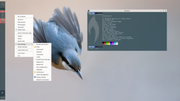
labwc installed yesterday.
It just doesn't work with the path, ~/.config/bunsen/labwc 
Using ~/.config/labwc gives the above result. On the login screen I have labwc to choose from (next to bunsen; default; openbox)
Of the 4 required files, I only have your menu.xml in use.
screenshot's = grim and slurp
EXIT = no ('systemctl reboot' helps)
keepassxc = via 'App's Finder' etc.
Offline
#23 2026-04-16 02:12:54
- johnraff
- nullglob
- From: Nagoya, Japan
- Registered: 2015-09-09
- Posts: 13,595
- Website
Re: The Wayland plugin for Carbon
labwc installed yesterday.
It just doesn't work with the path, ~/.config/bunsen/labwc
That's the path it will use if started by the BL Wayland session, which would launch labwc with this command:
/usr/bin/labwc --config-dir "$HOME/.config/bunsen/labwc" --startup "/usr/lib/bunsen/configs/bunsen-autostart"~/.config/labwc is fine for non-BL systems.
...elevator in the Brain Hotel, broken down but just as well...
( a boring Japan blog (currently paused), now on Bluesky and Mastodon, there's also some GitStuff )
Offline
#24 2026-04-16 08:32:12
- unklar
- Back to the roots 1.9
- From: #! BL
- Registered: 2015-10-31
- Posts: 3,146
Re: The Wayland plugin for Carbon
OK, thanks,
the path gives me a window for labwc within carbon.
I immediately notice that picom has to be switched off because it doesn't run on wayland. Alternatives for this are swayFX + scenefix. Both are still in their infancy and, building in debian isn't "easy" either.
https://github.com/WillPower3309/swayfx
https://github.com/wlrfx/scenefx
https://github.com/WillPower3309/swayfx … ALL-deb.md
You should therefore switch off picom in the jgmenu from labwc.
Offline
#25 2026-04-16 09:44:21
- johnraff
- nullglob
- From: Nagoya, Japan
- Registered: 2015-09-09
- Posts: 13,595
- Website
Re: The Wayland plugin for Carbon
Picom should not be started with Wayland. The BL Wayland plugin will ship a separate autostart file for labwc, ~/.config/bunsen/autostart-wayland which is run by the labwc --startup "/usr/lib/bunsen/configs/bunsen-autostart".
Apart from not starting Picom, it might not be very different from the X11 autostart because xfce4-panel and xwwall are already available.
...elevator in the Brain Hotel, broken down but just as well...
( a boring Japan blog (currently paused), now on Bluesky and Mastodon, there's also some GitStuff )
Offline
#26 2026-04-16 22:41:22
- hhh
- Hercule Poirot

- From: Belgium
- Registered: 2015-09-17
- Posts: 17,682
- Website
Re: The Wayland plugin for Carbon
xwwall
Took me a few minutes, the little grey cells were slow...
Why why why why?!!???
Offline
#27 2026-04-17 01:40:23
- johnraff
- nullglob
- From: Nagoya, Japan
- Registered: 2015-09-09
- Posts: 13,595
- Website
Re: The Wayland plugin for Carbon
^It's already the default wallpaper setter in Carbon, works for X11 too.
...elevator in the Brain Hotel, broken down but just as well...
( a boring Japan blog (currently paused), now on Bluesky and Mastodon, there's also some GitStuff )
Offline
#28 2026-04-20 19:53:02
- hhh
- Hercule Poirot
- From: Belgium
- Registered: 2015-09-17
- Posts: 17,682
- Website
Re: The Wayland plugin for Carbon
My testing on sid, mako-notifier runs as a systemd service and blocks xfce4-notifyd in an X11 session. You can't run openbox and labwc sessions on one OS without that openbox handicap (maybe you can, but you're talking some script-fu).
Xfce is working on wayland notifyd, though. That would be nice, using the same daemon in both sessions.
Everyone should be cheering for the mouse, I remember him taking a lot of punches back in the day. Go Xfce!
Why why why why?!!???
Offline
#29 2026-04-21 02:29:08
- johnraff
- nullglob
- From: Nagoya, Japan
- Registered: 2015-09-09
- Posts: 13,595
- Website
Re: The Wayland plugin for Carbon
My testing on sid, mako-notifier runs as a systemd service and blocks xfce4-notifyd in an X11 session. You can't run openbox and labwc sessions on one OS without that openbox handicap (maybe you can, but you're talking some script-fu).
Sorry, I know nothing about mako-notifier. Or knew nothing, till I just looked. Does it get pulled in as a recursive dependency of something? Otherwise just uninstall it. Looking at labwc, it's just a Suggests so that should be no problem.
As you say, running the same notify daemon on both X11 and Wayland is the way we want to go. Generally, there are now rather few default BL apps that only work on one or the other.
PS swaybg swaylock that you used on Sid can both be replaced by BL defaults xwwall and xfce4-screensaver
Last edited by johnraff (2026-04-21 02:36:15)
...elevator in the Brain Hotel, broken down but just as well...
( a boring Japan blog (currently paused), now on Bluesky and Mastodon, there's also some GitStuff )
Offline
#30 2026-04-21 03:09:49
- hhh
- Hercule Poirot
- From: Belgium
- Registered: 2015-09-17
- Posts: 17,682
- Website
Re: The Wayland plugin for Carbon
Mako is not a dependency, but so far it's the de facto notifier on wlroots.
man xwwall
   Configuration
       The config files are stored in  $HOME/.config/xwwall/  directory.   Here
       the  main  configuration is stored from Preferences and if using wayland
       the cmd file which is sourced at startup with the  --restore  option  in
       your   startup  configuration.  On  X11  the  feh  program  generates  a
       $HOME/.fehbg executable file which is  executed  at  startup   with  the
       --restore option if configured in your startup configuration.
The GUI doesn't set anything on wayland. cmd file --restore what now?
Why why why why?!!???
Offline
#31 2026-04-21 03:41:58
- hhh
- Hercule Poirot
- From: Belgium
- Registered: 2015-09-17
- Posts: 17,682
- Website
Re: The Wayland plugin for Carbon
Anyway, xfce4-notifyd is already working with labwc on sid! New carbon install upgraded to sid, running a very fresh labwc session using xfce4-notifyd, xfce4-panel and the pulse panel-plugin...

Why why why why?!!???
Offline
#32 2026-04-21 04:05:13
- johnraff
- nullglob
- From: Nagoya, Japan
- Registered: 2015-09-09
- Posts: 13,595
- Website
Re: The Wayland plugin for Carbon
Mako is not a dependency, but so far it's the de facto notifier on wlroots.
man xwwall
   Configuration
       The config files are stored in  $HOME/.config/xwwall/  directory.   Here
       the  main  configuration is stored from Preferences and if using wayland
       the cmd file which is sourced at startup with the  --restore  option  in
       your   startup  configuration.  On  X11  the  feh  program  generates  a
       $HOME/.fehbg executable file which is  executed  at  startup   with  the
       --restore option if configured in your startup configuration.
The GUI doesn't set anything on wayland. cmd file --restore what now?
Restore the wallpaper. X11 and Wayland have separate BL startup files - can't be helped - but in both cases the command will be 'xwwall --restore'.
...elevator in the Brain Hotel, broken down but just as well...
( a boring Japan blog (currently paused), now on Bluesky and Mastodon, there's also some GitStuff )
Offline
#33 2026-04-27 09:40:14
- johnraff
- nullglob
- From: Nagoya, Japan
- Registered: 2015-09-09
- Posts: 13,595
- Website
Re: The Wayland plugin for Carbon
pipemenus
Luckily for us, jgmenu is able to handle openbox-type xml pipemenus, so not so many of the BL pipemenus got written in native jgmenu csv. Now on labwc they all need to be xml again, so bl-scrot-pipemenu and bl-install-pipemenu needed to be rewritten. They can now output either csv or xml depending on if the desktop is using labwc or not.
The only native jgmenu pipemenu left is bl-beepmein-pipemenu. That will need more work so I hope @brontosaururex won't mind if it gets left till a bit later.
bunsen-pipemenus has been upgraded with the new scrot and install pipemenus, so if you upgrade, then the updated menu should work. I also took out BLOB (from the Wayland menu, not the system!) and maybe a couple of other things that don't work on Wayland.
Last edited by johnraff (2026-05-06 06:00:42)
...elevator in the Brain Hotel, broken down but just as well...
( a boring Japan blog (currently paused), now on Bluesky and Mastodon, there's also some GitStuff )
Offline
#34 2026-05-07 06:30:35
- johnraff
- nullglob
- From: Nagoya, Japan
- Registered: 2015-09-09
- Posts: 13,595
- Website
Re: The Wayland plugin for Carbon
gmrun is OK on Wayland
The package description looks like an x11-only app:
a small fast, yet featureful application launcher for use under X11, which uses GTK+ widget toolkit
But do some tests* and gmrun on Wayland looks like a native window.
Why? The Dependencies:
libc6
libglib2.0-0t64
libgtk-3-0t64
look innocent, but libgtk-3-0t64 has its own long list of dependencies, including:
dep: libwayland-client0 (>= 1.23)
wayland compositor infrastructure - client library
dep: libwayland-cursor0 (>= 1.23)
wayland compositor infrastructure - cursor library
dep: libwayland-egl1 (>= 1.23)
wayland compositor infrastructure - EGL library
dep: libx11-6 (>= 2:1.4.99.1)
X11 client-side library
dep: libxcomposite1 (>= 1:0.4.6)
X11 Composite extension library
(and a load more X11 libraries)
It looks feasable that libgtk-3-0t64 is usable on both X11 and Wayland.
So just even if a package was described as "for use under X11" back in the days when X11 was the only game in town, it's worth checking on Wayland before giving up on it.
*) Tests for if a window is running on pure Wayland or using Xwayland:
xprop or xwininfo: either of these lets you click on a window to get info - but the cursor cross shape for clicking only appears if the window is running on X11 or Xwayland.
xeyes: run this and when the cursor is inside an Xwayland window the eyes will follow it, but they ignore the cursor when it's inside pure Wayland.
There are probably other tests.
...elevator in the Brain Hotel, broken down but just as well...
( a boring Japan blog (currently paused), now on Bluesky and Mastodon, there's also some GitStuff )
Offline
#35 2026-05-07 15:58:24
- hhh
- Hercule Poirot
- From: Belgium
- Registered: 2015-09-17
- Posts: 17,682
- Website
Re: The Wayland plugin for Carbon
You're doing some serious work on this, @johnraff. Many thanks!
Why why why why?!!???
Offline
#36 2026-05-08 06:15:31
- johnraff
- nullglob
- From: Nagoya, Japan
- Registered: 2015-09-09
- Posts: 13,595
- Website
Re: The Wayland plugin for Carbon
vlc needs xwayland
Here's a case where the above tests show that vlc is running on Xwayland, not pure Wayland.
It doesn't look as if anything can be done till vlc 4 arrives.
Problem is, vlc is a super-powerful media player that can handle almost anything you give it, and do all kinds of other tricks too, and it's been set as bl-media-player by default (of course users can change that). I don't think we want to drop vlc from the default Carbon X11 session for the sake of a pure Wayland app lineup, but I suppose we could comment vlc out of the default Wayland menu, make mpv a Depend of the Wayland plugin and add it to the Wayland menu?
People who want to use vlc on Wayland can just put it back in the menu and it will run fine on Xwayland anyway.
We'd still be able to feel self-righteous about offering a "pure" Wayland app lineup.
Reasonable compromise?
EDIT: I was forgetting about the mimetype associations with bl-media-player. As long as bl-media-player is vlc then any media files will get opened in vlc not mpv. Maybe we can swallow our pride and allow that one Xwayland app in our nice new Wayland session?
Some day vlc 4 will arrive and run as native Wayland.
https://wiki.archlinux.org/title/VLC_me … nd_support
Last edited by johnraff (2026-05-08 07:42:26)
...elevator in the Brain Hotel, broken down but just as well...
( a boring Japan blog (currently paused), now on Bluesky and Mastodon, there's also some GitStuff )
Offline
#37 2026-05-08 14:33:26
- hhh
- Hercule Poirot
- From: Belgium
- Registered: 2015-09-17
- Posts: 17,682
- Website
Re: The Wayland plugin for Carbon
For what it's worth, I especially like celluloid as a front-end for mpvon Wayland...
Why why why why?!!???
Offline
#38 2026-05-08 23:55:57
- johnraff
- nullglob
- From: Nagoya, Japan
- Registered: 2015-09-09
- Posts: 13,595
- Website
Re: The Wayland plugin for Carbon
^I've read good reports about celluloid on the whole.
It's hard to give up vlc as default X11 player though, because it's so powerful.
And a computer running both X11 and Wayland sessions can't have two different bl-media-player aliases. So we have to go with one only - of course the user can change it.
I suppose another option would be to set bl-mpv as bl-media-player for both X11 and Wayland, have both vlc and celluloid installed, and leave it to the user after that.
The instant JustWorks you get with vlc on X11 is attractive though.
...elevator in the Brain Hotel, broken down but just as well...
( a boring Japan blog (currently paused), now on Bluesky and Mastodon, there's also some GitStuff )
Offline
#39 2026-05-09 02:03:31
- hhh
- Hercule Poirot
- From: Belgium
- Registered: 2015-09-17
- Posts: 17,682
- Website
Re: The Wayland plugin for Carbon
We are going to include the xwayland package, right?
https://packages.debian.org/search?keywords=xwayland
I suggest we don't worry about Celluloid, vlc works just fine on wl-roots with xwayland installed (I also have xdg-desktop-portal-wlr installed, we should include that too, IMO).

Why why why why?!!???
Offline
#40 2026-05-09 02:49:29
- johnraff
- nullglob
- From: Nagoya, Japan
- Registered: 2015-09-09
- Posts: 13,595
- Website
Re: The Wayland plugin for Carbon
^Yes you're right of course.
We'll definitely be including xwayland in the BL Wayland plugin unless someone finds a reason not to.
vlc works on Xwayland and the media player isn't really a core component of the desktop anyway. As long as the compositor, panel, file manager, menu etc are all pure Wayland we're fine for now, right?
...elevator in the Brain Hotel, broken down but just as well...
( a boring Japan blog (currently paused), now on Bluesky and Mastodon, there's also some GitStuff )
Offline