![[BunsenLabs Logo]](/img/bl.svg)
You are not logged in.
- Topics: Active | Unanswered
#261 2026-04-08 13:46:37
- chroot
- Member
- Registered: 2024-12-12
- Posts: 181
Re: 2026 Screenshot Thread
^ Thanks for the link!
Cosmic is... heavy. Idling at ~3.3 GB for the live session on my laptop with 12 available ram G things. GNOME is ~1.5 installed.
https://thumbs2.imgbox.com/a1/d0/eZMs3LXN_t.png
Nice so far, I like it. Maybe it can be slimmed down.
I did a quick test on Cosmic DE. It's noticeably heavy on memory. According to wiki, it's written in rust from scratch, but I can see the shadow of GNOME. No idea why every cosmic app is so hungry on memory, but it seems that the DE runs faster/smoother than GNOME. If the cpu/gpu runs cool, I don't mind heavy memory footprint. Use memory to gain speed is normal in programming.
Offline
#262 2026-04-08 16:29:16
- PackRat
- jgmenu user Numero Uno

- Registered: 2015-10-02
- Posts: 3,114
Re: 2026 Screenshot Thread

You must unlearn what you have learned.
-- yoda
Offline
#263 2026-04-08 17:41:13
- hhh
- Hercule Poirot

- From: Belgium
- Registered: 2015-09-17
- Posts: 17,682
- Website
Re: 2026 Screenshot Thread
hhh wrote:Maybe it can be slimmed down.
Do share.
I'll have to install it. Maybe in a week, I'm still giving @malm feedback on labwc...
https://github.com/labwc/labwc/issues/3495
https://github.com/labwc/labwc/pull/350 … 4070359242
Anyone, are there move/resize keybinds for labwc? action="move" isn't doing anything as a keybind.
Why why why why?!!???
Offline
#264 2026-04-08 17:45:24
- hhh
- Hercule Poirot
- From: Belgium
- Registered: 2015-09-17
- Posts: 17,682
- Website
Re: 2026 Screenshot Thread
hhh wrote:^ Thanks for the link!
Cosmic is... heavy. Idling at ~3.3 GB for the live session on my laptop with 12 available ram G things. GNOME is ~1.5 installed.
https://thumbs2.imgbox.com/a1/d0/eZMs3LXN_t.png
Nice so far, I like it. Maybe it can be slimmed down.
I did a quick test on Cosmic DE. It's noticeably heavy on memory. According to wiki, it's written in rust from scratch, but I can see the shadow of GNOME. No idea why every cosmic app is so hungry on memory, but it seems that the DE runs faster/smoother than GNOME. If the cpu/gpu runs cool, I don't mind heavy memory footprint. Use memory to gain speed is normal in programming.
Agreed, the ol' "Unused RAM is wasted RAM." I'm looking forward to installing it.
Counterpoint... "Ubuntu Desktop 26.04 LTS requires a 2 GHz dual-core processor or better, a minimum of 6GB RAM and 25 GB of free hard drive space." Do I need my OS to suck up so much RAM? A wlroots system (labwc/niri/hyprland/sway) can run on 2G RAM hardware.
@PackRat, you've been posting some bangers, nice!
Why why why why?!!???
Offline
#265 2026-04-08 19:31:01
- PackRat
- jgmenu user Numero Uno
- Registered: 2015-10-02
- Posts: 3,114
Re: 2026 Screenshot Thread
Anyone, are there move/resize keybinds for labwc? action="move" isn't doing anything as a keybind.
What sort of move? A keybinding that moves the active window 10px in a specified direction?
There are MoveToEdge and MoveRelative
    <keybind key="A-S-Left">
      <action name="MoveRelative">
        <x>-5</x>
        <y>0</y>
      </action>
    </keybind>

    <keybind key="A-Right">
      <action name="MoveToEdge" direction="right" />
    </keybind>
There is also SnapToEdge which is faux tiling
There is a man page - labwc-actions - for info on the various actions. And there should be a /usr/share/doc/labwc/rc.xml.all file for examples.
You must unlearn what you have learned.
-- yoda
Offline
#266 2026-04-08 21:48:59
- hhh
- Hercule Poirot
- From: Belgium
- Registered: 2015-09-17
- Posts: 17,682
- Website
Re: 2026 Screenshot Thread
^ Thanks, I got relative-move keybinds to work. Half and quarter tiling work OOTB. That'll do for now.
Why why why why?!!???
Offline
#267 2026-04-09 14:01:34
- chroot
- Member
- Registered: 2024-12-12
- Posts: 181
Re: 2026 Screenshot Thread
dwm rocks

Offline
#268 2026-04-09 15:25:53
- hhh
- Hercule Poirot
- From: Belgium
- Registered: 2015-09-17
- Posts: 17,682
- Website
Re: 2026 Screenshot Thread
PopOS wants over a G for the boot partition and I almost trashed my system resizing it. Not worth it for a heavy, barely stable OS. Goodbye for now, Cosmic.
Why why why why?!!???
Offline
#269 2026-04-10 16:10:09
- Sun For Miles
- Member

- Registered: 2017-04-12
- Posts: 284
Re: 2026 Screenshot Thread
Back to default Breeze theme, with couple of tweaks.

Señor Chang, why do you teach Spanish?
Offline
#270 2026-04-10 16:55:02
- hhh
- Hercule Poirot
- From: Belgium
- Registered: 2015-09-17
- Posts: 17,682
- Website
Re: 2026 Screenshot Thread
^ The Drop-Shadow Department approves. We don't get many OpenSuse scrots here, nice.
Why why why why?!!???
Offline
#271 2026-04-11 05:20:43
- Döbbie03
- Resident Metalhead

- From: New Zealand
- Registered: 2015-09-29
- Posts: 4,415
Re: 2026 Screenshot Thread
Finally sorted conky to work properly with picom.
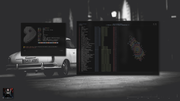
I have been trying to get a shadow with the album art for so long.
"All we are is dust in the wind, dude"
- Theodore "Ted" Logan
"Led Zeppelin didn't write tunes that everybody liked, they left that to the Bee Gees."
- Wayne Campbell
Online
#272 2026-04-12 11:17:17
- nore
- >2⁹

- From: squirrels' nest
- Registered: 2015-09-29
- Posts: 539
Re: 2026 Screenshot Thread
Everything is new but you can't see the difference, it's like in olden CrunchBang days. 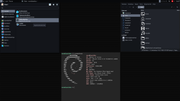
Offline
#273 2026-04-13 17:07:36
- unklar
- Back to the roots 1.9

- From: #! BL
- Registered: 2015-10-31
- Posts: 3,146
Re: 2026 Screenshot Thread
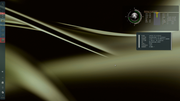
Everything is new but you can't see the difference, it's like in olden CrunchBang days.
https://i.postimg.cc/sQy4Dcrv/same-old-2026-04-12.png
+1 
------------------
Offline
#274 2026-04-14 15:59:54
- unklar
- Back to the roots 1.9
- From: #! BL
- Registered: 2015-10-31
- Posts: 3,146
Re: 2026 Screenshot Thread
^^
Offline
#275 2026-04-15 01:22:06
- hhh
- Hercule Poirot
- From: Belgium
- Registered: 2015-09-17
- Posts: 17,682
- Website
Re: 2026 Screenshot Thread
Finally sorted conky to work properly with picom.
https://i.postimg.cc/sBvNVQHB/Screenshot-2026-04-11-17-18-47.png
I have been trying to get a shadow with the album art for so long.
The Drop-Shadow Department approves again. I thought it was perfect before, but it's better.
I recognize the VW Karmann Ghia, I do not recognize @unklar's hypercar.
Why why why why?!!???
Offline
#276 2026-04-15 05:34:18
- Döbbie03
- Resident Metalhead
- From: New Zealand
- Registered: 2015-09-29
- Posts: 4,415
Re: 2026 Screenshot Thread
Döbbie03 wrote:Finally sorted conky to work properly with picom.
https://i.postimg.cc/sBvNVQHB/Screenshot-2026-04-11-17-18-47.png
I have been trying to get a shadow with the album art for so long.
The Drop-Shadow Department approves again. I thought it was perfect before, but it's better.
I recognize the VW Karmann Ghia, I do not recognize @unklar's hypercar.
Cheers and thanks!!
"All we are is dust in the wind, dude"
- Theodore "Ted" Logan
"Led Zeppelin didn't write tunes that everybody liked, they left that to the Bee Gees."
- Wayne Campbell
Online
#277 2026-04-15 06:59:46
- unklar
- Back to the roots 1.9
- From: #! BL
- Registered: 2015-10-31
- Posts: 3,146
Re: 2026 Screenshot Thread
Döbbie03 wrote:Finally sorted conky to work properly with picom.
https://i.postimg.cc/sBvNVQHB/Screenshot-2026-04-11-17-18-47.png
I have been trying to get a shadow with the album art for so long.
The Drop-Shadow Department approves again. I thought it was perfect before, but it's better.
I recognize the VW Karmann Ghia, I do not recognize @unklar's hypercar.
^^I think it's an AI created car. 
Regarding Döbbie03's shadow of the album cover (if it's the Conky) and, if I understand correctly, I initially thought it was the image type. But it's not the type.
Here is a test with Conky and the album cover on carbon.
If I comment out the shadow for Conky in the picom, it's there. But that affects ALL Conky.

Offline
#278 2026-04-15 08:06:15
- Döbbie03
- Resident Metalhead
- From: New Zealand
- Registered: 2015-09-29
- Posts: 4,415
Re: 2026 Screenshot Thread
I had to name each conky individually in their respective configs, in picom I exclude the conky configs I don't want with shadows.
Relevant conky info:
own_window = true,
own_window_type = 'override',
own_window_transparent = false,
own_window_hints = 'undecorated,below,skip_taskbar,skip_pager,sticky',
own_window_colour = '000000',
own_window_class = 'conky',
own_window_title = 'Now Playing Conky',
own_window_argb_visual = true,
own_window_argb_value = 255,
own_window = true,
own_window_type = 'override',
own_window_transparent = false,
own_window_hints = 'undecorated,below,skip_taskbar,skip_pager,sticky',
own_window_colour = '000000',
own_window_class = 'conky',
own_window_title = 'Conky Graph',
own_window_argb_visual = true,
own_window_argb_value = 255,Picom:
shadow = true;
shadow-radius = 30;
shadow-opacity = 0.9;
shadow-offset-x = -20;
shadow-offset-y = -20;

shadow-color = "#141414"
shadow-exclude = [
    "class_g = 'conkygraph'",
];
"All we are is dust in the wind, dude"
- Theodore "Ted" Logan
"Led Zeppelin didn't write tunes that everybody liked, they left that to the Bee Gees."
- Wayne Campbell
Online
#279 2026-04-15 16:01:32
- unklar
- Back to the roots 1.9
- From: #! BL
- Registered: 2015-10-31
- Posts: 3,146
Re: 2026 Screenshot Thread
enabled  disabled
^^@Döbbie03,
use a light background to test.
left is with 'enable', right is with 'disable' picom, here on carbon with its own picom.conf.
The right conky is lined with your code
background = true,
own_window = true,
own_window_type = 'override',
own_window_transparent = false,
own_window_hints = 'undecorated,below,skip_taskbar,skip_pager,sticky',
own_window_colour = '000000',
own_window_class = 'conky',
own_window_title = 'Conky Graph',
own_window_argb_visual = true,
own_window_argb_value = 55,
the left Conky (my cover image) has this code
        background = false,
	own_window = true,
	own_window_class = 'Conky',
	own_window_type = 'normal',--All options: utility,dock,desktop,normal,override,panel
	own_window_transparent = true,
-- own_window_argb_visual = true,
-- own_window_argb_value = 255,--Opacity color
	own_window_colour = '#2E2C2C',--Change color bg in this line
	own_window_hints = 'undecorated,below,skip_taskbar,skip_pager',--sticky,
In the picom.conf I have this code from you (in the carbon picom my comment is present, therefore, not twice)
    shadow = true;
#shadow-radius = 30;
#shadow-opacity = 0.9;
#shadow-offset-x = -20;
#shadow-offset-y = -20;

shadow-color = "#141414"
shadow-exclude = [
    "class_g = 'Conky'",];
#  ;
#  shadow = false;
it doesn't matter if in code
[ "class_g = 'Conky'",];or
[ "class_g = 'conkygraph'",];stands.
As you can see, the common
"class_g ?= 'Conky' || "is no longer commented out.
Edit: Typo
Last edited by unklar (2026-04-16 08:37:55)
Offline
#280 2026-04-16 20:59:13
- hhh
- Hercule Poirot
- From: Belgium
- Registered: 2015-09-17
- Posts: 17,682
- Website
Re: 2026 Screenshot Thread
The Picom wars begun, they are.
Fresh labwc, a few more tweaks before I start testing @johnraff's new menu.

https://forums.bunsenlabs.org/viewtopic.php?id=9768
Gaa, I have to reassign the move window keybinds. I use Alt+arrow for too many other navigation things (thunar, firefox).
edit- Projects folder? I don't remember that being there for my last sid install, 2 weeks ago. New ~/.config/user-dirs.dirs...
# This file is written by xdg-user-dirs-update
# If you want to change or add directories, just edit the line you're
# interested in. All local changes will be retained on the next run.
# Format is XDG_xxx_DIR="$HOME/yyy", where yyy is a shell-escaped
# homedir-relative path, or XDG_xxx_DIR="/yyy", where /yyy is an
# absolute path. No other format is supported.
#
XDG_DESKTOP_DIR="$HOME/Desktop"
XDG_DOWNLOAD_DIR="$HOME/Downloads"
XDG_TEMPLATES_DIR="$HOME/Templates"
XDG_PUBLICSHARE_DIR="$HOME/Public"
XDG_DOCUMENTS_DIR="$HOME/Documents"
XDG_MUSIC_DIR="$HOME/Music"
XDG_PICTURES_DIR="$HOME/Pictures"
XDG_VIDEOS_DIR="$HOME/Videos"
XDG_PROJECTS_DIR="$HOME/Projects"
I'm curious what design will be used for Projects. Music, easy, Downloads, an arrow... Projects?
Last edited by hhh (2026-04-16 21:27:27)
Why why why why?!!???
Offline