![[BunsenLabs Logo]](/img/bl.svg)
You are not logged in.
- Topics: Active | Unanswered
Pages: 1
#1 2026-03-15 14:03:06
- unklar
- Back to the roots 1.9

- From: #! BL
- Registered: 2015-10-31
- Posts: 3,127
ceeslans'-ufetch
I'm thrilled by this wonderful idea from @ceeslans 
On different desktops, it can be frustrating to change the color and appearance of the Urxvt terminal (package rxvt-unicode), from the default white background and black font.
The left scroll bar was also a problem for me.
While this doesn't seem to be a problem under BL with openbox (it adapts automatically), under Wayland, here wayfire, this is not possible without active intervention.
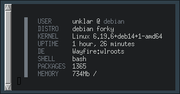
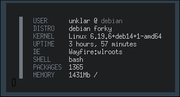
My search engine Qwant led me to this page: https://terminal.sexy/
The crux of the matter here is a missing ./Xresources file in my /home.
If, as in this case, I select 8 and then click on Export, a ./Xresources is available for download.
I place these in my /home in the following configuration:
! special
*.foreground:   #c5c8c6
*.background:   #1d1f21
*.cursorColor:  #c5c8c6

! black
.color0:       #282a2e
*.color8:       #373b41
.color8:	#464a50

! red
*.color1:       #a54242
*.color9:       #cc6666

! green
*.color2:       #8c9440
*.color10:      #b5bd68

! yellow
*.color3:       #de935f
*.color11:      #f0c674

! blue
*.color4:       #5f819d
*.color12:      #81a2be

! magenta
*.color5:       #85678f
*.color13:      #b294bb

! cyan
*.color6:       #5e8d87
*.color14:      #8abeb7

! white
*.color7:       #707880
*.color15:      #c5c8c6

! URxvt.scrollBar
URxvt.scrollBar: false
As I understand it, you remove the * in front of the desired color and resave the file.
Then run a
xrdb ~/.Xresourcesclose all terminals and then see the above result.
I found the one with the unwanted scroll bar here and added it to the bottom of the file. 
https://blog.desdelinux.net/de/Anpassen … n-Konsole/
-----------------------------
In the desktops with sid there is a slight modification to the /etc/os-release file(ufetch-one):
https://forums.bunsenlabs.org/viewtopic … 13#p149313
Therefore the line must
distro="$(. /etc/os-release; echo ${ID:?} ${VERSION:?})"changed to
distro="$(. /etc/os-release; echo ${ID:?} ${VERSION_CODENAME:?})"Thanks, @ceeslans!
Offline
#2 2026-03-15 15:40:37
- PackRat
- jgmenu user Numero Uno

- Registered: 2015-10-02
- Posts: 3,087
Re: ceeslans'-ufetch
Does siduction/sid still have the urxvtconfig package?
It's a gui with all the .Xresource options for rxvt-unicode. It may pull urxvt-perls as a dependency.
Use the gui to make your selections. I don't remember if it generates a text file that can be copy-paste into the .Xresources or actually edits the .Xresources.
You must unlearn what you have learned.
-- yoda
Offline
#3 2026-03-15 18:02:18
- ceeslans
- Member

- Registered: 2015-09-30
- Posts: 233
Re: ceeslans'-ufetch
Would it help if I share my .Xresources file?
!-----------------------------------------------------
! xterm ----------------------------------------------
!-----------------------------------------------------

xterm*title:            xterm
xterm*saveLines:        4096
xterm*AllowIconInput:   on

xterm*faceName:         DejaVuSansMono
xterm*Font:             DejaVuSansMono
xterm*faceSize:         10
xterm*allowBoldFonts:   false
xterm*renderFont:       true

xterm*background:       #101010
xterm*foreground:       whitesmoke
! xterm*border:         #151515
xterm*pointerColor:     white
xterm*pointerColorBackground: #101010
xterm*cursorColor:      #EBD27D

xterm*VT100*geometry:   90x30
xterm*scrollBar:        false
xterm*InternalBorder: 	6
xterm*MarginBell:       off
xterm*multiClickTime:   250
xterm*loginShell:       true
xterm*scrollKey:        true

xterm*vt100.translations: #override \
    Shift Ctrl <Key> C: copy-selection(CLIPBOARD) \n\
    Shift Ctrl <Key> V: insert-selection(CLIPBOARD)

xterm*color0:	#2b2b2b
xterm*color8:	#5a647e
xterm*color1:	#da4939
xterm*color9:	#da4939
xterm*color2:	#a5c261
xterm*color10:	#a5c261
xterm*color3:	#ffc66d
xterm*color11:	#ffc66d
xterm*color4:	#6d9cbe
xterm*color12:	#6d9cbe
xterm*color5:	#b6b3eb
xterm*color13:	#b6b3eb
xterm*color6:	#519f50
xterm*color14:	#519f50
xterm*color7:	#e6e1dc
xterm*color15:	#f9f7f3


!-----------------------------------------------------
! urxvt ----------------------------------------------
!-----------------------------------------------------

URxvt.font: xft:DejaVuSansMono:style=Book:size=10
URxvt.boldFont: xft:DejaVuSansMono:style=Bold:size=10
URxvt.italicFont: xft:DejaVuSansMono:style=Italic:size=10
URxvt.bolditalicFont: xft:DejaVuSansMono:style=Bold Italic:size=10

URxvt.geometry: 87x29+80+80
URxvt.internalBorder: 8

URxvt.letterSpace: -1
URxvt.lineSpace: 0
URxvt.saveLines:16384
URxvt.scrollstyle: plain
URxvt.scrollBar: false
URxvt.scrollBar_right: true
URxvt.cursorUnderline: true
URxvt.iconFile: /home/one/.urxvt/icons/utilities-terminal.svg

!!! Restore Ctrl+Shift+(c|v)
URxvt.keysym.Shift-Control-C: eval:selection_to_clipboard
URxvt.keysym.Shift-Control-V: eval:paste_clipboard
URxvt.iso14755: false
URxvt.iso14755_52: false

!!! Clickble URLs
URxvt.perl-ext-common: default,matcher
URxvt.url-launcher: /usr/bin/x-www-browser
URxvt.matcher.button: 3

!!! True Transparency
!!! opacity % is set in square brackets before 'URxvt.background' color:

URxvt.depth: 32
!! URxvt.fading: 15

URxvt.background:	[72]#101010
URxvt.foreground:	#D3D9E9

URxvt.color0:	#2b2b2b
URxvt.color8:	#5a647e
URxvt.color1:	#da4939
URxvt.color9:	#da4939
URxvt.color2:	#a5c261
URxvt.color10:	#a5c261
URxvt.color3:	#ffc66d
URxvt.color11:	#ffc66d
URxvt.color4:	#6d9cbe
URxvt.color12:	#6d9cbe
URxvt.color5:	#b6b3eb
URxvt.color13:	#b6b3eb
URxvt.color6:	#519f50
URxvt.color14:	#519f50
URxvt.color7:	#e6e1dc
URxvt.color15:	#f9f7f3

!-----------------------------------------------------
! stjerm ---------------------------------------------
!-----------------------------------------------------

!! (toggle key currently configured in ~/.fluxbox/keys)
!! stjerm.key: f12

!! stjerm.bgimage: /home/one/Pictures/flux_transp_dark.png

stjerm.autohide: true
stjerm.background: #000000
stjerm.foreground: #eeeeee
!! stjerm.border: thin
stjerm.opacity: 67

!! stjerm.position: top
!! stjerm.width: 100%
!! stjerm.height: 55%

stjerm.position: right
stjerm.width: 26%
stjerm.height: 94%

stjerm.font: DejaVuSansMono 9

stjerm.allowbold: true
stjerm.cursorBlink: false
stjerm.cursorShape: ibeam
stjerm.cursorColor: #efefef
stjerm.tabpos: bottom


!-----------------------------------------------------
! xCalc ----------------------------------------------
!-----------------------------------------------------

XCalc.geometry:                        256x384
XCalc.stipple:                         true
XCalc.ti.Command.background:           #606060
XCalc.ti.Command.foreground:           White
XCalc.ti.bevel.background:             #111111
XCalc.ti.bevel.screen.DEC.background:  #000000
XCalc.ti.bevel.screen.DEC.foreground:  LightSeaGreen
XCalc.ti.bevel.screen.DEG.background:  #000000
XCalc.ti.bevel.screen.DEG.foreground:  LightSeaGreen
XCalc.ti.bevel.screen.GRAD.background: #000000
XCalc.ti.bevel.screen.GRAD.foreground: LightSeaGreen
XCalc.ti.bevel.screen.HEX.background:  #000000
XCalc.ti.bevel.screen.HEX.foreground:  LightSeaGreen
XCalc.ti.bevel.screen.INV.background:  #000000
XCalc.ti.bevel.screen.INV.foreground:  Red
XCalc.ti.bevel.screen.LCD.background:  #000000
XCalc.ti.bevel.screen.LCD.foreground:  #CECECE
XCalc.ti.bevel.screen.LCD.shadowWidth: 0
XCalc.ti.bevel.screen.M.background:    #000000
XCalc.ti.bevel.screen.M.foreground:    LightSeaGreen
XCalc.ti.bevel.screen.OCT.background:  #000000
XCalc.ti.bevel.screen.OCT.foreground:  LightSeaGreen
XCalc.ti.bevel.screen.P.background:    #000000
XCalc.ti.bevel.screen.P.foreground:    Yellow
XCalc.ti.bevel.screen.RAD.background:  #000000
XCalc.ti.bevel.screen.RAD.foreground:  LightSeaGreen
XCalc.ti.bevel.screen.background:      #000000
XCalc.ti.button4.background:           Orange3
XCalc.ti.button5.background:           Red4
XCalc.ti.button23.background:          #611161
XCalc.ti.button24.background:          #611161
XCalc.ti.button35.background:          #611111
XCalc.ti.button37.background:          #222262
XCalc.ti.button38.background:          #222262
XCalc.ti.button39.background:          #222262
XCalc.ti.button40.background:          #722222
XCalc.ti.button42.background:          #333373
XCalc.ti.button43.background:          #333373
XCalc.ti.button44.background:          #333373
XCalc.ti.button45.background:          #833333
XCalc.ti.button47.background:          #444484
XCalc.ti.button48.background:          #444484
XCalc.ti.button49.background:          #444484
XCalc.ti.button50.background:          #944444
XCalc.ti.button52.background:          #555595
XCalc.ti.button53.background:          #555595
XCalc.ti.button54.background:          #555595
XCalc.ti.button55.background:          #a55555

!-----------------------------------------------------
! general displaysettings ----------------------------
!-----------------------------------------------------
Xft.dpi: 		96
!!	Xft.autohint:	0
!!	Xft.antialias: 	1
Xft.hintstyle:	hintslight
Xft.rgba: rgb
Xft.lcdfilter:	lcddefault

!-----------------------------------------------------
! Xcursor --------------------------------------------
!-----------------------------------------------------
Xcursor.theme:	whiteglass
Xcursor.size:	16
Offline
#4 2026-03-16 05:29:12
- johnraff
- nullglob

- From: Nagoya, Japan
- Registered: 2015-09-09
- Posts: 13,503
- Website
Re: ceeslans'-ufetch
this doesn't seem to be a problem under BL with openbox (it adapts automatically)
BL provides this ~/.Xresources:
! font settings --------------------------------------------------------------

Xft.autohint: true
Xft.antialias: true
Xft.hinting: true
Xft.hintstyle: hintslight
!Xft.dpi: 96
Xft.rgba: rgb
Xft.lcdfilter: lcddefault


! urxvt -------------------------------------------

! "monospace" is an alias defined in ~/.config/fontconfig/fonts.conf
URxvt.font: xft:monospace:size=10
URxvt.boldFont: xft:monospace:bold:size=10
! Add fallback fonts as laid out in `man 1 urxvt` under "font:" in the RESOURCES section

URxvt.letterSpace: -1
!URxvt.lineSpace: 1
! The letterSpace and lineSpace settings are highly dependent on the font(s) configured above
! and should be changed or removed as necessary.

! Window size and position
!URxvt*geometry: 60x22+50+100
! Window size, let the Window Manager position it
URxvt.geometry: 80x24

URxvt.scrollstyle: plain
URxvt.scrollBar: true
URxvt.scrollBar_right: true
URxvt.iconFile: /usr/share/icons/labbe-icons-sage/48/apps/terminal.svg
!URxvt.iconFile: /usr/share/icons/Numix-Circle/48/apps/terminal.svg
!URxvt.iconFile: /usr/share/icons/Papirus/48x48/apps/urxvt.svg
!URxvt.iconFile: /usr/share/icons/Paper/48x48/apps/utilities-terminal.png
!URxvt.iconFile: /usr/share/icons/Adwaita/48x48/apps/utilities-terminal.png
URxvt.cursorBlink: true
URxvt.fading: 20

! Boron aqua or dark colours
URxvt.background: [90]#1E2B2E
URxvt.foreground: #D7E8E8
! Beryllium colours
!URxvt.background: [95]#18191A
!URxvt.foreground: #BECFCF
! Lithium colours
!URxvt.background: [95]#22373F
!URxvt.foreground: #C6D5E5
! Grey theming
!URxvt*background: #cecece
!URxvt*foreground: #101010
! Terminator Beam colours
!URxvt.background: [90]#082B4A
!URxvt.foreground: #ADD8E6

! scrollback buffer lines - 65535 is max (64 is default)
URxvt.saveLines: 5000

! True Transparency, opacity percentage set in square brackets before URxvt.background colour
URxvt.depth: 32

! Clickble URLs
URxvt.perl-ext-common: default,matcher
URxvt.url-launcher: /usr/bin/x-www-browser
URxvt.matcher.button: 3

! Custom colourscheme, see http://terminal.sexy/ for more ideas.
! Commented out colors are from the original Bunsenlabs Hydrogen terminal theme.

! Black
! URxvt.color0: #000000
! URxvt.color8: #555753
URxvt.color0: #555753
URxvt.color8: #babdb6

! Red
! URxvt.color1: #cc0000
! URxvt.color9: #ef2929
URxvt.color1: #b44444
URxvt.color9: #d98f93

! Green
! URxvt.color2: #4e9a06
! URxvt.color10: #8ae234
URxvt.color2: #5ecb8c
URxvt.color10: #13b9b9

! Yellow
! URxvt.color3: #c4a000
! URxvt.color11: #fce94f
URxvt.color3: #d9c964
URxvt.color11: #d9cf8f

! Blue
! URxvt.color4: #3465a4
! URxvt.color12: #729fcf
URxvt.color4: #3d6aac
URxvt.color12: #8f99d9

! Magenta
! URxvt.color5: #75507b
! URxvt.color13: #ad7fa8
URxvt.color5: #9a64d9
URxvt.color13: #b08fd9

!Cyan
! URxvt.color6: #06989a
! URxvt.color14: #34e2e2
URxvt.color6: #64d9d5
URxvt.color14: #8fd9d5

! White
! URxvt.color7: #d3d7cf
! URxvt.color15: #eeeeec
URxvt.color7: #d3d7cf
URxvt.color15: #c5c5c5

! Colourised man pages, also changes scheme for htop(1) and others.
!
! Headings:
! URxvt.colorBD: #cf6171
!
! Underline:
! URxvt.colorUL: #4186be
!
! Italicised:
! URxvt.colorIT: #71bebe
If there are some extra settings that would improve things for Wayland, let's put them in!
...elevator in the Brain Hotel, broken down but just as well...
( a boring Japan blog (currently paused), now on Bluesky and Mastodon, there's also some GitStuff )
Offline
#5 2026-03-16 15:41:12
- unklar
- Back to the roots 1.9
- From: #! BL
- Registered: 2015-10-31
- Posts: 3,127
Re: ceeslans'-ufetch
^^Thanks to all of you for the contributions. 
Unfortunately this doesn't work under Wayland.
I can create a ~/.Xresources, fill it with the above values and update it with "xrdb ~/.Xresources". But this only applies to the current session.
After each restart, the procedure with “xrdb” would be necessary again: https://wiki.debian.org/Wayland#Xresources_won.27t_load
The Sway wiki recommends replacing it with ~/.Xdefaults, but I haven't tested it yet.
https://wiki.archlinux.org/title/Sway#Xresources
The feature is not so important that the Debian world would have to be turned inside out. If necessary, it can also be done with an entry in the 'autostart file'.
Edit: @PackRat, there is no package "urxvtconfig" in sid.
Offline
#6 2026-03-16 16:33:13
- PackRat
- jgmenu user Numero Uno
- Registered: 2015-10-02
- Posts: 3,087
Re: ceeslans'-ufetch
Wayland compositors typically do not natively source the ~/.Xresources file (looks like sway may source ~/.Xdefaults) or files like .Xmodmap for keyboard changes.
For .Xresources, you can put:
xrdb ~/.Xresourcesin he compositors' startup file.
For sway, I have this in the ~/.config/sway/config file:
# include /etc/sway/config.d/*
include ~/.config/sway/config.d/*
then in ~/.config/sway/config.d I have an autostart file that includes:
xrdb -l ~/.XresourcesYou can source the .Xresources file directly from the labwc autostart file.
You must unlearn what you have learned.
-- yoda
Offline
#7 2026-03-16 16:36:49
- unklar
- Back to the roots 1.9
- From: #! BL
- Registered: 2015-10-31
- Posts: 3,127
Re: ceeslans'-ufetch
^Success!
As suggested in archlinux's Sway wiki, I put the contents of the above ~/.Xresources into one file
~/.Xdefaults inserted.
I have now rebooted twice and the setting remains. The ufetch-one, started with the ufetch-wrapper, shows me what I want.
Edit: Sorry @PackRat, I missed you.
I'm here on wayfire. I haven't tried any others yet.
Last edited by unklar (2026-03-16 16:43:19)
Offline
#8 2026-03-16 16:43:10
- PackRat
- jgmenu user Numero Uno
- Registered: 2015-10-02
- Posts: 3,087
Re: ceeslans'-ufetch
^Success!
As suggested in archlinux's Sway wiki, I put the contents of the above ~/.Xresources into one file
~/.Xdefaults inserted.
I have now rebooted twice and the setting remains. The ufetch-one, started with the ufetch-wrapper, shows me what I want.
I made that change too.
Symlink .Xdefaults to .Xresources and sway sourced the file natively.
The other window managers I have installed source .Xresources so I tried a symlink.
You must unlearn what you have learned.
-- yoda
Offline
#9 2026-03-16 16:46:45
- unklar
- Back to the roots 1.9
- From: #! BL
- Registered: 2015-10-31
- Posts: 3,127
Re: ceeslans'-ufetch
unklar wrote:^Success!
As suggested in archlinux's Sway wiki, I put the contents of the above ~/.Xresources into one file
~/.Xdefaults inserted.
I have now rebooted twice and the setting remains. The ufetch-one, started with the ufetch-wrapper, shows me what I want.I made that change too.
Symlink .Xdefaults to .Xresources and sway sourced the file natively.The other window managers I have installed source .Xresources so I tried a symlink.
^^OK.
Offline
#10 2026-03-16 16:53:56
- PackRat
- jgmenu user Numero Uno
- Registered: 2015-10-02
- Posts: 3,087
Re: ceeslans'-ufetch
PackRat wrote:unklar wrote:^Success!
As suggested in archlinux's Sway wiki, I put the contents of the above ~/.Xresources into one file
~/.Xdefaults inserted.
I have now rebooted twice and the setting remains. The ufetch-one, started with the ufetch-wrapper, shows me what I want.I made that change too.
Symlink .Xdefaults to .Xresources and sway sourced the file natively.The other window managers I have installed source .Xresources so I tried a symlink.
^^OK.
I just rebooted and logged into mangowc
Sourced the ~/.Xdefaults
Sourcing ~/.Xdefaults must be a Wayland (xwayland?) built-in. I wonder if that has always been the case, and I overlooked it?
You must unlearn what you have learned.
-- yoda
Offline
#11 2026-03-16 21:58:03
- unklar
- Back to the roots 1.9
- From: #! BL
- Registered: 2015-10-31
- Posts: 3,127
Re: ceeslans'-ufetch
unklar wrote:PackRat wrote:I made that change too.
Symlink .Xdefaults to .Xresources and sway sourced the file natively.The other window managers I have installed source .Xresources so I tried a symlink.
^^OK.
I just rebooted and logged into mangowc
Sourced the ~/.XdefaultsSourcing ~/.Xdefaults must be a Wayland (xwayland?) built-in. I wonder if that has always been the case, and I overlooked it?
I don't know it.
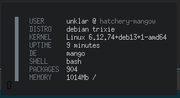
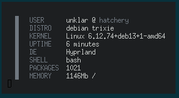
I also gave these three a ~/.Xdefaults and it works even after reboot or suspend.
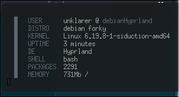
Offline
#12 2026-03-16 22:27:52
- PackRat
- jgmenu user Numero Uno
- Registered: 2015-10-02
- Posts: 3,087
Re: ceeslans'-ufetch
PackRat wrote:unklar wrote:^^OK.
I just rebooted and logged into mangowc
Sourced the ~/.XdefaultsSourcing ~/.Xdefaults must be a Wayland (xwayland?) built-in. I wonder if that has always been the case, and I overlooked it?
I don't know it.
I also gave these three a ~/.Xdefaults and it works even after reboot or suspend.https://i.postimg.cc/ykdq41py/manco.png https://i.postimg.cc/1gD2cf4g/hyprland.png https://i.postimg.cc/gL27Wssh/debian-hypr.png
I added a ~/.Xdefaults to my EndeavourOS with Plasma install. Sourced it just fine. I assume Gnome will do it.
Good to know now. Wayland compositors source the ~/.Xdefaults file and will follow a symlink.
You must unlearn what you have learned.
-- yoda
Offline
#13 2026-03-17 07:42:45
- unklar
- Back to the roots 1.9
- From: #! BL
- Registered: 2015-10-31
- Posts: 3,127
Re: ceeslans'-ufetch
^If wayland ignores the ~/.Xresources but evaluates the same content in a ~/.Xdefaults, then @johnraff could ship the future wayland version of BL like this and we would still have the "smoothness" of BL?
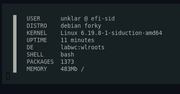
This is the result of carbon's ~/.Xresources renamed in a labwc installation whit the name ~/.Xdefaults.
Without any involvement from me!
Last edited by unklar (2026-03-17 07:46:18)
Offline
#14 2026-03-18 02:06:24
- johnraff
- nullglob
- From: Nagoya, Japan
- Registered: 2015-09-09
- Posts: 13,503
- Website
Re: ceeslans'-ufetch
^Would just adding a symlink called ~/.Xdefaults pointing to ~/.Xresources be enough?
But it would be good to know why Wayland compositors source the ~/.Xdefaults file. Is it a universal Wayland property, or just something that various Wayland compositors happen to do?
...elevator in the Brain Hotel, broken down but just as well...
( a boring Japan blog (currently paused), now on Bluesky and Mastodon, there's also some GitStuff )
Offline
#15 2026-03-18 09:44:00
- PackRat
- jgmenu user Numero Uno
- Registered: 2015-10-02
- Posts: 3,087
Re: ceeslans'-ufetch
^Would just adding a symlink called ~/.Xdefaults pointing to ~/.Xresources be enough?
That worked on my systems.
You must unlearn what you have learned.
-- yoda
Offline
#16 2026-03-18 10:51:36
- unklar
- Back to the roots 1.9
- From: #! BL
- Registered: 2015-10-31
- Posts: 3,127
Re: ceeslans'-ufetch
^Would just adding a symlink called ~/.Xdefaults pointing to ~/.Xresources be enough?
But it would be good to know why Wayland compositors source the ~/.Xdefaults file. Is it a universal Wayland property, or just something that various Wayland compositors happen to do?
I didn't set any symlink here.
I can only assume the second question.
Xdefaults predates Xresources. This further development to Xresources was mainly because several clients could be served here.
Xdefault serves exactly the purpose of wayland, a client.
https://en.wikipedia.org/wiki/Wayland_(protocol)
https://wayland.freedesktop.org/docs/html/ch01.html
It would be interesting to see whether the 'pure' wayland evaluates the Xdefaults. What we are talking about here only comes about through “xwayland”. Or, am I misunderstanding that?
So if someone has such an installation where xwayland is not involved, such a test should be carried out with Xdefaults.
Unfortunately I don't have a pure Wayland installation.
Offline
Pages: 1