![[BunsenLabs Logo]](/img/bl.svg)
You are not logged in.
- Topics: Active | Unanswered
#21 2025-12-13 22:07:18
- greenjeans
- Member

- Registered: 2025-01-18
- Posts: 388
- Website
Re: I made another thing, for Alsa-only purists like me.
Looks very nice, @greenjeans...love your work. As I'm getting older and nearing retirement I am thinking of getting into coding myself as was a programmer by training and wrote little code over the years except for a BASIC based flashcard program I did for a college project and ported over to QBasic some years later.
Thanks!! Wow, Basic, that takes me waaaaay back, first code I ever tried, around 1973-74 or so.
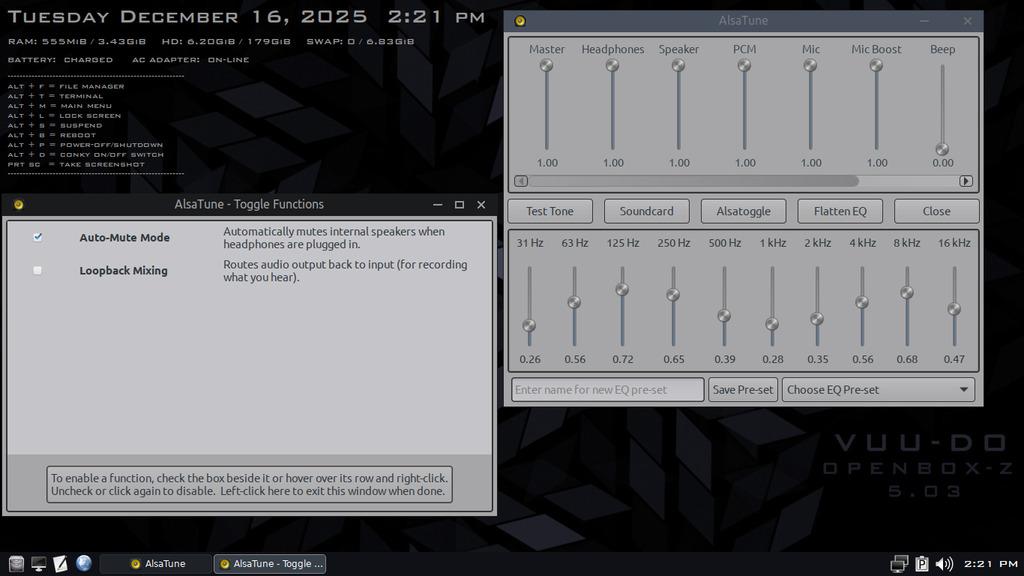
New version of AlsaTune up if anybody would like to try it:
https://sourceforge.net/projects/vuu-do … /AlsaTune/
Offline
#22 2025-12-17 00:42:38
- greenjeans
- Member
- Registered: 2025-01-18
- Posts: 388
- Website
Re: I made another thing, for Alsa-only purists like me.
Offline
#23 2025-12-29 23:44:10
- greenjeans
- Member
- Registered: 2025-01-18
- Posts: 388
- Website
Re: I made another thing, for Alsa-only purists like me.
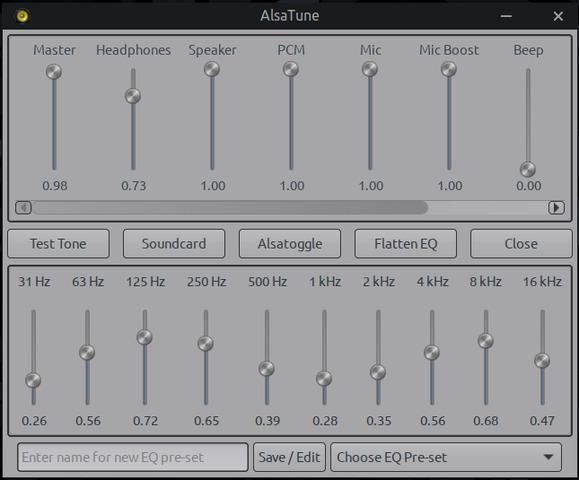
New version 3.1-2 uploaded, this has a lot of new features including the ability now to edit preset saves.
Offline
#24 2026-01-10 00:51:33
- greenjeans
- Member
- Registered: 2025-01-18
- Posts: 388
- Website
Re: I made another thing, for Alsa-only purists like me.
Alpha version of the music player uploaded if anyone would be willing to test! https://sourceforge.net/projects/vuu-do … apps/VSMP/
Best when accompanied by: https://sourceforge.net/projects/vuu-do … /AlsaTune/
Offline
#25 2026-01-10 11:25:01
- unklar
- Back to the roots 1.9

- From: #! BL
- Registered: 2015-10-31
- Posts: 3,127
Re: I made another thing, for Alsa-only purists like me.
^System current carbon
Downloaded your player.
sha and md5 are ok
sudo apt install ./vsmp_1.0-0_amd64.deb
[sudo] Passwort für unklar:
Hinweis: »vsmp« wird an Stelle von »./vsmp_1.0-0_amd64.deb« gewählt.
Installiere:
  vsmp

Installiere Abhängigkeiten:
  ffmpeg  libavdevice61  streamripper

Vorgeschlagene Pakete:
  ffmpeg-doc  kstreamripper  streamtuner  fadecut

Empfohlene Pakete:
  alsatune

Zusammenfassung:
  Aktualisiere: 0, Installiere: 4, Entferne: 0, Aktualisiere nicht: 0
  Herunterlade-Größe: 2.198 kB / 2.224 kB
  Benötigter Platz: 3.341 kB / 64,3 GB verfügbar

Fortfahren? [J/n] J
...
vsmp
vsmp: error while loading shared libraries: libavformat.so.59: cannot open shared object file: No such file or directoryHere the dependencies have led to libavformat.so.61 being on board.
libavformat61:amd64.list
/.
/usr
/usr/lib
/usr/lib/x86_64-linux-gnu
/usr/lib/x86_64-linux-gnu/libavformat.so.61.7.100
/usr/share
/usr/share/doc
/usr/share/doc/libavformat61
/usr/share/doc/libavformat61/changelog.Debian.gz
/usr/share/doc/libavformat61/changelog.gz
/usr/share/doc/libavformat61/copyright
/usr/lib/x86_64-linux-gnu/libavformat.so.61
Can I set a symlink?
vsmp.list
/.
/usr
/usr/local
/usr/local/bin
/usr/local/bin/vsmp
/usr/local/bin/vsmpp
/usr/local/bin/vsmpr
/usr/local/bin/vsmpr-add
/usr/local/bin/vsmps
/usr/local/bin/vsr
/usr/share
/usr/share/applications
/usr/share/applications/vsmp.desktop
/usr/share/vsmp
/usr/share/vsmp/README.txt
ln -s /usr/lib/x86_64-linux-gnu/libavformat.so* /usr/local/bin/libavformat.so.59Offline
#26 2026-01-10 14:17:53
- greenjeans
- Member
- Registered: 2025-01-18
- Posts: 388
- Website
Re: I made another thing, for Alsa-only purists like me.
Thanks for giving it a try! Yeah this is built on daedalus/bookworm libraries which includes libavformat59, haven't tried it on a trixie system.
I guess I need to make a note that this build is for daedalus/bookworm? Sorry about that, i'm still trying to figure all this out.
Offline
#27 2026-01-10 16:47:38
- unklar
- Back to the roots 1.9
- From: #! BL
- Registered: 2015-10-31
- Posts: 3,127
Re: I made another thing, for Alsa-only purists like me.
^^You shouldn't hide your light under a spoon (says a German proverb) 
The package is responsible libavdevice59. But that can't be "tricked" into the system.
LANG=C apt install -s ./libavdevice59_5.1.8-0+deb12u1_amd64.deb
NOTE: This is only a simulation!
      apt needs root privileges for real execution.
      Keep also in mind that locking is deactivated,
      so don't depend on the relevance to the real current situation!

Note, selecting 'libavdevice59' instead of './libavdevice59_5.1.8-0+deb12u1_amd64.deb'
Solving dependencies... Error!
Some packages could not be installed. This may mean that you have
requested an impossible situation or if you are using the unstable
distribution that some required packages have not yet been created
or been moved out of Incoming.
The following information may help to resolve the situation:

Unsatisfied dependencies:
 libavdevice59 : Depends: libavcodec59 (>= 7:5.0) but it is not installable
                 Depends: libavfilter8 (>= 7:5.1) but it is not installable
                 Depends: libavformat59 (= 7:5.1.8-0+deb12u1) but it is not installable
                 Depends: libavutil57 (= 7:5.1.8-0+deb12u1) but it is not installable
Error: Unable to correct problems, you have held broken packages.
Error: The following information from --solver 3.0 may provide additional context:
   Unable to satisfy dependencies. Reached two conflicting decisions:
   1. libavdevice59:amd64=7:5.1.8-0+deb12u1 is selected for install
   2. libavdevice59:amd64 Depends libavcodec59 (>= 7:5.0)
      but none of the choices are installable:
      [no choices]
I still have Boron on a TP500. This package is already on board there. Maybe tomorrow... 
Offline
#28 2026-01-11 08:37:40
- unklar
- Back to the roots 1.9
- From: #! BL
- Registered: 2015-10-31
- Posts: 3,127
Re: I made another thing, for Alsa-only purists like me.
Congratulations, @greenjeans!
Installation on Boron is OK.
The initial recognition of my music directory was not complete.
'goldplay2011' was missing.
I directed it via the playlist. Maybe the folder wasn't created correctly back then.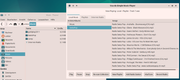
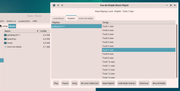
I have successfully set up my favorite internet radio station, SwissPOP.
I love this simplicity! Thank you! 
Offline
#29 2026-01-11 09:43:41
- unklar
- Back to the roots 1.9
- From: #! BL
- Registered: 2015-10-31
- Posts: 3,127
Re: I made another thing, for Alsa-only purists like me.
^^Hey, greenjeans
it also works on carbon/trixie.
I simply added the bookworm repo and installed libavdevice59 with 17 dependencies.
Last edited by unklar (2026-01-11 10:28:40)
Offline
#30 2026-01-11 16:08:07
- greenjeans
- Member
- Registered: 2025-01-18
- Posts: 388
- Website
Re: I made another thing, for Alsa-only purists like me.
@unklar THANK YOU so much for testing!! All the info is great and the screenshots are super helpful too, I see I need to do a little work yet with the gtk for one.
Issue #1 - I neglected to triple check, and so I have a bunch of output going to ~./xsession-errors, most normal operation messages from ffplay, I had rooted those out at one point...arrgh. Also a few of the typical glib-gio errors that seem to plague that file.
Issue #2 - I need to expand the list of mimetypes the music scraper looks for, right now it's just .mp3, flac, and ogg. Those were just the three I had on my machine when I was working on the scraper and never did add to 'em.
I think i'll pull the package for now, that error-spamming is too much.
EDIT: I pulled it down for now, going to work on the beta version, I swear I fixed that .xsession-errors spamming early in the process, ffplay just likes to be VERY verbose sometimes, especially when playing internet radio. It's just outputting normal operation content, no real errors.
The glib-gio i'm getting is probably gtk again, have had that before early in the process too.
Update: I did actually fix the normal operations messages, I was reading some messages from a different script I was playing with, so that part's good. Still getting like 11 glib-gobject warnings that pop up right when you start the app and that's it unless there's an actual error. Man if I had a dollar for every time those warnings pop up...working on it now.
The music scraper will be easy, just need to add a few more mimetypes to the script I think, .wav for one, just wondering what all formats I should add, the first 3 are just what I had available for original testing.
Last edited by greenjeans (2026-01-11 17:54:42)
Offline
#31 2026-01-11 22:22:47
- greenjeans
- Member
- Registered: 2025-01-18
- Posts: 388
- Website
Re: I made another thing, for Alsa-only purists like me.
Got it! The glib errors were just a timing issue, had to move a signal connect and that was it, sweet! Also expanded the scraper script to handle multiple more audio formats. Going to re-package here in a bit.
EDIT: New version 1.0-1 uploaded!
Last edited by greenjeans (2026-01-12 00:44:16)
Offline
#32 2026-01-12 13:43:52
- unklar
- Back to the roots 1.9
- From: #! BL
- Registered: 2015-10-31
- Posts: 3,127
Re: I made another thing, for Alsa-only purists like me.
^Clean reinstallation of V1.0-1 carried out.
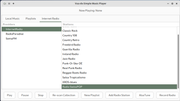
The existing music directories have been recognized (However, the order of the titles is not correct).
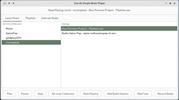
Radio stream recorded, which can then be found in the directory.
Maybe best for you, in ~/.xsessions-errors no errors whatsoever!
Thank you for your prompt good work. 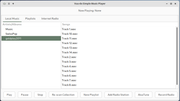
Offline
#33 2026-01-17 18:51:06
- greenjeans
- Member
- Registered: 2025-01-18
- Posts: 388
- Website
Re: I made another thing, for Alsa-only purists like me.
Offline
#34 2026-04-15 00:02:39
- greenjeans
- Member
- Registered: 2025-01-18
- Posts: 388
- Website
Re: I made another thing, for Alsa-only purists like me.
Been a while since I updated this thread, put up a new version of AlsaTune a week ago, but can't leave well enough alone, lol, working on next version, added independent right/left volume controls for channels that have that capability, still testing for now, but looking good, should be able to upload it in a few days.

Offline
#35 2026-04-17 22:59:02
- greenjeans
- Member
- Registered: 2025-01-18
- Posts: 388
- Website
Re: I made another thing, for Alsa-only purists like me.
Version 3.3-0 of AlsaTune uploaded! This adds the dual-sliders for balance control in the mixer. I'll start on the dual-sliders for the EQ version soon.
Offline
#36 2026-05-17 23:38:35
- greenjeans
- Member
- Registered: 2025-01-18
- Posts: 388
- Website
Re: I made another thing, for Alsa-only purists like me.
Okay, AlsaTune is now also on git, so it's easy to check out the source code at least, still trying to get the hang of using git:
https://git.devuan.org/greenjeans/alsatune
Offline