![[BunsenLabs Logo]](/img/bl.svg)
You are not logged in.
- Topics: Active | Unanswered
#2721 2025-10-03 20:50:43
- Colonel Panic
- Member
- Registered: 2018-11-13
- Posts: 1,853
Re: Distro-hoppers anonymous
Thanks, I've downloaded this now. I agree that the Lilidog project deserves to survive and, if you're in touch with Sleek, please thank him for keeping the project alive..
Last edited by Colonel Panic (2025-10-04 00:32:12)
Offline
#2722 2025-10-04 03:44:05
- hhh
- Hercule Poirot

- From: Belgium
- Registered: 2015-09-17
- Posts: 17,582
- Website
Re: Distro-hoppers anonymous
if you're in touch with Sleek, please thank him for keeping the project alive..
He's alive, kicking, and posting recently here. 
Why why why why?!!???
Offline
#2723 2025-10-04 12:05:42
- sleekmason
- zoom

- Registered: 2018-05-22
- Posts: 1,163
- Website
Re: Distro-hoppers anonymous
Thanks, I've downloaded this now. I agree that the Lilidog project deserves to survive and, if you're in touch with Sleek, please thank him for keeping the project alive..
Thank you! :) Lilidog is still hosted on https://sourceforge.net/projects/lilidog/ and development will continue moving forward. Super excited to seeing what can be done further with Trixie!
Offline
#2724 2025-10-04 18:57:40
- Sector11
- Mod Squid Tpyo Knig

- From: Upstairs
- Registered: 2015-08-20
- Posts: 8,450
Re: Distro-hoppers anonymous
Thank you!
I must get my butt in gear and get my new BareDog (SoxDox) up and running.
I get nervous and procrastinate at these times.
Debian 13 Beardog hosted by SoxDog
Still a Conky 1.9er at heart.
Offline
#2725 2025-10-05 00:19:33
- dmontaine
- Member
- Registered: 2017-02-14
- Posts: 86
Re: Distro-hoppers anonymous
In a perfect world I would hope the developers of BunsenLabs would adopt Lilidog and provide some of the things it is missing: A website presence, a repository and a forum subgroup. Apparently Sleek Mason just didn't feel able to manage the whole distro public presence thing, but still enjoys working with the software. The combination of his creativity with the skills of some of the BunsenLabs folks could create a really spectacular distro still based on Openbox, X11 (preferably xLibre) and tint2.
Offline
#2726 2025-10-08 03:25:45
- DeepDayze
- Like sands through an hourglass...
- From: In Linux Land
- Registered: 2017-05-28
- Posts: 2,004
Re: Distro-hoppers anonymous
Colonel Panic wrote:Thanks, I've downloaded this now. I agree that the Lilidog project deserves to survive and, if you're in touch with Sleek, please thank him for keeping the project alive..
Thank you!
He's alive!
Hope you are well, Sleek. Your little distro's still got a spot in my heart as well as on a spare disk
Perhaps will try out Lilidog updated to Trixie as well.
Last edited by DeepDayze (2025-10-08 03:26:27)
Real Men Use Linux
Offline
#2727 2025-10-11 06:10:56
- Colonel Panic
- Member
- Registered: 2018-11-13
- Posts: 1,853
Re: Distro-hoppers anonymous
^ The community (user) editions are encouraged and placed in the opening page of the distro, rather than seeing as competitors.
Even Ubuntu forums seems to encourage that, http://ubuntuforums.org/showthread.php?t=2287591 That's how I found Bento, a woman made Openbox distro. http://phillw.net/isos/bento-ubuntu-remix/
Melodie (nice to see women doing this) has recently released an updated version of Bento, based on Ubuntu 24.04 LTS, and I've just installed it. It looks good, has an extensive range of software and works very well; I particularly liked the fact that each of the four desktops are named after a different planet. The only thing it doesn't have is an e-mail client.
There are also versions of Bento based on AntiX and MX;
https://downloads.linuxvillage.org/?C=M;O=D
[Edit: Bento MX is fine too.]
Last edited by Colonel Panic (2025-10-31 17:13:23)
Offline
#2728 2025-10-29 19:53:45
- Colonel Panic
- Member
- Registered: 2018-11-13
- Posts: 1,853
Re: Distro-hoppers anonymous
I've just installed the latest beta of MX-KDE (September 25th), and it seems to be working a lot better on my old Dell computer than the previous version of MX KDE did. Still quite heavy on RAM though (40% of 8 GB showing in Conky with just KDE and four tabs open in Firefox).
Here are the release notes;
https://mxlinux.org/blog/mx-25-infinity … -purposes/
Last edited by Colonel Panic (2025-10-29 20:19:40)
Offline
#2729 2025-11-18 22:49:04
- Colonel Panic
- Member
- Registered: 2018-11-13
- Posts: 1,853
Re: Distro-hoppers anonymous
Gentoo have just released another, up to date live disk with KDE as it desktop environment, and I'm posting from it now. It's working flawlessly as far as I can see; its only problem is there is (deliberately) no way to install it to a hard drive or USB drive. It is a test disk only (although it contains some useful system utilities too).
Last edited by Colonel Panic (2025-11-18 22:50:36)
Offline
#2730 2025-12-16 11:23:25
- unklar
- Back to the roots 1.9

- From: #! BL
- Registered: 2015-10-31
- Posts: 3,127
Re: Distro-hoppers anonymous
Inspired by these pages (cosmic and rust)
https://linuxnews.de/pop_os-24-04-lts-e … c-epoch-1/
https://system76.com/pop/download/
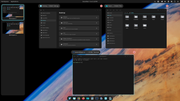
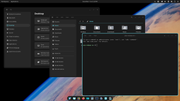
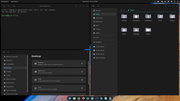
I performed the installation on a TP500 with 4 GB/3.75 GiB RAM. I was interested in Tilling.
Product: ThinkPad T500 2056-4QG [change]
Operating system: All [change]
Original description: T9400(2.53GHz), 2GB RAM, 160GB 5400rpm HD, 15.4in 1680x1050(WSXGA+)LCD, 256MB ATI Radeon HD3650, CDRW/DVDRW, Intel 802.11agn wireless, Bluetooth, Modem, 1Gb Ethernet, UltraNav, Secure chip, Fingerprint reader, 6c Li-Ion, WinVista Business 32
Calamares is used as the installer. The installation was very slow. I was all the more surprised that working with PoP for surfing with FF-esr and e-mail is appealing. 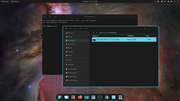
Offline
#2731 2025-12-25 23:12:09
- Colonel Panic
- Member
- Registered: 2018-11-13
- Posts: 1,853
Re: Distro-hoppers anonymous
I've just installed Omega, a lightweight distro based on Ubuntu 22.04 LTS and using LXDE as its desktop manager. Apart from Chromium for web browsing, PcmanFM for file management and Mpv for multimedia it comes with very little software as standard, but it also doesn't have snap so you can install software on it the Debian way if you want to (as I have just done to be able to use Firefox).
Omega's probably not for everyone but might be of interest to someone who wants to build a Ubuntu-based distro more or less from scratch, a bit like WattOS (which is based on Debian) is now, especially if they want to keep it to lightweight applications like abiword or gnumeric. Nice wallpaper too.
https://ohjhas.github.io/omega-linux-en/index.html
Running ohjhas's github profile (which is in Spanish) through DeepL revealed this;
Hi I'm Ibsan Baza (known as ohjhas) I'm fond of Linux and other things, I'm the only developer of OmegaLinux and now I'm 17 years old.
A quick update here; Ibsan's just released the latest version of Omega (3.3), which is based on Lubuntu LTS 24.04.3. It's very similar to the earlier one I reviewed above except that it uses Firefox as its browser instead of Chromium. The download link is as in the post quoted;
https://github.com/ohjhas/omega-linux/r … alb67q.iso
As before, it is a good choice for someone looking for a lightweight distro that is based on Lubuntu LTS and who doesn't mind installing much of their own software.
Last edited by Colonel Panic (2025-12-25 23:17:47)
Offline
#2732 2025-12-26 12:23:42
- Pinhead
- Member

- Registered: 2022-12-05
- Posts: 119
Re: Distro-hoppers anonymous

Complete the pattern, solve the puzzle, turn the key.
Offline
#2733 2025-12-29 09:36:23
- Colonel Panic
- Member
- Registered: 2018-11-13
- Posts: 1,853
Re: Distro-hoppers anonymous
I've just installed the latest version of Mabox, which as most people here will know is a Polish distro based on Manjaro and which uses Openbox as its window manager.
It's obvious that a lot of thought has gone into Mabox, both in terms of design and practicality; I particularly liked the drop-down menu that is accessed from a middle mouse click on the desktop and enables a number of windowing tweaks to be accessed by a list of tick boxes. If I could change one thing, it would be the info display priorities; although it (Conky) looks very smart, the date (the 29th) is much more prominent than the time display, which is a smallish box on the extreme top right although I normally want to know the time much more often than I do the day's date.
Last edited by Colonel Panic (2025-12-29 12:11:36)
Offline
#2734 2025-12-31 22:13:01
- Colonel Panic
- Member
- Registered: 2018-11-13
- Posts: 1,853
Re: Distro-hoppers anonymous
Reinstalled Spiral XFce (which is still based on Bookworm), and it is working well. This probably needs a new thread but I'm in no hurry to upgrade to Trixie at the moment.
Last edited by Colonel Panic (2025-12-31 22:13:30)
Offline
#2735 2026-01-01 01:49:31
- DeepDayze
- Like sands through an hourglass...
- From: In Linux Land
- Registered: 2017-05-28
- Posts: 2,004
Re: Distro-hoppers anonymous
This seems like a cool distro if you want to dive into immutable OSes.
Real Men Use Linux
Offline
#2736 2026-01-01 18:24:22
- Colonel Panic
- Member
- Registered: 2018-11-13
- Posts: 1,853
Re: Distro-hoppers anonymous
Positively my last distrohop until - well it is still the holidays in Britain. I've just downloaded Nobara 43 and found it is too big to be burnt off to a DVD-R so I've had to install it from a USB pendrive.
Naturally, it comes with Steam for playing games but it is curiously lean in other ways - it doesn't have an e-mail client, for example, so you have to install your own. It uses Brave as its browser, but even with just four tabs open the system monitor shows 2.7 GB of Ram being used, so it's not a distro for low-specced computers.
Last edited by Colonel Panic (2026-01-01 18:29:41)
Offline
#2737 2026-01-01 19:00:16
- darknetmatrix
- Member

- From: /home/labs
- Registered: 2015-09-29
- Posts: 272
- Website
Re: Distro-hoppers anonymous
I've been using siduction, which is Debian Sid-based, for 19 days now, and everything is running smoothly without any problems. A big advantage is that with every dist-upgrade, a working version of the previous one is saved so that you can always revert to a working version.
As of today, my other desktop is running openSuse tumbleweed again with similar snapshots of your system.
⢀⣴⠾⠻⢶⣦⠀
⣾⠁⢠⠒⠀⣿⡁ Debian - The universal operating system linux user # 527315
⢿⡄⠘⠷⠚⠋⠀ https://www.debian.org
⠈⠳⣄⠀
Offline
#2738 2026-01-15 14:28:51
- Colonel Panic
- Member
- Registered: 2018-11-13
- Posts: 1,853
Re: Distro-hoppers anonymous
TROMjaro's developers have just released a new edition of their distro. It looks like an interesting project; a Manjaro spinoff with an XFce desktop customised to look like Unity (only, in the developers' minds, improving on it).
https://distrowatch.com/?newsid=12702
[Edit; other layouts are available but Unity is the default. The developers' comments are interesting but do contain some non family friendly language;
https://forum.tromjaro.com/t/tromjaro-2 … efault/274
Last edited by Colonel Panic (2026-01-15 14:32:04)
Offline
#2739 2026-01-16 18:23:47
- greenjeans
- Member

- Registered: 2025-01-18
- Posts: 388
- Website
Re: Distro-hoppers anonymous
TROMjaro's developers have just released a new edition of their distro. It looks like an interesting project; a Manjaro spinoff with an XFce desktop customised to look like Unity (only, in the developers' minds, improving on it).
https://distrowatch.com/?newsid=12702
[Edit; other layouts are available but Unity is the default. The developers' comments are interesting but do contain some non family friendly language;
Wow there's another super-cool detail in there, they are using MorsMortium's gtk-nocsd package and shipping it on their isos! We really need a .deb package of that program, it works on GTK3/4, libadwaita, and libhandy apps.
https://codeberg.org/MorsMortium/gtk-nocsd
Last edited by greenjeans (2026-01-16 18:24:08)
Offline
#2740 2026-01-19 15:13:45
- Colonel Panic
- Member
- Registered: 2018-11-13
- Posts: 1,853
Re: Distro-hoppers anonymous
Colonel Panic wrote:TROMjaro's developers have just released a new edition of their distro. It looks like an interesting project; a Manjaro spinoff with an XFce desktop customised to look like Unity (only, in the developers' minds, improving on it).
https://distrowatch.com/?newsid=12702
[Edit; other layouts are available but Unity is the default. The developers' comments are interesting but do contain some non family friendly language;
Wow there's another super-cool detail in there, they are using MorsMortium's gtk-nocsd package and shipping it on their isos! We really need a .deb package of that program, it works on GTK3/4, libadwaita, and libhandy apps.
https://codeberg.org/MorsMortium/gtk-nocsd
Yes, it looks good although I'm a bit limited for free space on my hard drive at the moment and am reasonably happy with stock Manjaro XFCE, so don't have any immediate plans to install it. Manjaro's a bit limited compared to some other distros but what it does do, it does very well.
I've also had a look at the latest version of Open SUSE Leap (16.0) but found the installation procedure a bit disconcerting; I couldn't find some of my usual Leap installation options and so decided not to go ahead with it, for the time being at least.
Last edited by Colonel Panic (2026-01-26 10:42:32)
Offline