![[BunsenLabs Logo]](/img/bl.svg)
You are not logged in.
- Topics: Active | Unanswered
#581 2025-12-05 08:27:10
- darknetmatrix
- Member

- From: /home/labs
- Registered: 2015-09-29
- Posts: 266
- Website
Re: 2025 Screenshot Thread
Still on siduction, no big changes just the wallpaper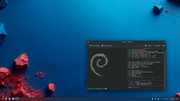
⢀⣴⠾⠻⢶⣦⠀
⣾⠁⢠⠒⠀⣿⡁ Debian - The universal operating system linux user # 527315
⢿⡄⠘⠷⠚⠋⠀ https://www.debian.org
⠈⠳⣄⠀
Offline
#582 2025-12-05 16:34:37
- cog
- Member

- From: The Southwest
- Registered: 2015-10-27
- Posts: 683
- Website
Re: 2025 Screenshot Thread
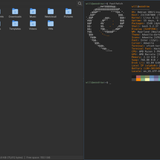
Haven't really changed my setup in years. The only difference in this one is it's hyprland with eww instead of awesomewm that I normally use. The performance is a lot better than X11 on my ThinkPad. I'm planning on porting my eww setup to quickshell which is in my repos too but haven't gotten around to it yet.

Offline
#583 2025-12-07 10:06:55
- unklar
- Back to the roots 1.9

- From: #! BL
- Registered: 2015-10-31
- Posts: 3,115
Re: 2025 Screenshot Thread
Haven't really changed my setup in years. The only difference in this one is it's hyprland with eww instead of awesomewm that I normally use. The performance is a lot better than X11 on my ThinkPad. I'm planning on porting my eww setup to quickshell which is in my repos too but haven't gotten around to it yet.
https://iili.io/fTRiF8F.th.png https://iili.io/fTRiKyg.th.png
Nice!
I'm planning on porting my eww setup to quickshell which is in my repos too but haven't gotten around to it yet.
I took a look, I really like it and wish you success.
------------------------------------------------------
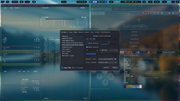
Hyprland, still one of my most beautiful setups. 

Last edited by unklar (2025-12-07 10:31:00)
Offline
#584 2025-12-07 11:00:05
- MarkW
- Member
- Registered: 2024-11-03
- Posts: 569
Re: 2025 Screenshot Thread
Eww is not a good name for anything 
Last edited by MarkW (2025-12-07 11:00:28)
Offline
#585 2025-12-07 12:59:59
- hhh
- Hercule Poirot

- From: Belgium
- Registered: 2015-09-17
- Posts: 17,559
- Website
Re: 2025 Screenshot Thread
Quick enhancement for using photos as wallpapers...
Open in GIMP.
Duplicate the layer.
Set the Mode on the new layer to Overlay.
Set opacity on the new layer to taste (40% is a good starting point, this is at 80% because the image is so flat)
Flatten and export your new wallpaper.

Walllpaper (image 5)
Why why why why?!!???
Offline
#586 2025-12-08 00:57:46
- johnraff
- nullglob

- From: Nagoya, Japan
- Registered: 2015-09-09
- Posts: 13,495
- Website
Re: 2025 Screenshot Thread
Quick enhancement for using photos as wallpapers...
Open in GIMP.
Duplicate the layer.
Set the Mode on the new layer to Overlay.
Set opacity on the new layer to taste (40% is a good starting point, this is at 80% because the image is so flat)
Flatten and export your new wallpaper.
I have a lot to learn about Gimp...
What does the "Overlay" mode do to the new layer?
...elevator in the Brain Hotel, broken down but just as well...
( a boring Japan blog (currently paused), now on Bluesky and Mastodon, there's also some GitStuff )
Online
#587 2025-12-08 09:22:22
- brontosaurusrex
- Senior Associate, Middle Office

- Registered: 2015-09-29
- Posts: 2,821
- Website
Re: 2025 Screenshot Thread
^ According to web it is a combo of Multiply and Screen blend mode.
https://marius.sucan.ro/blog/2023/blending-modes-maths/
if (B < 0.5)
 z = 2 * A * B
else
 z = 1 - (2 * (1 - A) * (1 - B) )
B is under, A is image to be applied and z is new pixel/image. (Which doesn't help intuition at all).
Offline
#588 2025-12-08 11:41:51
- johnraff
- nullglob
- From: Nagoya, Japan
- Registered: 2015-09-09
- Posts: 13,495
- Website
Re: 2025 Screenshot Thread
(Which doesn't help intuition at all).
Well... no not really. But thanks for that entryway.
...elevator in the Brain Hotel, broken down but just as well...
( a boring Japan blog (currently paused), now on Bluesky and Mastodon, there's also some GitStuff )
Online
#589 2025-12-08 19:45:49
- hhh
- Hercule Poirot
- From: Belgium
- Registered: 2015-09-17
- Posts: 17,559
- Website
Re: 2025 Screenshot Thread
hhh wrote:Quick enhancement for using photos as wallpapers...
Open in GIMP.
Duplicate the layer.
Set the Mode on the new layer to Overlay.
Set opacity on the new layer to taste (40% is a good starting point, this is at 80% because the image is so flat)
Flatten and export your new wallpaper.I have a lot to learn about Gimp...
What does the "Overlay" mode do to the new layer?
By applying an additional layer with some opacity you get increased contrast and color enhancement. It's not subtle when you create a new layer, set it to Overlay and leave opacity at 100%.
I'm not sure how overlay actually works. I haven't watched very many YouTube videos for GIMP, more trial by fire. but this video is good.
https://www.youtube.com/watch?v=hv0BT4Gj7LA
I never do any of the additional steps, it's a wall that might last a month. 2 minutes, max, done.
Why why why why?!!???
Offline
#590 2025-12-08 19:54:25
- Sector11
- Mod Squid Tpyo Knig

- From: Upstairs
- Registered: 2015-08-20
- Posts: 8,435
Re: 2025 Screenshot Thread
@hhh WOW!!!! That's nice. Good tutorial.
Debian 13 Beardog hosted by SoxDog
Still a Conky 1.9er at heart.
Offline
#591 2025-12-08 20:02:24
- hhh
- Hercule Poirot
- From: Belgium
- Registered: 2015-09-17
- Posts: 17,559
- Website
Re: 2025 Screenshot Thread
A sentimental moment *wipes tear from eye*
I just want everybody to know, the BL forums is a bastion of ol' skool Internet, and I love you all for keeping it alive.
Why why why why?!!???
Offline
#592 2025-12-08 23:26:59
- Sector11
- Mod Squid Tpyo Knig
- From: Upstairs
- Registered: 2015-08-20
- Posts: 8,435
Re: 2025 Screenshot Thread
A sentimental moment *wipes tear from eye*
I just want everybody to know, the BL forums is a bastion of ol' skool Internet, and I love you all for keeping it alive.
We loves ya h3!
See ... I've gone simple - almost!
Debian 13 Beardog hosted by SoxDog
Still a Conky 1.9er at heart.
Offline
#593 2025-12-08 23:27:27
- hhh
- Hercule Poirot
- From: Belgium
- Registered: 2015-09-17
- Posts: 17,559
- Website
Re: 2025 Screenshot Thread
Kitty and I dealing with sid upgrades.

Why why why why?!!???
Offline
#594 2025-12-12 23:46:08
- micko01
- void main()

- From: Queensland, Australia
- Registered: 2024-04-07
- Posts: 578
- Website
Re: 2025 Screenshot Thread
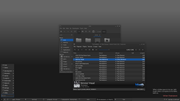
Liking qmpanel, which is developed in qt6 by John Lindgren, part of the labwc team. Simple, but the amount of features is just right IMO.
#!/bin/sh
echo '#include <stdio.h>\nvoid main() { printf("Hi, bunsenlabs\\n"); return; }' > bunsen.c
gcc bunsen.c -o bunsen
./bunsen
Offline
#595 2025-12-13 11:47:43
- MarkW
- Member
- Registered: 2024-11-03
- Posts: 569
Re: 2025 Screenshot Thread
IceWM Nu-Ice green theme (still the same background)


Offline
#596 2025-12-13 18:08:27
- Döbbie03
- Resident Metalhead

- From: New Zealand
- Registered: 2015-09-29
- Posts: 4,380
Re: 2025 Screenshot Thread
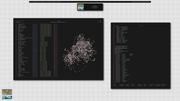
"All we are is dust in the wind, dude"
- Theodore "Ted" Logan
"Led Zeppelin didn't write tunes that everybody liked, they left that to the Bee Gees."
- Wayne Campbell
Offline
#597 2025-12-15 01:31:48
- hhh
- Hercule Poirot
- From: Belgium
- Registered: 2015-09-17
- Posts: 17,559
- Website
Re: 2025 Screenshot Thread
Holy scrots, Batman! Those are all really nice!
@mick, is it tough to build on trixie? A lot of qt libs on BL (primarily a GTK OS)? There's no dependency list on the git page.
Why why why why?!!???
Offline
#598 2025-12-15 04:49:29
- hhh
- Hercule Poirot
- From: Belgium
- Registered: 2015-09-17
- Posts: 17,559
- Website
Re: 2025 Screenshot Thread

Why why why why?!!???
Offline
#599 2025-12-18 06:48:12
- micko01
- void main()
- From: Queensland, Australia
- Registered: 2024-04-07
- Posts: 578
- Website
Re: 2025 Screenshot Thread
^^ *should* be a goer on trixie as I'm pretty sure all the libs are there. The big problem is a decent SNI volume applet for pipewire  They all seem crap!
Anyway, here's what it feels like here (not weather though)
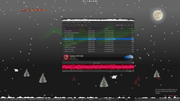
#!/bin/sh
echo '#include <stdio.h>\nvoid main() { printf("Hi, bunsenlabs\\n"); return; }' > bunsen.c
gcc bunsen.c -o bunsen
./bunsen
Offline
#600 2025-12-18 14:39:12
- unklar
- Back to the roots 1.9
- From: #! BL
- Registered: 2015-10-31
- Posts: 3,115
Re: 2025 Screenshot Thread
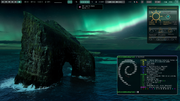 Cream from the front row.
Offline