![[BunsenLabs Logo]](/img/bl.svg)
You are not logged in.
- Topics: Active | Unanswered
#2641 2025-05-25 01:33:40
- MAC the Bloody
- crypto-anarchist

- From: Quesnel BC Canada
- Registered: 2015-09-29
- Posts: 256
Re: Distro-hoppers anonymous
Is anyone currently running debian testing, and if so what has it been like so far?
I've spent the past 3 years running Manjaro because when I got my new hardware it was the only distro I tried that could see and access my raid array out of the box.
I'm thinking that by now debian may have got that working.
I really would like to return to using debian. It was my favourite distro for many years.
IIRC testing went into freeze recently, so based on my experience with that a few years ago it might be pretty usable at this point for a daily driver.
Can anyone verify?
“The university is well structured, well tooled, to turn out people with all the sharp edges worn off...." Mario Savio
"Protections for anonymous speech are vital to democratic discourse". Help enforce our right to free and anonymous speech by running a Tor relay.
Offline
#2642 2025-05-25 02:31:46
- hhh
- Hercule Poirot

- From: Belgium
- Registered: 2015-09-17
- Posts: 17,582
- Website
Re: Distro-hoppers anonymous
Is anyone currently running debian testing, and if so what has it been like so far?
IIRC testing went into freeze recently, so based on my experience with that a few years ago it might be pretty usable at this point for a daily driver.
Can anyone verify?
I've been using it on two partitions since the transitional freeze (3 months ago?). Trixie GNOME Wayland for my daily driver and BL Carbon (xorg) for my testing partition. It's solid. Also, the packages are quite up-to-date. I've had no issues, except for an increased fan usage from a kernel upgrade which was resolved in a couple of days. I dropped back to the previous kernel in the meantime. 10/10 would recommend.
Why why why why?!!???
Offline
#2643 2025-05-25 03:32:57
- MAC the Bloody
- crypto-anarchist
- From: Quesnel BC Canada
- Registered: 2015-09-29
- Posts: 256
Re: Distro-hoppers anonymous
MAC the Bloody wrote:Is anyone currently running debian testing, and if so what has it been like so far?
IIRC testing went into freeze recently, so based on my experience with that a few years ago it might be pretty usable at this point for a daily driver.
Can anyone verify?I've been using it on two partitions since the transitional freeze (3 months ago?). Trixie GNOME Wayland for my daily driver and BL Carbon (xorg) for my testing partition. It's solid. Also, the packages are quite up-to-date. I've had no issues, except for an increased fan usage from a kernel upgrade which was resolved in a couple of days. I dropped back to the previous kernel in the meantime. 10/10 would recommend.
Thanks hhh.
Based on that I'm going to give it a shot.
Going back to debian will be like saying hello to an old friend.
EDIT After going to the debian website to grab a netinstall image I can see that it has progressed to the stage of a release candidate.
It went RC1 one week ago. Downloading now.
Last edited by MAC the Bloody (2025-05-25 03:44:57)
“The university is well structured, well tooled, to turn out people with all the sharp edges worn off...." Mario Savio
"Protections for anonymous speech are vital to democratic discourse". Help enforce our right to free and anonymous speech by running a Tor relay.
Offline
#2644 2025-05-25 03:39:40
- hhh
- Hercule Poirot
- From: Belgium
- Registered: 2015-09-17
- Posts: 17,582
- Website
Re: Distro-hoppers anonymous
Report back, your thoughts might be useful for our Carbon release.
Why why why why?!!???
Offline
#2645 2025-05-25 03:47:41
- MAC the Bloody
- crypto-anarchist
- From: Quesnel BC Canada
- Registered: 2015-09-29
- Posts: 256
Re: Distro-hoppers anonymous
Report back, your thoughts might be useful for our Carbon release.
Need to get some sleep but I'll probably install after breakfast tomorrow.
If no issues crop up right away I'll give my impression of it after running for a couple of days.
edited for typo
Last edited by MAC the Bloody (2025-05-25 03:49:09)
“The university is well structured, well tooled, to turn out people with all the sharp edges worn off...." Mario Savio
"Protections for anonymous speech are vital to democratic discourse". Help enforce our right to free and anonymous speech by running a Tor relay.
Offline
#2646 2025-05-25 14:17:32
- PackRat
- jgmenu user Numero Uno

- Registered: 2015-10-02
- Posts: 3,087
Re: Distro-hoppers anonymous
Is anyone currently running debian testing, and if so what has it been like so far?
I've spent the past 3 years running Manjaro because when I got my new hardware it was the only distro I tried that could see and access my raid array out of the box.
I'm thinking that by now debian may have got that working.
I really would like to return to using debian. It was my favourite distro for many years.
IIRC testing went into freeze recently, so based on my experience with that a few years ago it might be pretty usable at this point for a daily driver.
Can anyone verify?
I was using trixie/sid (hatchery linux) for few weeks without issue. No information regarding raid though.
You must unlearn what you have learned.
-- yoda
Offline
#2647 2025-05-31 07:45:25
- Colonel Panic
- Member
- Registered: 2018-11-13
- Posts: 1,853
Re: Distro-hoppers anonymous
I've just installed the 32-bit version of Bunsen and am busy adding programs to it (the choice is more limited than it is for 64-bit, but there are still plenty of options).
Using a 32-bit distro is a bit like driving a 1300 cc car when you're used to a 3 litre - it still gets the job done, but you feel more pinched and restricted because you're limited to just over 3 GB of RAM and some options don't work (I couldn't get Chromium working, for example). Definitely an option for older computers though.
Last edited by Colonel Panic (2025-06-03 16:35:19)
Offline
#2648 2025-06-13 22:54:39
- Colonel Panic
- Member
- Registered: 2018-11-13
- Posts: 1,853
Re: Distro-hoppers anonymous
I've now installed Exton's spin of Damn Small Linux (DSL-e). It's of course very similar to the original DSL but with LXDE as its desktop manager instead of Fluxbox, and some extra programs added, such as Firefox and VLC, which take the size of the ISO up to 1100 MB.
Still, it works very well and is helping to keep my old machine going.
https://www.exton.se/dsl-e-based-on-dsl … ld-240417/
Last edited by Colonel Panic (2025-06-14 07:07:13)
Offline
#2649 2025-06-14 01:39:51
- johnraff
- nullglob

- From: Nagoya, Japan
- Registered: 2015-09-09
- Posts: 13,503
- Website
Re: Distro-hoppers anonymous
...LXDE as its desktop manager instead of Firefox...
Er, what? What's a "desktop manager" anyway? Whatever, I'm sure Firefox isn't one.
...elevator in the Brain Hotel, broken down but just as well...
( a boring Japan blog (currently paused), now on Bluesky and Mastodon, there's also some GitStuff )
Offline
#2650 2025-06-14 07:06:24
- Colonel Panic
- Member
- Registered: 2018-11-13
- Posts: 1,853
Re: Distro-hoppers anonymous
Late night posting be damned (either that or it's early onset dementia) - I meant Fluxbox. 
Offline
#2651 2025-06-14 07:44:19
- johnraff
- nullglob
- From: Nagoya, Japan
- Registered: 2015-09-09
- Posts: 13,503
- Website
Re: Distro-hoppers anonymous
^ 
...elevator in the Brain Hotel, broken down but just as well...
( a boring Japan blog (currently paused), now on Bluesky and Mastodon, there's also some GitStuff )
Offline
#2652 2025-06-17 14:15:13
- Colonel Panic
- Member
- Registered: 2018-11-13
- Posts: 1,853
Re: Distro-hoppers anonymous
^
Yeah, I was probably thinking about the applications (Firefox, VLC etc.) at the same time as I was writing about the window manager and got them tangled up.
In other news, I've just downloaded the 32-bit version of Refracta and hopefully it will work on this machine.
Last edited by Colonel Panic (2025-06-17 18:53:45)
Offline
#2653 2025-06-17 18:52:05
- Colonel Panic
- Member
- Registered: 2018-11-13
- Posts: 1,853
Re: Distro-hoppers anonymous
I've just downloaded SwayBang (ArchBang with the Sway tiling compositor), and am posting from it now (live session).
It certainly looks good with a nice clear status bar at the bottom, and seems lightweight; but so far I haven't found a way to change the keyboard map to gb (setxkbmap of course doesn't work). For that reason alone I'd say, stick with XOrg until this is sorted out.
Last edited by Colonel Panic (2025-06-17 19:00:46)
Offline
#2654 2025-06-18 02:30:50
- hhh
- Hercule Poirot
- From: Belgium
- Registered: 2015-09-17
- Posts: 17,582
- Website
Re: Distro-hoppers anonymous
I've just downloaded SwayBang (ArchBang with the Sway tiling compositor), and am posting from it now (live session).
It certainly looks good with a nice clear status bar at the bottom, and seems lightweight; but so far I haven't found a way to change the keyboard map to gb (setxkbmap of course doesn't work). For that reason alone I'd say, stick with XOrg until this is sorted out.
A wayland keyboard config for Sway has befuddled you, you say? sTiCK to xORg yOu saY?
Why why why why?!!???
Offline
#2655 2025-06-18 08:03:26
- Colonel Panic
- Member
- Registered: 2018-11-13
- Posts: 1,853
Re: Distro-hoppers anonymous
Yeah, I must admit I didn;t spend too long on researching this Thanks hhh, I;ll give it another go.
Offline
#2656 2025-06-18 09:28:26
- PackRat
- jgmenu user Numero Uno
- Registered: 2015-10-02
- Posts: 3,087
Re: Distro-hoppers anonymous
but so far I haven't found a way to change the keyboard map to gb (setxkbmap of course doesn't work). For that reason alone I'd say, stick with XOrg until this is sorted out.
There is an example the sway wiki - https://github.com/swaywm/sway/wiki#keyboard-layout
man sway-inputYou must unlearn what you have learned.
-- yoda
Offline
#2657 2025-06-19 01:41:56
- PackRat
- jgmenu user Numero Uno
- Registered: 2015-10-02
- Posts: 3,087
Re: Distro-hoppers anonymous
CachyOS
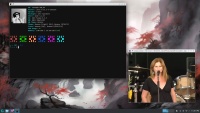
Smooth running Arch spin with optimized kernel and other packages. Went with the plasma desktop edition (several desktop options available during the install). Calmares installer.
One thing to note. By default CachyOS creates a zram swapfile - but I saw this mentioned nowhere in the Wiki installation instructions. If you go with manual partitioning and create a swap partition, you will end up with a swap partition and a zram swap file. Post install, I had to change my partitioning scheme; delete the swap partition and enlarge the data partition. Zram can be eliminated, but that looked to be tedious, and I decided to go with the default to see how the system ran.
Edit - this is worth noting for those thinking of trying out CachyOS (thanks to chroot)
https://forums.bunsenlabs.org/viewtopic … 04#p144004
Run that command; the pertinent information is at the end:
Subdirectories of glibc-hwcaps directories, in priority order:
  x86-64-v4 (supported, searched)
  x86-64-v3 (supported, searched)
  x86-64-v2 (supported, searched)
You must unlearn what you have learned.
-- yoda
Offline
#2658 2025-06-19 02:26:27
- hhh
- Hercule Poirot
- From: Belgium
- Registered: 2015-09-17
- Posts: 17,582
- Website
Re: Distro-hoppers anonymous
https://cachyos.org/_astro/hero.BvceRk57_Z1Kaefg.webp

Sweet desktop. Transparency with blur, square windows with no border, colored fonts and systray icons.
Why why why why?!!???
Offline
#2659 2025-06-19 07:45:04
- unklar
- Back to the roots 1.9

- From: #! BL
- Registered: 2015-10-31
- Posts: 3,127
Re: Distro-hoppers anonymous
https://cachyos.org/_astro/hero.BvceRk57_Z1Kaefg.webp
Sweet desktop. Transparency with blur, square windows with no border, colored fonts and systray icons.
That sounds somehow familiar to me... 
https://forums.bunsenlabs.org/viewtopic … 34#p124434
Offline
#2660 2025-06-20 18:24:16
- Colonel Panic
- Member
- Registered: 2018-11-13
- Posts: 1,853
Re: Distro-hoppers anonymous
I've now downloaded and installed Hatchery. First impressions are very favourable but I'd like to change some of the key bindings - swapping Alt for the Windows key for the key bindings, for example.
It's also very light on preloaded software, so I've had to install those too. Otherwise, definitely a thumbs up for this one.
[Edit: no longer in Hatchery because it spontaneously rebooted itself. Not good. Replaced with the latest version of Mabox.]
Last edited by Colonel Panic (2025-06-25 19:56:49)
Offline