![[BunsenLabs Logo]](/img/bl.svg)
You are not logged in.
- Topics: Active | Unanswered
#2141 2024-01-11 02:23:58
- PackRat
- jgmenu user Numero Uno

- Registered: 2015-10-02
- Posts: 3,039
Re: Distro-hoppers anonymous
You can learn a lot installing and running Gentoo.
You been to their forum yet? It's worth looking up their upgrade strategies. Like setting up a cron job to run during off peak hours. Otherwise you get to sit and drink coffee (or Guinness) while you watch everything compile.
Last edited by PackRat (2024-01-11 02:26:59)
You must unlearn what you have learned.
-- yoda
Online
#2142 2024-01-11 05:45:57
- Döbbie03
- Resident Metalhead

- From: New Zealand
- Registered: 2015-09-29
- Posts: 4,344
Re: Distro-hoppers anonymous
I have learnt a lot over the last few weeks with Nix and now Gentoo.
I am yet to visit the forums. It is on the list to do.
"All we are is dust in the wind, dude"
- Theodore "Ted" Logan
"Led Zeppelin didn't write tunes that everybody liked, they left that to the Bee Gees."
- Wayne Campbell
Online
#2143 2024-01-11 10:57:00
- Colonel Panic
- Member
- Registered: 2018-11-13
- Posts: 1,819
Re: Distro-hoppers anonymous
Good for you! If you want to try Gentoo and want to avoid most of the configuration steps, Exton did a pretty good spin on Gentoo about a year ago called ExGent, where he did all the hard work for you in advance.
As is typical with his releases though, it contained the bare minimum of software so you had to install your own office suite etc. You also need to know how to upgrade a year old Gentoo installation (it's not easy).
https://www.exton.se/tag/exgent/
Last edited by Colonel Panic (2024-01-11 14:21:58)
Offline
#2144 2024-01-11 17:41:00
- Döbbie03
- Resident Metalhead
- From: New Zealand
- Registered: 2015-09-29
- Posts: 4,344
Re: Distro-hoppers anonymous
So far it's going well. I haven't been bothered too much by watching walls of text roll by as everything builds.
I'll take a look at ExGent. Cheers.
"All we are is dust in the wind, dude"
- Theodore "Ted" Logan
"Led Zeppelin didn't write tunes that everybody liked, they left that to the Bee Gees."
- Wayne Campbell
Online
#2145 2024-01-11 21:30:40
- Sector11
- Mod Squid Tpyo Knig

- From: Upstairs
- Registered: 2015-08-20
- Posts: 8,373
Re: Distro-hoppers anonymous
@Sector11, from man distro-info...
DESCRIPTION
       distro-info is a symlink to the distro-info command for your distribution.  On Debian it links to debian-distro-info and on Ubuntu it links to ubuntu-distro-info.  All options described in
       this manual page are available in all distro-info commands. All other options, which are not described here, are distribution specific.
I have no "distro-info"
 11 Jan 24 @ 18:23:15 ~
   $ man distro-info
No manual entry for distro-info

 11 Jan 24 @ 18:26:11 ~
   $ ser distro-info
alias ser = aptitude search
p   distro-info          - provides information about the distributions' releases
i A distro-info-data     - information about the distributions' releases (data files)
p   libdistro-info-perl  - information about distributions' releases (Perl module)
p   python3-distro-info  - information about distributions' releases (Python 3 module)

 11 Jan 24 @ 18:26:17 ~
   $ sho distro-info
alias = aptitude show filename
Package: distro-info
Version: 1.5+deb12u1
State: not installed
Priority: optional
Section: devel
Maintainer: Benjamin Drung <bdrung@debian.org>
Architecture: amd64
Uncompressed Size: 67.6 k
Depends: distro-info-data (>= 0.46), libc6 (>= 2.34)
Suggests: shunit2
Description: provides information about the distributions' releases
 Information about all releases of Debian and Ubuntu. The distro-info script will give you the codename for e.g. the latest stable release
 of your distribution. To get information about a specific distribution there are the debian-distro-info and the ubuntu-distro-info
 scripts.
Tags: devel::debian, implemented-in::c, interface::commandline, role::program, scope::utility


 11 Jan 24 @ 18:26:30 ~
   $
TY hhh
Debian 12 Beardog, SoxDog and still a Conky 1.9er
Offline
#2146 2024-01-11 22:24:43
- PackRat
- jgmenu user Numero Uno
- Registered: 2015-10-02
- Posts: 3,039
Re: Distro-hoppers anonymous
Alpine Linux -
Installed no problem, and now about 90% done with configuration and themeing.
Nice, robust distro, but unless you have a use-case scenario to build a musl -based system from the ground up; or you just enjoy doing that sort of thing, it's not really worth the time.
Probably go a lot faster if I was more proficient with their package manager. So read up on using apk before doing an install.
Last edited by PackRat (2024-01-11 22:39:36)
You must unlearn what you have learned.
-- yoda
Online
#2147 2024-01-11 23:40:15
- Döbbie03
- Resident Metalhead
- From: New Zealand
- Registered: 2015-09-29
- Posts: 4,344
Re: Distro-hoppers anonymous
Alpine Linux -
Installed no problem, and now about 90% done with configuration and themeing.
Nice, robust distro, but unless you have a use-case scenario to build a musl -based system from the ground up; or you just enjoy doing that sort of thing, it's not really worth the time.
Probably go a lot faster if I was more proficient with their package manager. So read up on using apk before doing an install.
Looking forward to the screenshot 
"All we are is dust in the wind, dude"
- Theodore "Ted" Logan
"Led Zeppelin didn't write tunes that everybody liked, they left that to the Bee Gees."
- Wayne Campbell
Online
#2148 2024-01-12 00:27:12
- PackRat
- jgmenu user Numero Uno
- Registered: 2015-10-02
- Posts: 3,039
Re: Distro-hoppers anonymous
PackRat wrote:Alpine Linux -
Installed no problem, and now about 90% done with configuration and themeing.
Nice, robust distro, but unless you have a use-case scenario to build a musl -based system from the ground up; or you just enjoy doing that sort of thing, it's not really worth the time.
Probably go a lot faster if I was more proficient with their package manager. So read up on using apk before doing an install.
Looking forward to the screenshot
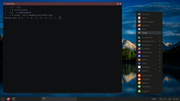
I just have to find the package that allows for gtk theme changing. No obconf so that's all manual 
Edit - obconf-qt is available; so obconf comes with some qt bloat, but I don't have to edit manually.
Last edited by PackRat (2024-01-12 00:36:12)
You must unlearn what you have learned.
-- yoda
Online
#2149 2024-01-12 01:09:18
- Döbbie03
- Resident Metalhead
- From: New Zealand
- Registered: 2015-09-29
- Posts: 4,344
Re: Distro-hoppers anonymous
Manual theme application aside, that looks great. Light on resources?
"All we are is dust in the wind, dude"
- Theodore "Ted" Logan
"Led Zeppelin didn't write tunes that everybody liked, they left that to the Bee Gees."
- Wayne Campbell
Online
#2150 2024-01-12 01:51:32
- PackRat
- jgmenu user Numero Uno
- Registered: 2015-10-02
- Posts: 3,039
Re: Distro-hoppers anonymous
Manual theme application aside, that looks great. Light on resources?
It's pretty good.
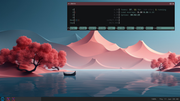
xorg, openbox, tint2, xterm (2), dbus, polkit, udev services. Log in with startx.
Legacy BIOS system. HP laptop from 2011.
Last edited by PackRat (2024-01-12 01:53:44)
You must unlearn what you have learned.
-- yoda
Online
#2151 2024-01-12 01:57:56
- Döbbie03
- Resident Metalhead
- From: New Zealand
- Registered: 2015-09-29
- Posts: 4,344
Re: Distro-hoppers anonymous
Not bad at all. Adding it to the list to test.
"All we are is dust in the wind, dude"
- Theodore "Ted" Logan
"Led Zeppelin didn't write tunes that everybody liked, they left that to the Bee Gees."
- Wayne Campbell
Online
#2152 2024-01-12 01:59:53
- hhh
- Hercule Poirot

- From: Belgium
- Registered: 2015-09-17
- Posts: 17,453
- Website
Re: Distro-hoppers anonymous
hhh wrote:@Sector11, from man distro-info...
DESCRIPTION
       distro-info is a symlink to the distro-info command for your distribution.  On Debian it links to debian-distro-info and on Ubuntu it links to ubuntu-distro-info.  All options described in
       this manual page are available in all distro-info commands. All other options, which are not described here, are distribution specific.
I have no "distro-info"
 11 Jan 24 @ 18:23:15 ~
   $ man distro-info
No manual entry for distro-info

 11 Jan 24 @ 18:26:11 ~
   $ ser distro-info
alias ser = aptitude search
p   distro-info          - provides information about the distributions' releases
i A distro-info-data     - information about the distributions' releases (data files)
p   libdistro-info-perl  - information about distributions' releases (Perl module)
p   python3-distro-info  - information about distributions' releases (Python 3 module)

 11 Jan 24 @ 18:26:17 ~
   $ sho distro-info
alias = aptitude show filename
Package: distro-info
Version: 1.5+deb12u1
State: not installed
Priority: optional
Section: devel
Maintainer: Benjamin Drung <bdrung@debian.org>
Architecture: amd64
Uncompressed Size: 67.6 k
Depends: distro-info-data (>= 0.46), libc6 (>= 2.34)
Suggests: shunit2
Description: provides information about the distributions' releases
 Information about all releases of Debian and Ubuntu. The distro-info script will give you the codename for e.g. the latest stable release
 of your distribution. To get information about a specific distribution there are the debian-distro-info and the ubuntu-distro-info
 scripts.
Tags: devel::debian, implemented-in::c, interface::commandline, role::program, scope::utility


 11 Jan 24 @ 18:26:30 ~
   $
TY hhh
No problem. I think I'll remove the package as well, but it just looks so ominous for a stupid package...
rachel@tyrell-corp:~$ apt policy distro-info
distro-info:
  Installed: 1.5ubuntu0.23.10.1
  Candidate: 1.5ubuntu0.23.10.1
  Version table:
 *** 1.5ubuntu0.23.10.1 500
        500 http://us.archive.ubuntu.com/ubuntu mantic-updates/main amd64 Packages
        100 /var/lib/dpkg/status
     1.5 500
        500 http://us.archive.ubuntu.com/ubuntu mantic/main amd64 Packages
rachel@tyrell-corp:~$ sudo nala purge distro-info
[sudo] password for rachel:
============================================================================================
 Auto-Purging
============================================================================================
  Package:                      Version:                                             Size:
  arch-test                     0.21-1                                              249 KB
  debian-archive-keyring        2023.4ubuntu1                                       275 KB
  debsums                       3.0.2.1                                             100 KB
  genisoimage                   9:1.1.11-3.4                                        1.8 MB
  libfile-fnmatch-perl          0.02-3build1                                         42 KB
  piuparts-common               1.1.7                                               117 KB
  python3-debianbts             4.0.1                                                54 KB
  python3-dns                   3.2.1-2                                             114 KB
  python3-pycurl                7.45.2-4                                            206 KB
  python3-pysimplesoap          1.16.2-5                                            196 KB
  python3-reportbug             11.6.0ubuntu2                                       361 KB
  python3-ubuntutools           0.196                                               319 KB
  reportbug                     11.6.0ubuntu2                                       195 KB

============================================================================================
 Purging
============================================================================================
  Package:                      Version:                                             Size:
  debootstrap                   1.0.132ubuntu1                                      285 KB
  distro-info                   1.5ubuntu0.23.10.1                                   68 KB
  piuparts                      1.1.7                                               720 KB
  ubuntu-dev-tools              0.196                                               381 KB

============================================================================================
 Summary
============================================================================================
 Auto-Purge 13 Packages
 Purge       4 Packages

 Disk space to free  5.5 MB

Do you want to continue? [Y/n]
Screw it, buh-bye. I can always reinstall it if debian-archive-keyring somehow is a problem on an Ubuntu system. Thank you, apt.
Why why why why?!!???
Offline
#2153 2024-01-12 02:02:40
- hhh
- Hercule Poirot
- From: Belgium
- Registered: 2015-09-17
- Posts: 17,453
- Website
Re: Distro-hoppers anonymous
OMG, MY LAPTOP IS MELTING!!!! HEEEEEEELLLLLLPPPPP! GLURP GLurp glurp...
Why why why why?!!???
Offline
#2154 2024-01-12 14:26:46
- PackRat
- jgmenu user Numero Uno
- Registered: 2015-10-02
- Posts: 3,039
Re: Distro-hoppers anonymous
Manual theme application aside, that looks great. Light on resources?
lxappearance is available with Alpine edge (their rolling release). I'll just edit the repositories and go with a rolling release Alpine.
You must unlearn what you have learned.
-- yoda
Online
#2155 2024-01-12 17:43:20
- Döbbie03
- Resident Metalhead
- From: New Zealand
- Registered: 2015-09-29
- Posts: 4,344
Re: Distro-hoppers anonymous
Dobbie03 wrote:Manual theme application aside, that looks great. Light on resources?
lxappearance is available with Alpine edge (their rolling release). I'll just edit the repositories and go with a rolling release Alpine.
This isn't replacing your Void is it?
"All we are is dust in the wind, dude"
- Theodore "Ted" Logan
"Led Zeppelin didn't write tunes that everybody liked, they left that to the Bee Gees."
- Wayne Campbell
Online
#2156 2024-01-12 18:34:12
- PackRat
- jgmenu user Numero Uno
- Registered: 2015-10-02
- Posts: 3,039
Re: Distro-hoppers anonymous
This isn't replacing your Void is it?

No way. I'll install musl-based Void if I want to go all in on that.
This old HP is just to test other distros. I haven't tried Alpine in quite a while so I installed it. Looks like uEFI requires a lot of manual intervention to get it installed. So won't be attempting a Alpine uEFI any time soon.
Last edited by PackRat (2024-01-12 18:37:03)
You must unlearn what you have learned.
-- yoda
Online
#2157 2024-01-12 18:37:42
- Döbbie03
- Resident Metalhead
- From: New Zealand
- Registered: 2015-09-29
- Posts: 4,344
Re: Distro-hoppers anonymous
Glad you mentioned uefi, I think I'll pass on Alpine if that is the case.
"All we are is dust in the wind, dude"
- Theodore "Ted" Logan
"Led Zeppelin didn't write tunes that everybody liked, they left that to the Bee Gees."
- Wayne Campbell
Online
#2158 2024-01-12 19:33:19
- PackRat
- jgmenu user Numero Uno
- Registered: 2015-10-02
- Posts: 3,039
Re: Distro-hoppers anonymous
Glad you mentioned uefi, I think I'll pass on Alpine if that is the case.
That's one of the reasons I am checking it out. See how far they've come on uEFI, packages, etc ....
Alpine is a robust, stable distro, but a few years behind the curve.
Next challenge may be to compile dwm in musl.
You must unlearn what you have learned.
-- yoda
Online
#2159 2024-01-12 19:50:28
- Döbbie03
- Resident Metalhead
- From: New Zealand
- Registered: 2015-09-29
- Posts: 4,344
Re: Distro-hoppers anonymous
Good luck with the dwm compile
I came across somewhere someone had made a custom spin of Alpine, I can't find it but will share if I come across it.
"All we are is dust in the wind, dude"
- Theodore "Ted" Logan
"Led Zeppelin didn't write tunes that everybody liked, they left that to the Bee Gees."
- Wayne Campbell
Online
#2160 2024-01-12 21:45:10
- hhh
- Hercule Poirot
- From: Belgium
- Registered: 2015-09-17
- Posts: 17,453
- Website
Re: Distro-hoppers anonymous
^ I'm seeing a few Google hits, maybe this one?
Why why why why?!!???
Offline