![[BunsenLabs Logo]](/img/bl.svg)
You are not logged in.
- Topics: Active | Unanswered
#1 2026-08-21 06:48:49
- johnraff
- nullglob

- From: Nagoya, Japan
- Registered: 2015-09-09
- Posts: 13,502
- Website
Conky on Wayland - collecting hints
Hi all - I know some of you have been using Conky on Wayland for some time now. For me it's pretty new, but poking around the conky github, and this forum, I tried to get some ideas on what we can reasonably put in the conkys we ship with BunsenLabs and expect them to work on Wayland. It's quite possible I've got some things wrong but I'm going to list what I found here - please jump in with your corrections and additions!
First comment: Conky isn't yet 100% Wayland-ready. Simple things will work, but other things don't.
---
out_to_wayland = true,at the top of the config seems to work on both X11 and Wayland. No need for separate conkys if it's just writing some text on the screen. 'out_to_x' is yes by default, and on X11 'out_to_wayland' will be ignored. On Wayland if 'out_to_wayland' is true then it doesn't matter what 'out_to_x' is set to. (Again, to repeat, please correct me if I get any of this stuff wrong.)
Except, sometimes if Wayland display isn't working for some reason, conky will use xwayland instead. But it's not always nice.
---
own_window = true,You can have this in your config but on Wayland it will be ignored. All of the own_window... settings are ignored.
On Wayland, Conky behaves, as far as I can tell, like window type "desktop". It's at the bottom of the stack and always sticky so it appears on all workspaces. This means you can't have a conky appear on only one workspace (desktop), and you can't have a conky "on top".
---
${image $HOME/.config/conky/images/BL-Orb-Flame-lt-180x180.png}Images don't work.  Imlib2 throws out an error message. If you turn off both own_window_transparent and own_window_argb_visual then it might sort-of work, using xwayland (test with xprop or xeyes) but it's not nice anyway. It looks as if a fix might come some day but I've no idea when.
---
If you're going to use the same conky on X11 and Wayland, then it's handy to have a hint in the conky. I changed the top line of the BL default conky like this:
conky.text = [[
S Y S T E M  (on ${exec echo $BUNSEN_SESSION_TYPE})
${hr}
so it will show x11 or wayland. In fact it seems to work fine without using the exec echo command, just throwing the environment variable straight in:
S Y S T E M (on $BUNSEN_SESSION_TYPE)It seems to work with any of the environment variables shown in 'env' but I haven't checked them all.
---
I've checked over the keybinds that our default conky displays and they all work on Wayland too, so this should be OK for our default conky:
-- BL-Carbon-conky.conf

--[[
## Bunsenlabs User config files
## All default BunsenLabs user config files are located in /usr/share/bunsen/skel.
## The script bl-user-setup copies them to the user $HOME directory on first login.
## See more info with command 'bl-user-setup --help'
]]

--[[ conky configuration
 ------------------------------
 For conky variables and commands use the terminal command:

 man conky

 ------------------------------
 BunsenLabs conky threads

 Index » Scripts, Tutorials & Tips » Conky - Calendars / Clocks / Time
 https://forums.bunsenlabs.org/viewtopic.php?id=516

 Open a thread and post conky questions in: Index » GUI & Applications
 https://forums.bunsenlabs.org/viewforum.php?id=4

 Display your completed conky and codes
 Index » Scripts, Tutorials & Tips » Show us your conky
 https://forums.bunsenlabs.org/viewtopic.php?id=512

 ------------------------------
 BunsenLabs conky scripts help
 Openbox Menu/Preferences/Conky/Conky Manager Help

 If there are one or more conkys running, it is possible to kill one conky with
 the following command, IF you used what is between the quotes to start the conky, e.g.:
 pkill -xf "conky -q -c $HOME/.config/conky/BL-Default.conkyrc"
]]


conky.config = {

-- wayland or X (or both)
--    out_to_x = yes,
    out_to_wayland = true,

--  Window Settings
    own_window = true,
    own_window_type = 'normal',
    own_window_transparent = false,
    own_window_hints = 'undecorated,below,skip_taskbar,skip_pager,sticky',
    own_window_colour = '000000',
    own_window_class = 'Conky',
    own_window_title = 'BunsenLabs Default Conky',

-- ARGB can be used for real transparency
    own_window_argb_visual = true, -- Options: true|false

-- NOTE that a composite manager is required for real transparency and ARGB will not
-- work as desired (in most cases) in conjunction with 'own_window_type override'.
-- Use with: own_window_type = 'normal',
-- Use with: own_window_transparent = false,

-- When ARGB visuals are enabled, use the following to modify the alpha value. Valid
-- range is 0-255, where 0 is 0% opacity, and 255 is 100% opacity.
    own_window_argb_value = 0,

--    minimum_width = 0,
--    minimum_height = 0,
--    maximum_width = 0,

-- bl-conkymove, original value for gap_x: 20
	gap_x = 21,-- left | right
-- bl-conkymove, original value for gap_y: 10
	gap_y = 29,-- up | down

    alignment = 'top_right',

--  End Window Settings

--  Font Settings
-- Use Xft (anti-aliased font and stuff)
    use_xft = true,

--font = 'Liberation Mono:bold:size=10',
--font = 'Liberation Sans:size=10',
    font = 'Sans-serif:size=10',

-- Alpha of Xft font. Must be a value at or between 1 and 0
    xftalpha = 1,

-- Force UTF8? requires XFT
    override_utf8_locale = true,

    uppercase = false,
--  End Font Settings

--  Color Settings
-- Drawing shades affects visibility, depending on the background image.
-- Set to 'draw_shades = false' if you prefer.
    draw_shades = true,
    default_shade_color = '171F1B',

    draw_outline = false,-- amplifies text if true
    default_outline_color = '555555',

    default_color = 'BFBFC2',-- Carbon Dark and Light foreground
--default_color = 'ABB8B8',-- Boron Dark and Light foreground
--default_color = 'BECFCF',-- Dragon Dark foreground
--default_color = '4b8bad', -- Lithium blue
--default_color = '678b8b', -- Helium Beam green
--default_color = '656667', -- Waldorf original colour
--default_color = '7a7a7a', -- Flame  & BunsenLabs Grey
--default_color = '929292', -- BunsenLabs Grey
--default_color = 'C0C0C0', -- BunsenLabs Silver
    color0 = 'B0E0E6',-- PowderBlue
    color1 = '778899',-- LightSlateGray
    color2 = 'D8BFD8',-- Thistle
    color3 = '9ACD32',-- YellowGreen
    color4 = 'FFA07A',-- LightSalmon
    color5 = 'FFDEAD',-- NavajoWhite
    color6 = '00BFFF',-- DeepSkyBlue
    color7 = '5F9EA0',-- CadetBlue
    color8 = 'BDB76B',-- DarkKhaki
    color9 = 'C0C0C0',-- Silver
--  End Color Settings

--  Borders Section
    draw_borders = false,
-- Stippled borders?
    stippled_borders = 5,
-- border margins
    border_inner_margin = 5,
    border_outer_margin = 0,
-- border width
    border_width = 2,
-- graph borders
    draw_graph_borders = false,
--default_graph_height = 15,
--default_graph_width = 40,
--  End Borders Section

--  Miscellaneous Section
-- Boolean value, if true, Conky will be forked to background when started.
    background = true,

-- Adds spaces around certain objects to stop them from moving other things
-- around, this only helps if you are using a mono font
-- Options: right, left or none
    use_spacer = 'none',

-- Default and Minimum size is 256 - needs more for single commands that
-- "call" a lot of text IE: bash scripts
--text_buffer_size = 6144,

-- Subtract (file system) buffers from used memory?
    no_buffers = true,

-- change GiB to G and MiB to M
    short_units = true,

-- Imlib2 image cache size, in bytes. Default 4MiB Increase this value if you use
-- $image lots. Set to 0 to disable the image cache.
    imlib_cache_size = 0,

-- Use the Xdbe extension? (eliminates flicker)
-- It is highly recommended to use own window with this one
-- so double buffer won't be so big.
    double_buffer = true,

-- Maximum size of user text buffer, i.e. layout below TEXT line in config file
-- (default is 16384 bytes)
--max_user_text = 16384,

-- Desired output unit of all objects displaying a temperature. Parameters are
-- either "fahrenheit" or "celsius". The default unit is degree Celsius.
--temperature_unit = 'Fahrenheit',

-- Update interval in seconds
    update_interval = 1,

--  End Miscellaneous Section
};

conky.text = [[
S Y S T E M  (on ${exec echo $BUNSEN_SESSION_TYPE})
${hr}
#Host:${alignr}${nodename}
#Uptime:${alignr}${uptime}
RAM:${alignr}${mem} / ${memmax}
# This version reports the same (incorrect) lower RAM usage as neofetch or htop:
#RAM:${alignr}${legacymem} / ${memmax}
#Swap usage:${alignr}${swap} / ${swapmax}
#Disk usage:${alignr}${fs_used /} / ${fs_size /}
#Root usage:${alignr}${fs_used /} / ${fs_size /}
#Home usage:${alignr}${fs_used /home} / ${fs_size /home}
CPU:${alignr}${cpu cpu0}%
#
# Weather information from openweathermap.org can be displayed in conky by
# using the script $HOME/.config/conky/scripts/bunsenweather.sh. The openweathermap
# service requires registration in order to receive an API Key, which has to be
# added to bunsenweather.sh. For further info see this script and the following thread:
# https://forums.bunsenlabs.org/viewtopic.php?id=2060
#
# Calling bunsenweather.sh from conky works by using
# ${execpi <t> /path/to/bunsenweather.sh "yourlocation"}
# where <t> is the update interval. If "yourlocation" is not defined, the script
# sets geolocation based on your IP adress using the website ipinfo.io.
#
#W E A T H E R
#${hr}
#${execpi 600 $HOME/.config/conky/scripts/bunsenweather.sh}

S H O R T C U T    K E Y S
${hr}
Alt + F2${alignr}Run Dialog
Alt + F3${alignr}Alt Menu
Super${alignr}Main Menu
Super + Tab${alignr}Client Menu
Super + t${alignr}Terminal
Super + w${alignr}Web Browser
Super + f${alignr}File Manager
Super + e${alignr}Editor
Super + m${alignr}Media Player
Super + v${alignr}Volume Control
Super + h${alignr}Task Manager
Super + l${alignr}Lock Screen
Super + x${alignr}Logout
PrtSc${alignr}Screenshot

W I N D O W S
${hr}
Alt + Tab${alignr}Switch
Alt + F4${alignr}Close
Alt + F5${alignr}Minimize
Alt + F6${alignr}Toggle Maximize
Super + arrow${alignr}Tile half-screen
Super + Alt + arrow     ${alignr}Tile quarter-screen

]];
Any more hints, warnings, whatever... welcome, welcome
...elevator in the Brain Hotel, broken down but just as well...
( a boring Japan blog (currently paused), now on Bluesky and Mastodon, there's also some GitStuff )
Offline
#2 2026-08-21 07:47:42
- johnraff
- nullglob
- From: Nagoya, Japan
- Registered: 2015-09-09
- Posts: 13,502
- Website
Re: Conky on Wayland - collecting hints
Oh yes - because the Wayland conky is at the bottom of everything it's impossible to move it with an Alt+mouse drag. So the "move a conky" utility doesn't work.
...elevator in the Brain Hotel, broken down but just as well...
( a boring Japan blog (currently paused), now on Bluesky and Mastodon, there's also some GitStuff )
Offline
#3 2026-08-21 13:40:42
- Sector11
- Mod Squid Tpyo Knig

- From: Upstairs
- Registered: 2015-08-20
- Posts: 8,448
Re: Conky on Wayland - collecting hints
X and conky v1.9 - AWESOMENESS!
OK, back on subject.
Debian 13 Beardog hosted by SoxDog
Still a Conky 1.9er at heart.
Offline
#4 2026-08-21 16:37:05
- unklar
- Back to the roots 1.9

- From: #! BL
- Registered: 2015-10-31
- Posts: 3,123
Re: Conky on Wayland - collecting hints
^^How right he is. 
@johnraff
Sorry, I'm on vacation with my wife and won't be back home until early September. So I don't have “my Linux/Conky setup” to answer your questions.
Generally speaking:
- It's only worth it starting with Conky version 1.22.1, and the package should be conky-all
- Xwayland is required as a compatibility layer
You can have this in your config but on Wayland it will be ignored. All of the own_window... settings are ignored.
On Wayland, Conky behaves, as far as I can tell, like window type "desktop". It's at the bottom of the stack and always sticky so it appears on all workspaces. This means you can't have a conky appear on only one workspace (desktop), and you can't have a conky "on top".
I have good experiences with utility, override; dock made.
Images don't work. neutral Imlib2 throws out an error message. If you turn off both own_window_transparent and own_window_argb_visual then it might sort-of work, using xwayland (test with xprop or xeyes) but it's not nice anyway. It looks as if a fix might come some day but I've no idea when.
Images work when out_to_wayland = true is commented out or set to false.
Offline
#5 2026-08-22 00:53:27
- PackRat
- jgmenu user Numero Uno

- Registered: 2015-10-02
- Posts: 3,084
Re: Conky on Wayland - collecting hints
On Wayland, Conky behaves, as far as I can tell, like window type "desktop". It's at the bottom of the stack and always sticky so it appears on all workspaces. This means you can't have a conky appear on only one workspace (desktop), and you can't have a conky "on top".
Comment out
out_to_wayland = true,and the conky will only appear on the first labwc desktop. Because of the way Wayland creates desktops, I don't know if you can have a conky set to be on Desktop 3 and then show up when switching to that desktop.
You can also experiment with combinations like changing to:
own_window_type = 'override',and see how that works with the "own_window_hints =" options
You must unlearn what you have learned.
-- yoda
Offline
#6 2026-08-22 02:33:02
- johnraff
- nullglob
- From: Nagoya, Japan
- Registered: 2015-09-09
- Posts: 13,502
- Website
Re: Conky on Wayland - collecting hints
johnraff wrote:On Wayland, Conky behaves, as far as I can tell, like window type "desktop". It's at the bottom of the stack and always sticky so it appears on all workspaces. This means you can't have a conky appear on only one workspace (desktop), and you can't have a conky "on top".
Comment out
out_to_wayland = true,
I'm pretty sure this means conky will be running on xwayland, not as a native wayland app.
You can also experiment with combinations like changing to:
own_window_type = 'override',and see how that works with the "own_window_hints =" options
Reading the issues & discussions on the conky github, the devs seem clear that the 'own window' options are ignored
...unless running on xwayland I guess.
Yesterday I played with a couple of conkys without the 'out_to_wayland = true' setting, ie on xwayland, and the results seemed kind of flaky. Maybe there are some settings that work OK on xwayland though?
So it looks like a payoff: either out_to_wayland and fairly stable display but lose a lot of the functions we have on X11, or run on xwayland.
One thing I found with an image on xwayland was that you can't have a transparent background.
But there again, on native wayland you can't have images at all.
...elevator in the Brain Hotel, broken down but just as well...
( a boring Japan blog (currently paused), now on Bluesky and Mastodon, there's also some GitStuff )
Offline
#7 2026-08-22 02:35:31
- johnraff
- nullglob
- From: Nagoya, Japan
- Registered: 2015-09-09
- Posts: 13,502
- Website
Re: Conky on Wayland - collecting hints
Because of the way Wayland creates desktops, I don't know if you can have a conky set to be on Desktop 3 and then show up when switching to that desktop.
That you can't do that is what the devs seem to be saying - on Wayland conky is "sticky" and appears on all desktops.
...elevator in the Brain Hotel, broken down but just as well...
( a boring Japan blog (currently paused), now on Bluesky and Mastodon, there's also some GitStuff )
Offline
#8 2026-08-23 03:01:33
- DeepDayze
- Like sands through an hourglass...
- From: In Linux Land
- Registered: 2017-05-28
- Posts: 2,004
Re: Conky on Wayland - collecting hints
Wish the conky devs would make conky more wayland-aware and that could solve a lot of the issues.
Real Men Use Linux
Offline
#9 2026-08-23 08:28:46
- unklar
- Back to the roots 1.9
- From: #! BL
- Registered: 2015-10-31
- Posts: 3,123
Re: Conky on Wayland - collecting hints
Wish the conky devs would make conky more wayland-aware and that could solve a lot of the issues.
To be honest, I don't understand this discussion.
As far as I know, Wayland has been around for about 10 years.
The problem isn't that Wayland has to adapt to Conky (as the Wayland developers have always emphasized to the many package developers), but rather that Conky has to adapt to Wayland.
As I understand it (please forgive me), the only thing that came out of this is out_to_wayland = true, which also works with “plain text Conky” on “native Wayland.”
BTW, Carbon is supposed to be released with labwc. labwc is installed with the dependency xwayland. I’m not aware that @malm has changed that.
Ergo,
in Carbon/Labwc, we don’t even need `out_to_wayland = true` in the Conky configurations
if, as @johnraff points out, we also want to display images, logos, and icons.
Just my two cents.
By the way, there is light at the end of the tunnel with conky-wlr, and that after a development period of 5–6 months.
https://github.com/n4zz/Conky-wlr
Offline
#10 2026-08-24 02:10:31
- johnraff
- nullglob
- From: Nagoya, Japan
- Registered: 2015-09-09
- Posts: 13,502
- Website
Re: Conky on Wayland - collecting hints
I'm just now playing around with conky on xwayland. A lot of the things conky can do on X11 also work on xwayland, but it's definitely less reliable.
Anyway, a point I was forgetting is that conky on Debian Trixie is at 1.22.1, while the developers on GitHub have already released 1.24.2. There's been a lot of work on Wayland support over the last year or so: https://github.com/brndnmtthws/conky/releases So I think this criticism of the conky devs is unfair. They're working hard on getting conky wayland-compatible, and just because wayland has been "available" for 10 years doesn't mean it's easy for developers of other software to adapt.
As I understand it (please forgive me), the only thing that came out of this is out_to_wayland = true, which also works with “plain text Conky” on “native Wayland.”
Exactly. That way you get a stable text conky which behaves like "desktop". I think that's perfect for our default conky.
But considering how many BL users use conky extensively, it might be worth looking into how difficult it is to backport 1.24.2 for carbon. That might improve things with xwayland.
labwc is installed with the dependency xwayland.
Yes and conky is not the only app which can benefit from xwayland. Urxvt for example must have it. But during our intial BL-Wayland discussions I think we (devs anyway) agreed that we should try to make the basic BL Wayland desktop usable on pure Wayland without having to use xwayland. Users are of course free to add whatever extra apps they want, and they'll quite likely need xwayland, so even if @malm hadn't made it a dependency of labwc we would probably have made it a Recommends of the BL Wayland desktop.
...elevator in the Brain Hotel, broken down but just as well...
( a boring Japan blog (currently paused), now on Bluesky and Mastodon, there's also some GitStuff )
Offline
#11 2026-08-25 09:42:09
- johnraff
- nullglob
- From: Nagoya, Japan
- Registered: 2015-09-09
- Posts: 13,502
- Website
Re: Conky on Wayland - collecting hints
Anyway, a point I was forgetting is that conky on Debian Trixie is at 1.22.1, while the developers on GitHub have already released 1.24.2. There's been a lot of work on Wayland support over the last year or so...
Other things I was overlooking:
labwc has a lot to say about how conky is handled too. On Trixie we have 0.8.3 but Forky is already at 0.20.1 and 0.20.2 was released a few days ago.
While Wayland is a protocol, not a piece of software, labwc depends on a library called wlroots whose developers have not been sitting idly since Wayland first appeared. Each release of labwc is depending on a new version of libwlroots, each time with changed behaviour.
Labwc is not the only wayland compositor and people using sway etc etc will likely get different results.
So this isn't a stable situation. The software we can use on Carbon/Trixie is different from what will be available on Nitrogen/Forky. So maybe to some extent we should stand back a bit with respect to Conky on Wayland, and not try to do too much, at least till the next Debian release?
Just a few simple conkys, and leave the clever stuff for X11?
Last edited by johnraff (2026-08-25 10:07:45)
...elevator in the Brain Hotel, broken down but just as well...
( a boring Japan blog (currently paused), now on Bluesky and Mastodon, there's also some GitStuff )
Offline
#12 2026-08-25 10:06:12
- johnraff
- nullglob
- From: Nagoya, Japan
- Registered: 2015-09-09
- Posts: 13,502
- Website
Re: Conky on Wayland - collecting hints
Conky on xwayland vs conky on straight wayland.
There are a lot of things that work better with xwayland, but also some that are better on straight wayland.
Just a few things I found over the last couple of days - please add any others that you've noticed:
pure wayland ie 'out_to_wayland = true':
*) The conky appears on all desktops, whatever you put in the config.
*) It's transparent, whatever you put in the config. (Not sure about details here. Anyone?)
*) Alt+drag does nothing.
*) You can set the position with 'alignment', 'gap_x' and 'gap_y'.
*) If you switch to another TTY, when you come back to TTY8 (lightdm's Wayland TTY) the conky will be dead! Not invisible, but stopped. This seems to be a known issue with labwc, so will probably be fixed in time.
xwayland 'out_to_wayland = false', or just commented out:
*) The conky appears on only one desktop, whatever you put in the config. I think it's the desktop you're on when you start it.
*) You can send the conky to another desktop with a SendToDesktop keybind in rc.xml.
*) Transparency needs 'own_window_argb_visual = true', but 'own_window_transparent' true/false is ignored.
*) You can move it with Alt+drag.
*) 'gap_x' and 'gap_y' are ignored
*) 'alignment' is followed sometimes, but often the position goes to some random place...
*) Switch to another TTY, when you come back the xwayland conky will still be there, like other normal windows.
Last edited by johnraff (2026-08-28 09:40:46)
...elevator in the Brain Hotel, broken down but just as well...
( a boring Japan blog (currently paused), now on Bluesky and Mastodon, there's also some GitStuff )
Offline
#13 2026-08-25 16:08:17
- unklar
- Back to the roots 1.9
- From: #! BL
- Registered: 2015-10-31
- Posts: 3,123
Re: Conky on Wayland - collecting hints
Labwc is not the only wayland compositor and people using sway etc etc will likely get different results.
Absolutely right!
I'm currently on niri and it behaves completely differently than labwc.
So this isn't a stable situation. The software we can use on Carbon/Trixie is different from what will be available on Nitrogen/Forky. So maybe to some extent we should stand back a bit with respect to Conky on Wayland, and not try to do too much, at least till the next Debian release?
Just a few simple conkys, and leave the clever stuff for X11?
I agree with you. 
Offline
#14 2026-08-25 16:35:24
- unklar
- Back to the roots 1.9
- From: #! BL
- Registered: 2015-10-31
- Posts: 3,123
Re: Conky on Wayland - collecting hints
pure wayland ie 'out_to_wayland = true':
*) The conky appears on all desktops, whatever you put in the config.
*) It's transparent, whatever you put in the config. (Not sure about details here. Anyone?)
*) Alt+drag does nothing.
*) You can set the position with 'alignment', 'gap_x' and 'gap_y'.
*) If you switch to another TTY, when you come back to TTY8 (lightdm's Wayland TTY) the conky will be dead! Not invisible, but stopped. This seems to be a known issue with labwc, so will probably be fixed in time.
As I said, I don't currently have access to my tests. I tested Native Wayland and Conky on Wayfire back then. Since I'm getting on in years  , I can't really comment on your results at the moment.
xwayland 'out_to_wayland = false', or just commented out:
*) The conky appears on only one desktop, whatever you put in the config. I think it's the desktop you're on when you start it.
Confirmed (also here on niri).
*) You can send the conky to another desktop with a SendToDesktop keybind in rc.xml.
I haven't tried it, as it's unknown.
*) Transparency needs 'own_window_argb_visual = true', but 'own_window_transparent' true/false is ignored.
This setting works for me:
	out_to_wayland = false,--true,
	own_window = true,
	own_window_transparent = false,--true,
	own_window_type = 'utility',--override',--dock',
--own_window_hints = 'below,skip_taskbar,skip_pager,sticky',--undecorated',
	own_window_argb_visual = true,
	own_window_argb_value = 120,
--own_window_colour = '#000000',
	own_window_class = 'Conky',
Transparency is controlled and reacts on a scale of 0 to 255.
*) You can move it with Alt+drag.
Not on Niri.
*) 'gap_x' and 'gap_y' are ignored but 'alignment' is followed.
dito
*) Switch to another TTY, when you come back the xwayland conky will still be there, like other normal windows.
dito
Offline
#15 2026-08-25 17:58:02
- unklar
- Back to the roots 1.9
- From: #! BL
- Registered: 2015-10-31
- Posts: 3,123
Re: Conky on Wayland - collecting hints
^Examples of 120 and 180 own_window_argb_value
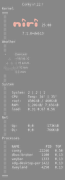
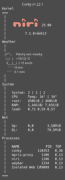
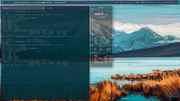
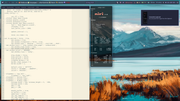
PS: Some fonts are not installed.
Last edited by unklar (2026-08-25 18:06:27)
Offline
#16 2026-08-26 07:51:21
- unklar
- Back to the roots 1.9
- From: #! BL
- Registered: 2015-10-31
- Posts: 3,123
Re: Conky on Wayland - collecting hints
With
out_to_wayland = true,
	own_window = true,
	own_window_transparent = true,
	own_window_type = 'desktop',--utility',--override',--dock',
own_window_hints = 'below,skip_taskbar,skip_pager,sticky',--undecorated',
	own_window_argb_visual = true,
--own_window_argb_value = 120,
own_window_colour = '#000000',
	own_window_class = 'Conky',
the image/logo/icon is commented out (because of the imlib2 warning).
# | ${image ~/Logos/niri-logo-smol.svg -p 40,60 -s 90x30}${goto 150}${voffset 0}${exec niri -V | cut -c6-11}${voffset -0}Conky appears on the used workspace; it is transparent and positioned as configured. It cannot be moved with the mouse. The Conky window has no frame.
Last edited by unklar (2026-08-26 07:59:03)
Offline
#17 2026-08-27 05:16:08
- johnraff
- nullglob
- From: Nagoya, Japan
- Registered: 2015-09-09
- Posts: 13,502
- Website
Re: Conky on Wayland - collecting hints
^Thanks for helping here. My understanding is that with out_to_wayland = true, then all the own_window... configs are ignored. All conkys are transparent, correctly positioned and at the bottom, regardless of the own_window settings. That's how it seems to be for me anyway. Can you confirm that on your system? Is this on labwc btw?
...elevator in the Brain Hotel, broken down but just as well...
( a boring Japan blog (currently paused), now on Bluesky and Mastodon, there's also some GitStuff )
Offline
#18 2026-08-27 05:18:16
- johnraff
- nullglob
- From: Nagoya, Japan
- Registered: 2015-09-09
- Posts: 13,502
- Website
Re: Conky on Wayland - collecting hints
Since I'm getting on in years...
ditto
...elevator in the Brain Hotel, broken down but just as well...
( a boring Japan blog (currently paused), now on Bluesky and Mastodon, there's also some GitStuff )
Offline
#19 2026-08-28 09:42:05
- johnraff
- nullglob
- From: Nagoya, Japan
- Registered: 2015-09-09
- Posts: 13,502
- Website
Re: Conky on Wayland - collecting hints
Edited the list above: on xwayland the conky alignment config is often ignored along with gap_x and gap_y, and sometimes it's positioned in some random place.
...elevator in the Brain Hotel, broken down but just as well...
( a boring Japan blog (currently paused), now on Bluesky and Mastodon, there's also some GitStuff )
Offline
#20 2026-08-28 20:38:46
- Sector11
- Mod Squid Tpyo Knig
- From: Upstairs
- Registered: 2015-08-20
- Posts: 8,448
Re: Conky on Wayland - collecting hints
I've never tried wayland or xwayland and I'm liking them less each day.
X works - why fix it?
Debian 13 Beardog hosted by SoxDog
Still a Conky 1.9er at heart.
Offline