![[BunsenLabs Logo]](/img/bl.svg)
You are not logged in.
- Topics: Active | Unanswered
#21 2026-08-08 04:24:14
- johnraff
- nullglob

- From: Nagoya, Japan
- Registered: 2015-09-09
- Posts: 13,491
- Website
Re: bunsen-configs-wayland-plugin available for testing
johnraff wrote:But there doesn't seem to be a way on Wayland to do a screenshot of the "active window". I use that a lot, but it seems to be very difficult to do on Wayland.
grimshot, a helper for grim and slurp...
https://packages.debian.org/unstable/grimshot
EXAMPLES
An example usage pattern is to add these bindings to your sway config:
# Screenshots:
# Super+P: Current window
# Super+Shift+p: Select area
# Super+Alt+p Current output
# Super+Ctrl+p Select a window
bindsym Mod4+p exec grimshot save active
bindsym Mod4+Shift+p exec grimshot save area
bindsym Mod4+Mod1+p exec grimshot save output
bindsym Mod4+Ctrl+p exec grimshot save windowhttps://manpages.debian.org/testing/gri … .1.en.html
It has a dependency on sway, but I think that's fine if it works with labwc and the other wlroots compositors. The sway package is pretty light (977 kB), that's a bit bigger than labwc, I think. Make it an optional package if it's an issue of size? I haven't tested this yet, but it looks promising.
I just installed grimshot and while it takes wholescreen and "select area" screenshots OK, the "active" and "window" targets don't seem to work. I guess you need to be running sway not labwc.
Maybe as XFCE said, it can't currently be done with wlroots?
I had a look at the code - it's a shell script - and it calls swaymsg to get the active window, so I guess that means sway has to be running.
Last edited by johnraff (2026-08-08 04:29:51)
...elevator in the Brain Hotel, broken down but just as well...
( a boring Japan blog (currently paused), now on Bluesky and Mastodon, there's also some GitStuff )
Offline
#22 2026-08-08 04:31:09
- hhh
- Hercule Poirot

- From: Belgium
- Registered: 2015-09-17
- Posts: 17,543
- Website
Re: bunsen-configs-wayland-plugin available for testing
^ Bummer. I found this and it's response, it's a quick read...
https://github.com/labwc/labwc/discussions/3299
We can ask for some info from @malm. I now summon @malm. Appear!
Why why why why?!!???
Offline
#23 2026-08-08 08:20:11
- unklar
- Back to the roots 1.9

- From: #! BL
- Registered: 2015-10-31
- Posts: 3,108
Re: bunsen-configs-wayland-plugin available for testing
^I've got it now
pgrep -a labwcthe same result
1279 /usr/bin/labwc --config-dir /home/unklar/.config/bunsen/labwc --startup /usr/lib/bunsen/configs/bunsen-autostartI removed the directory ~/.config/labwc with the 4 files (autostart, environment, menu.xml and rc.xml).
In my opinion there is a mixture. still in ~/.config/bunsen/autotart-wayland and ~/.config/bunsen/environment-wayland
to
~/.config/bunsen/labwc/autostart and ~/.config/bunsen/labwc/environment
I assume I should remove these too because they are identical to the files from the removed ~/.config/labwc directory?
PS:if it is useful
❯ bl-xdg-autostart --list
[ ] Labwc Generate Menu
	  File: /home/unklar/.config/autostart/lab-gen-menu.desktop
	  Executes: lab-gen-menu
	* Excluded by: Hidden

[ ] Zwischenablage
	  File: /home/unklar/.config/autostart/xfce4-clipman-plugin-autostart.desktop
	  Executes: xfce4-clipman
	* Excluded by: OnlyShowIn (XFCE, X-Cinnamon)

[ ] Shutter
	  File: /home/unklar/.config/autostart/shutter.desktop
	  Executes: shutter
	* Excluded by: Hidden

[ ] xbindkeys
	  File: /home/unklar/.config/autostart/xbindkeys.desktop
	  Executes: xbindkeys_autostart
	* Excluded by: Hidden

[ ] picom
	  File: /home/unklar/.config/autostart/picom.desktop
	  Executes: picom
	* Excluded by: Hidden

[ ] Sicherheitsdienst
	  File: /etc/xdg/autostart/gnome-keyring-secrets.desktop
	  Executes: /usr/bin/gnome-keyring-daemon --start --components=secrets
	* Excluded by: OnlyShowIn (GNOME, Unity, MATE)

[*] Xfce Bildschirmschoner
	  File: /etc/xdg/autostart/bunsen-exit-xfce4-screensaver.desktop
	  Executes: xfce4-screensaver

[*] Netzwerk-Manager-Applet
	  File: /etc/xdg/autostart/nm-applet.desktop
	  Executes: nm-applet

[ ] SSH-Schlüsselagent
	  File: /etc/xdg/autostart/gnome-keyring-ssh.desktop
	  Executes: /usr/bin/gnome-keyring-daemon --start --components=ssh
	* Excluded by: OnlyShowIn (GNOME, Unity, MATE)

[*] User folders update
	  File: /etc/xdg/autostart/xdg-user-dirs.desktop
	  Executes: xdg-user-dirs-update

[*] bl-xss-lock
	  File: /etc/xdg/autostart/bl-xss-lock.desktop
	  Executes: bl-xss-lock

[ ] Xfce Bildschirmschoner
	  File: /etc/xdg/autostart/xfce4-screensaver.desktop
	  Executes: xfce4-screensaver
	* Excluded by: OnlyShowIn (XFCE)

[*] AT-SPI D-Bus Bus
	  File: /etc/xdg/autostart/at-spi-dbus-bus.desktop
	  Executes: /usr/libexec/at-spi-bus-launcher --launch-immediately

[ ] Zertifikat-/Schlüsselverwahrung
	  File: /etc/xdg/autostart/gnome-keyring-pkcs11.desktop
	  Executes: /usr/bin/gnome-keyring-daemon --start --components=pkcs11
	* Excluded by: OnlyShowIn (GNOME, Unity, MATE)

[*] PolicyKit-Legitimationsagent
	  File: /etc/xdg/autostart/polkit-mate-authentication-agent-1.desktop
	  Executes: /usr/libexec/polkit-mate-authentication-agent-1

[ ] Energieverwaltung
	  File: /etc/xdg/autostart/xfce4-power-manager.desktop
	  Executes: xfce4-power-manager
	* Excluded by: OnlyShowIn (XFCE)

[*] Blueman Applet
	  File: /etc/xdg/autostart/blueman.desktop
	  Executes: blueman-applet

[ ] Xfce Benachrichtigungsdienst
	  File: /etc/xdg/autostart/xfce4-notifyd.desktop
	  Executes: sh -c "systemctl --user start xfce4-notifyd.service 2>/dev/null || exec /usr/lib/x86_64-linux-gnu/xfce4/notifyd/xfce4-notifyd"
	* Excluded by: OnlyShowIn (XFCE)
Last edited by unklar (2026-08-08 08:56:50)
Offline
#24 2026-08-08 08:28:53
- unklar
- Back to the roots 1.9
- From: #! BL
- Registered: 2015-10-31
- Posts: 3,108
Re: bunsen-configs-wayland-plugin available for testing
unklar wrote:Calling gmrun in the terminal results in the image below.
https://i.postimg.cc/1VwGp9SC/20260807- … s-grim.pngThat looks OK. Can you run commands there?
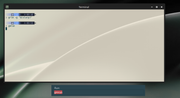
Yes, I can do that.
So Alt+F3 brings up something that looks like dmenu, but different colours? That will be tofi.
But clicking one of the items does nothing??
And can you click on the items in that list to launch them?
I can click on it, none of the applications start.
Offline
#25 2026-08-09 00:35:51
- johnraff
- nullglob
- From: Nagoya, Japan
- Registered: 2015-09-09
- Posts: 13,491
- Website
Re: bunsen-configs-wayland-plugin available for testing
johnraff wrote:unklar wrote:Calling gmrun in the terminal results in the image below.
https://i.postimg.cc/1VwGp9SC/20260807- … s-grim.pngThat looks OK. Can you run commands there?
Yes, I can do that.
OK so gmrun works. 
So Alt+F3 brings up something that looks like dmenu, but different colours? That will be tofi.
But clicking one of the items does nothing??And can you click on the items in that list to launch them?
I can click on it, none of the applications start.
Hmm... that needs looking into. 
...elevator in the Brain Hotel, broken down but just as well...
( a boring Japan blog (currently paused), now on Bluesky and Mastodon, there's also some GitStuff )
Offline
#26 2026-08-09 00:49:33
- johnraff
- nullglob
- From: Nagoya, Japan
- Registered: 2015-09-09
- Posts: 13,491
- Website
Re: bunsen-configs-wayland-plugin available for testing
^I've got it now
pgrep -a labwcthe same result
1279 /usr/bin/labwc --config-dir /home/unklar/.config/bunsen/labwc --startup /usr/lib/bunsen/configs/bunsen-autostartI removed the directory ~/.config/labwc with the 4 files (autostart, environment, menu.xml and rc.xml).
It should not be necessary to remove ~/.config/labwc. Launched with the above command, labwc should ignore that directory, but if you go back to a non-BL session just calling "labwc" then those files will be used, so you can have both sessions configured.
In my opinion there is a mixture. still in ~/.config/bunsen/autotart-wayland and ~/.config/bunsen/environment-wayland
to
~/.config/bunsen/labwc/autostart and ~/.config/bunsen/labwc/environment
Yes there seems to be a possible issue whith labwc reading ~/.config/bunsen/labwc/autostart even if it's given a separate --startup script to run. But that file does not exist unless you put it there! bunsen-configs-wayland-plugin puts neither autostart nor environment in ~/.config/bunsen/labwc/ Just delete those files if you have them. The "vanilla" labwc session does not use them, it uses files in ~/.config/labwc. I think I'll put empty files there for autostart and environment with comments explaining the situation and what files BL users should edit.
I assume I should remove these too because they are identical to the files from the removed ~/.config/labwc directory?
Well, yes. But I'm puzzled how those files got into ~/.config/bunsen/labwc/ anyway.
PS:if it is useful
❯ bl-xdg-autostart --list
[ ] Labwc Generate Menu
	  File: /home/unklar/.config/autostart/lab-gen-menu.desktop
	  Executes: lab-gen-menu
	* Excluded by: Hidden
...etc...
That looks OK I think.
Last edited by johnraff (2026-08-09 01:27:54)
...elevator in the Brain Hotel, broken down but just as well...
( a boring Japan blog (currently paused), now on Bluesky and Mastodon, there's also some GitStuff )
Offline
#27 2026-08-09 06:01:29
- johnraff
- nullglob
- From: Nagoya, Japan
- Registered: 2015-09-09
- Posts: 13,491
- Website
Re: bunsen-configs-wayland-plugin available for testing
...there seems to be a possible issue with labwc reading ~/.config/bunsen/labwc/autostart even if it's given a separate --startup script to run. But that file does not exist unless you put it there! bunsen-configs-wayland-plugin puts neither autostart nor environment in ~/.config/bunsen/labwc/ Just delete those files if you have them. The "vanilla" labwc session does not use them, it uses files in ~/.config/labwc. I think I'll put empty files there for autostart and environment with comments explaining the situation and what files BL users should edit.
Now I think about it, it shouldn't be seen as a bug that labwc checks the config-dir it's been given for autostart and environment files along with rc.xml and menu.xml, even if our startup script specifies ~/.config/bunsen/autostart-wayland and ~/.config/bunsen/environment-wayland.
I've put this in ~/.config/bunsen/labwc/autostart:
# DO NOT USE THIS FILE

# The Bunsenlabs Wayland autostart file is
# ~/.config/bunsen/autostart-wayland
#
# While labwc will also refer to this file,
# putting commands here will cause unnecessary confusion.
#
# To edit your startup session, please edit:
# ~/.config/bunsen/autostart-wayland
and a similar message in ~/.config/bunsen/labwc/environment
...elevator in the Brain Hotel, broken down but just as well...
( a boring Japan blog (currently paused), now on Bluesky and Mastodon, there's also some GitStuff )
Offline
#28 2026-08-17 02:56:05
- johnraff
- nullglob
- From: Nagoya, Japan
- Registered: 2015-09-09
- Posts: 13,491
- Website
Re: bunsen-configs-wayland-plugin available for testing
@hhh
Try bunsen-configs-wayland-plugin sometime?
Your input will be hightly appreciated.
Last edited by johnraff (2026-08-19 00:30:52)
...elevator in the Brain Hotel, broken down but just as well...
( a boring Japan blog (currently paused), now on Bluesky and Mastodon, there's also some GitStuff )
Offline
#29 2026-08-17 03:12:03
- hhh
- Hercule Poirot
- From: Belgium
- Registered: 2015-09-17
- Posts: 17,543
- Website
Re: bunsen-configs-wayland-plugin available for testing
^ On it now. 
hhh@testing:~$ sudo nala install bunsen-configs-wayland-plugin
[sudo] password for hhh:
========================================================================================================
Installing
========================================================================================================
Package: Version: Size:
bunsen-configs-base 13.7-1 200 KB
bunsen-configs-wayland-plugin 13.7-1 33 KB
bunsen-exit 13.3.3-1 35 KB
bunsen-icons-base 13.0-1 2 KB
bunsen-images-base 13.3-1 2.3 MB
bunsen-thunar 13.0-1 3 KB
dmz-cursor-theme 0.4.5.3 191 KB
gir1.2-libxfce4util-1.0 4.20.1-2 12 KB
gir1.2-xfconf-0 4.20.0-2 15 KB
gnome-accessibility-themes 3.28-5 2.9 MB
gnome-themes-extra 3.28-5+b1 519 KB
gnome-themes-extra-data 3.28-5 571 KB
gtk2-engines-pixbuf 2.24.33-10+b1 23 KB
gtk3dialog 0.1.2-3 111 KB
gtklock 4.0.0-1 19 KB
guile-3.0-libs 3.0.11-2+b1 6.9 MB
jgmenu 4.5.0-1+b2 131 KB
labbe-icons-bark 12.9-1 25 KB
labbe-icons-sage 12.9-1 25 KB
libdbus-glib-1-2 0.114-2+b1 62 KB
libfm-extra4t64 1.4.1-1+b1 28 KB
libgif7 6.1.3-1 46 KB
libgtk-session-lock0 0.2.0-3+b1 47 KB
libid3tag0 0.16.3-4 35 KB
libimlib2t64 1.12.6-1+b1 218 KB
liblightdm-gobject-1-0 1.33.0-1 59 KB
libmenu-cache-bin 1.1.1-1+b1 33 KB
libmenu-cache3 1.1.1-1+b1 19 KB
libobrender32v5 3.6.1-12+b4 66 KB
libobt2v5 3.6.1-12+b4 56 KB
libspectre1 0.2.12-2 50 KB
libxcb-screensaver0 1.17.0-2+b2 106 KB
libxklavier16 5.4-6+b2 44 KB
lightdm 1.33.0-1 171 KB
lightdm-gtk-greeter 2.0.9-1 107 KB
lightdm-gtk-greeter-settings 1.2.3-1 124 KB
lxrandr 0.3.3-1 54 KB
material-solarized-suruplusplus… 12.7-1 156 KB
material-solarized-suruplusplus… 12.7-1 1.9 MB
material-solarized-suruplusplus… 12.7-1 1.9 MB
obconf 1:2.0.4+git20150213-3+b1 124 KB
openbox 3.6.1-12+b4 303 KB
scrot 2.0.0-1 79 KB
ssh-askpass-gnome 1:10.4p1-4 14 KB
tofi 0.9.1-2+b1 54 KB
wlr-randr 0.4.1-1 12 KB
wtype 0.4-3 10 KB
xbindkeys 1.8.7-2 37 KB
xcape 1.2-3+b2 11 KB
xfce4-clipman 2:1.6.6-1 165 KB
xfce4-clipman-plugin 2:1.6.6-1 39 KB
xfce4-screensaver 4.20.2-1 258 KB
xserver-xorg 1:7.7+26 58 KB
xserver-xorg-legacy 2:21.1.24-1 2.5 MB
xss-lock 0.4.0-1 17 KB
xwwall 0.2.5-1 16 KB
yad 0.40.0-1.1 168 KB
========================================================================================================
Suggested, Will Not Be Installed
========================================================================================================
Package: Version: Size:
fonts-inconsolata 001.010-6 61 KB
qt5-gtk-platformtheme 5.15.19+dfsg-4 124 KB
libqt5svg5 5.15.19-2 136 KB
xfce4-screenshooter 1.11.3-1 162 KB
fonts-inconsolata 001.010-6 61 KB
qt5-gtk-platformtheme 5.15.19+dfsg-4 124 KB
libqt5svg5 5.15.19-2 136 KB
xfce4-screenshooter 1.11.3-1 162 KB
bunsen-images 13.3-1 16.6 MB
lxmenu-data 0.1.7-1 21 KB
xserver-xephyr 2:21.1.24-1 3.5 MB
tint2 Virtual Package 0 Bytes
openbox-gnome-session Virtual Package 0 Bytes
openbox-kde-session Virtual Package 0 Bytes
tk 8.6.18 4 KB
xbindkeys-config Virtual Package 0 Bytes
========================================================================================================
Summary
========================================================================================================
Install 57 Packages
Total download size 23.1 MB
Disk space required 162.7 MB
Do you want to continue? [Y/n] Why why why why?!!???
Offline
#30 2026-08-17 03:32:32
- hhh
- Hercule Poirot
- From: Belgium
- Registered: 2015-09-17
- Posts: 17,543
- Website
Re: bunsen-configs-wayland-plugin available for testing
At first glance, it looks sparse.
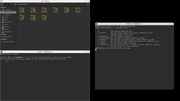
hhh@testing:~$ apt policy bunsen-configs-wayland-plugin
bunsen-configs-wayland-plugin:
  Installed: 13.7-1
  Candidate: 13.7-1
  Version table:
 *** 13.7-1 500
        500 http://pkg.bunsenlabs.org/debian carbon/main amd64 Packages
        100 /var/lib/dpkg/status
hhh@testing:~$
There is no bunsen folder in ~/.config, something's not right.
I should install bunsen-configs, I guess?
Yes, that's it. A few tweaks and we have Homage to @Dobbie...

My labwc session is undisturbed. Well done!
Why why why why?!!???
Offline
#31 2026-08-17 04:10:06
- hhh
- Hercule Poirot
- From: Belgium
- Registered: 2015-09-17
- Posts: 17,543
- Website
Re: bunsen-configs-wayland-plugin available for testing
Some funkiness in the menu (All Applications> shows nothing). What is the menu? Processes look normal, very nice RAM usage (~930 at idle).
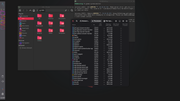
I've purged mate-polkit since I already had lxpolkit, as the scrot shows. I'm not thrilled with the hard dependency on lightdm, I prefer gdm3 on Wayland, and there are other logins/display managers as well. Can we lose that dependency in the plugin package?
Otherwise, superb.
-edit- Panel settings were overwritten to the labwc session, as warned.
Last edited by hhh (2026-08-17 04:33:22)
Why why why why?!!???
Offline
#32 2026-08-17 07:26:32
- johnraff
- nullglob
- From: Nagoya, Japan
- Registered: 2015-09-09
- Posts: 13,491
- Website
Re: bunsen-configs-wayland-plugin available for testing
The plugin is expected to be installed on top of a regular BL Carbon system. It depends on one of the bunsen-configs -base, -lite or regular. But the menu should have been shipped in bunsen-configs-wayland-plugin and configured in the rc file. Both ~/.config/bunsen/labwc/ rc.xml and menu.xml should have been installed.
Maybe you need to do a logout/login so that bl-user-setup will import the files from /usr/share/bunsen/skel?
"All applications" uses labwc-menu-generator. Oops... I now see that's only available in Debian Forky. Maybe in my test VM I backported it? I seldom use the auto-generated menu, so thanks for catching that! I guess the way to go will be to build labwc-menu-generator from github (they claim "easy to build"), put it in our backports repo and make it a Recommend of the Wayland plugin.
Considering this is not a standalone system installer but expects to be added to a BL X11 setup, I think it's quite reasonable to have a hard dependency on lightdm, at least in this beginning stage. It's configured to show a BL-Wayland session in lightdm's login screen, and to run a modified Debian xsession for Wayland, also using lightdm's configs. If you're not using it with lightdm that might explain some subtle strangeness.
...elevator in the Brain Hotel, broken down but just as well...
( a boring Japan blog (currently paused), now on Bluesky and Mastodon, there's also some GitStuff )
Offline
#33 2026-08-18 01:05:30
- hhh
- Hercule Poirot
- From: Belgium
- Registered: 2015-09-17
- Posts: 17,543
- Website
Re: bunsen-configs-wayland-plugin available for testing
^ Sounds good, the package is in great shape!
Why why why why?!!???
Offline
#34 2026-09-07 23:40:16
- peacemaker885
- New Member
- Registered: 2017-02-15
- Posts: 4
Re: bunsen-configs-wayland-plugin available for testing
Hello. I just wanted to post 2 observations on the new Wayland plugin:
1. The default wallpaper is not plain black or no background image. Was able to change using the wallpaper app.
2. Resolution change using lxrandr doesn't do anything.
Offline
#35 2026-09-08 07:11:20
- johnraff
- nullglob
- From: Nagoya, Japan
- Registered: 2015-09-09
- Posts: 13,491
- Website
Re: bunsen-configs-wayland-plugin available for testing
Hi @peacemaker885, thanks for the feedback!
The default wallpaper is not plain black or no background image. Was able to change using the wallpaper app.
Sorry - this bug has been noticed and a fix uploaded to github, but it won't reach users till the next upgrade of bunsen-configs is released (soon). Meanwhile, as you found, it require users to make the first wallpaper setting.
Resolution change using lxrandr doesn't do anything.
I'm not sure about this one - I'll have another look. Are you testing on a virtual machine or real hardware?
...elevator in the Brain Hotel, broken down but just as well...
( a boring Japan blog (currently paused), now on Bluesky and Mastodon, there's also some GitStuff )
Offline
#36 2026-09-08 16:50:30
- peacemaker885
- New Member
- Registered: 2017-02-15
- Posts: 4
Re: bunsen-configs-wayland-plugin available for testing
Thank you @johnraff for the response!
Hi @peacemaker885, thanks for the feedback!
Resolution change using lxrandr doesn't do anything.
I'm not sure about this one - I'll have another look. Are you testing on a virtual machine or real hardware?
I am testing on real hardware. Its a Dell XPS with 13in hidpi screen (3562x2160). Thanks again.
Offline
#37 2026-09-09 01:11:38
- johnraff
- nullglob
- From: Nagoya, Japan
- Registered: 2015-09-09
- Posts: 13,491
- Website
Re: bunsen-configs-wayland-plugin available for testing
peacemaker885 wrote:Resolution change using lxrandr doesn't do anything.
I'm not sure about this one - I'll have another look.
Of course the answer is obvious - xrandr, and apps that use it like lxrandr, don't work on Wayland. 
The good news is that there is a CLI utility wlr-randr which will do the job on a wlroots compositor (labwc is one) and is already packaged with the BL wayland plugin. Run 'man wlr-randr' to read how to use it.
But whether there is a nice direct replacement for lxrandr is Yet To Be Determined. I plan to look into this so we can have something for our Wayland plugin, but today I'm tied up with other work.
Meanwhile @peacemaker885 or anyone who feels like diving into this, some links I just found:
https://linuxvox.com/blog/list-screen-r … and-weston
https://labwc.github.io/hidpi-scaling.html
https://packages.debian.org/trixie/wayland-utils
https://packages.debian.org/trixie/kanshi
https://packages.debian.org/trixie/wdisplays
PS maybe the graphical app wdisplays will do it?
Last edited by johnraff (2026-09-09 07:12:51)
...elevator in the Brain Hotel, broken down but just as well...
( a boring Japan blog (currently paused), now on Bluesky and Mastodon, there's also some GitStuff )
Offline
#38 2026-09-09 17:28:37
- hhh
- Hercule Poirot
- From: Belgium
- Registered: 2015-09-17
- Posts: 17,543
- Website
Re: bunsen-configs-wayland-plugin available for testing
PS maybe the graphical app wdisplays will do it?
wdisplays is a GUI but doesn't have persistence. But it's very handy for showing the name of your display(s), testing out resolutions, and copying the res and refresh rate to the config of whatever compositor you're using.
Why why why why?!!???
Offline
#39 2026-09-10 06:53:08
- johnraff
- nullglob
- From: Nagoya, Japan
- Registered: 2015-09-09
- Posts: 13,491
- Website
Re: bunsen-configs-wayland-plugin available for testing
The context here is BL-Wayland so the compositor is labwc. I haven't yet had time to test wdisplays, but it doesn't record its configs anywhere the way arandr and lxrandr do?
...elevator in the Brain Hotel, broken down but just as well...
( a boring Japan blog (currently paused), now on Bluesky and Mastodon, there's also some GitStuff )
Offline
#40 2026-09-10 08:36:40
- hhh
- Hercule Poirot
- From: Belgium
- Registered: 2015-09-17
- Posts: 17,543
- Website
Re: bunsen-configs-wayland-plugin available for testing
I don't think so, maybe kanshi?
https://packages.debian.org/forky/kanshi
-edit- lol, note to self, read the docs. The labwc git recommends kanshi...
https://labwc.github.io/integration.htm … management
Last edited by hhh (2026-09-10 08:41:50)
Why why why why?!!???
Offline