![[BunsenLabs Logo]](/img/bl.svg)
You are not logged in.
- Topics: Active | Unanswered
#1 2026-01-04 16:52:35
- unklar
- Back to the roots 1.9

- From: #! BL
- Registered: 2015-10-31
- Posts: 3,139
Tutorial - rembg[cli] simple gimp
rembg
https://github.com/danielgatis/rembg
From time to time, I need to ‘cut out’ images for private use.
Every Linux user knows this and thinks of GIMP. But working with it isn't everyone's cup of tea.
Although I've been using Linux for many years, I'm just not skilled at using GIMP.
The simple Python tool rembg, based on CLI (command line), offers a cool workaround.
Under Debian, we first need to install the pipx package:
sudo apt update && sudo apt install pipxHere, under carbon-trixi, a small number of python3 dependencies are also installed.
Next, we execute the command
pipx ensurepath and reboot the system so that the PATH is recognized.
After rebooting, rembg CLI support is required
    pipx install “rembg[cpu,cli]”  # for CPU
    pipx install “rembg[gpu,cli]”  # for NVIDIA/CUDA GPU
Since I don't have NVIDIA, for me it's
pipx install “rembg[cpu,cli]”This completes the installation.
####################################
rembg has the following commands
rembg --help
Usage: rembg [OPTIONS] COMMAND [ARGS]...

Options:
  --version  Show the version and exit.
  --help     Show this message and exit.

Commands:
  b  for a byte stream as input
  d  download models
  i  for a file as input
  p  for a folder as input
  s  for a http server
We navigate to the directory containing the image we want to cut out from the background and open the terminal:
unklar@carbon2:~/Pictures$ rembg i 20.jpg 20free.jpg
Downloading data from 'https://github.com/danielgatis/rembg/releases/download/v0.0.0/u2net.onnx' to file '/home/unklar/.u2net/u2net.onnx'.
100%|████████████████████████████████████████| 176M/176M [00:00<00:00, 500GB/s]
After reloading this library (once), we see that the image without background
20free.jpg has been added to our original image 20.jpg.


Enjoy!
Last edited by unklar (2026-01-05 12:18:31)
Offline
#2 2026-01-05 05:38:30
- johnraff
- nullglob

- From: Nagoya, Japan
- Registered: 2015-09-09
- Posts: 13,553
- Website
Re: Tutorial - rembg[cli] simple gimp
Very impressive! 
The first thing I thought was - if you're not going to wrangle with Gimp, then this is a job for AI.
Then, first impression was OK, rembg seems a very cool CLI tool...
...but reading a bit more, after all it is using AI. But a locally installed AI, it looks like.
And your instructions look very easy to follow. Thank you!
...elevator in the Brain Hotel, broken down but just as well...
( a boring Japan blog (currently paused), now on Bluesky and Mastodon, there's also some GitStuff )
Online
#3 2026-01-05 10:08:02
- brontosaurusrex
- Senior Associate, Middle Office

- Registered: 2015-09-29
- Posts: 2,827
- Website
Re: Tutorial - rembg[cli] simple gimp
@unklar, Thanks for sharing this. p.s. I'm assuming the output needs to be png or some other format that supports transparency (and not jpg)?
Offline
#4 2026-01-05 11:05:05
- unklar
- Back to the roots 1.9
- From: #! BL
- Registered: 2015-10-31
- Posts: 3,139
Re: Tutorial - rembg[cli] simple gimp
^@johnraff,
thank you for the kind words.
@bronto,
that's correct, although .jpg also works here. 
Offline
#5 2026-01-05 11:14:01
- unklar
- Back to the roots 1.9
- From: #! BL
- Registered: 2015-10-31
- Posts: 3,139
Re: Tutorial - rembg[cli] simple gimp
A few more tips on Python software packages.
Let's say we were too quick and just installed rembg like this:
pipx install rembgThen the --force function will help us fix that:
pipx install --force “rembg[cpu,cli]”----
pipx listor
pipx list --short tells us which Python packages we have installed.
On Debian, it is recommended to install python3-pip to simplify package management.
sudo apt install python3-pipand then make the entry below in our ~/.bashrc
PATH=“/home/unklar/.local/bin:/usr/local/bin:/usr/bin:/bin:/usr/local/games:/usr/games”takes care of the rest. unklar = USERNAME
After rebooting, all commands are available to us. We can upgrade, pin, reinstall, uninstall, etc.
Please refer to the pipx manual pages
man pipxOffline
#6 2026-01-06 00:16:25
- johnraff
- nullglob
- From: Nagoya, Japan
- Registered: 2015-09-09
- Posts: 13,553
- Website
Re: Tutorial - rembg[cli] simple gimp
^so pipx is a user-level version of pip, that doesn't need sudo?
...elevator in the Brain Hotel, broken down but just as well...
( a boring Japan blog (currently paused), now on Bluesky and Mastodon, there's also some GitStuff )
Online
#7 2026-01-06 10:35:40
- unklar
- Back to the roots 1.9
- From: #! BL
- Registered: 2015-10-31
- Posts: 3,139
Re: Tutorial - rembg[cli] simple gimp
^so pipx is a user-level version of pip, that doesn't need sudo?
YES.
pipx allows you to...
* Run the latest version of a CLI application from a package
in a temporary virtual environment,
leaving your system untouched after it finishes.
* Install packages to isolated virtual environments,
while globally exposing their CLI applications
so you can run them from anywhere.
* Easily list, upgrade, and uninstall packages
that were installed with pipx.pipx runs with regular user permissions, never calling "sudo pip install".
https://packages.debian.org/trixie/pipx
Last edited by unklar (2026-01-06 10:36:30)
Offline
#8 2026-01-06 17:59:01
- Colonel Panic
- Member
- Registered: 2018-11-13
- Posts: 1,857
Re: Tutorial - rembg[cli] simple gimp
Excellent! I've never liked Gimp and stay away from it as much as possible.
I wish there was a Linux version of Paint Shop Pro. Someone once gave me a copy, but it was in floppy disk format (for Windows 3.x) and I can't install it under Wine.
Mtpaint is quite useful for basic photoediting tasks.
Last edited by Colonel Panic (2026-01-06 17:59:23)
Offline
#9 2026-01-06 19:09:30
- DeepDayze
- Like sands through an hourglass...
- From: In Linux Land
- Registered: 2017-05-28
- Posts: 2,005
Re: Tutorial - rembg[cli] simple gimp
I verified my pipx install is working but trying to install rembg according to instructions fails:
Unable to parse package spec: “rembg[cpu,cli]”What's missing?
Real Men Use Linux
Offline
#10 2026-01-07 00:40:39
- johnraff
- nullglob
- From: Nagoya, Japan
- Registered: 2015-09-09
- Posts: 13,553
- Website
Re: Tutorial - rembg[cli] simple gimp
Not related to DeepDayze's question, but this is interesting:
Comparison to Other Tools
...elevator in the Brain Hotel, broken down but just as well...
( a boring Japan blog (currently paused), now on Bluesky and Mastodon, there's also some GitStuff )
Online
#11 2026-01-07 08:26:30
- unklar
- Back to the roots 1.9
- From: #! BL
- Registered: 2015-10-31
- Posts: 3,139
Re: Tutorial - rembg[cli] simple gimp
I verified my pipx install is working but trying to install rembg according to instructions fails:
Unable to parse package spec: “rembg[cpu,cli]”What's missing?
You forgot PATH.
You didn't reboot the system.
What was the command before?
Offline
#12 2026-01-07 08:31:05
- unklar
- Back to the roots 1.9
- From: #! BL
- Registered: 2015-10-31
- Posts: 3,139
Re: Tutorial - rembg[cli] simple gimp
Not related to DeepDayze's question, but this is interesting:
Comparison to Other Tools
Thanks for this find, great thing!
On carbon/debian:
LANG=C apt policy pip poetry pipenv venv pyenv pipsi brew npx pip-run fades pae pactivate
pip:
  Installed: (none)
  Candidate: (none)
  Version table:
pipenv:
  Installed: (none)
  Candidate: 2024.0.1+ds-3
  Version table:
     2024.0.1+ds-3 500
        500 https://deb.debian.org/debian trixie/main amd64 Packages
pyenv:
  Installed: (none)
  Candidate: 2.5.4-1
  Version table:
     2.5.4-1 500
        500 https://deb.debian.org/debian trixie/main amd64 Packages
pipsi:
  Installed: (none)
  Candidate: 0.9-1.1
  Version table:
     0.9-1.1 500
        500 https://deb.debian.org/debian trixie/main amd64 Packages
fades:
  Installed: (none)
  Candidate: 9.0.2-2
  Version table:
     9.0.2-2 500
        500 https://deb.debian.org/debian trixie/main amd64 Packages
Notice: Unable to locate package poetry
Notice: Unable to locate package venv
Notice: Unable to locate package brew
Notice: Unable to locate package npx
Notice: Unable to locate package pip-run
Notice: Unable to locate package pae
Notice: Unable to locate package pactivate
Offline
#13 2026-01-07 09:36:15
- brontosaurusrex
- Senior Associate, Middle Office
- Registered: 2015-09-29
- Posts: 2,827
- Website
Re: Tutorial - rembg[cli] simple gimp
Actually as a person that spend some (not a lot) of time removing the backgrounds with photoshop mostly, it would be interesting to compare this auto-magical removers via some test images, like
https://unsplash.com/photos/black-and-w … KXKBY-C-Dk
(both rembg and 'photoshop ai bg removal' does pretty crappy job on it)
Offline
#14 2026-01-07 18:19:59
- DeepDayze
- Like sands through an hourglass...
- From: In Linux Land
- Registered: 2017-05-28
- Posts: 2,005
Re: Tutorial - rembg[cli] simple gimp
DeepDayze wrote:I verified my pipx install is working but trying to install rembg according to instructions fails:
Unable to parse package spec: “rembg[cpu,cli]”What's missing?
You forgot PATH.
You didn't reboot the system.What was the command before?
I already ran the commands for setting the PATH and rebooted. Seems the pipx path was added to the end so should it be moved to beginning?
EDIT: Aha, it was the quotation marks in the command Unklar posted. I typed the double quotes instead around the program name and it now worked. Got rembg installed now.
Last edited by DeepDayze (2026-01-07 18:35:46)
Real Men Use Linux
Offline
#15 2026-01-07 18:44:47
- unklar
- Back to the roots 1.9
- From: #! BL
- Registered: 2015-10-31
- Posts: 3,139
Re: Tutorial - rembg[cli] simple gimp
^^@DD, good that you found that.
Offline
#16 2026-01-07 18:48:03
- unklar
- Back to the roots 1.9
- From: #! BL
- Registered: 2015-10-31
- Posts: 3,139
Re: Tutorial - rembg[cli] simple gimp
Actually as a person that spend some (not a lot) of time removing the backgrounds with photoshop mostly, it would be interesting to compare this auto-magical removers via some test images, like
https://unsplash.com/photos/black-and-w … KXKBY-C-Dk
(both rembg and 'photoshop ai bg removal' does pretty crappy job on it)
^I don't think you can compare rembg with Gimp or others. It is for home use only. 
Offline
#17 2026-01-07 18:57:02
- DeepDayze
- Like sands through an hourglass...
- From: In Linux Land
- Registered: 2017-05-28
- Posts: 2,005
Re: Tutorial - rembg[cli] simple gimp
^^@DD, good that you found that.
Took me a bit to figure that out
Real Men Use Linux
Offline
#18 2026-01-08 01:31:01
- johnraff
- nullglob
- From: Nagoya, Japan
- Registered: 2015-09-09
- Posts: 13,553
- Website
Re: Tutorial - rembg[cli] simple gimp
^It was the wrong sort of quotation marks I guess?
Once (long ago) I hit a problem writing a web page where some spaces were non-standard Shift_JIS encoded spaces, and it just didn't work. That took some time to figure out too...
...elevator in the Brain Hotel, broken down but just as well...
( a boring Japan blog (currently paused), now on Bluesky and Mastodon, there's also some GitStuff )
Online
#19 2026-01-08 09:17:31
- unklar
- Back to the roots 1.9
- From: #! BL
- Registered: 2015-10-31
- Posts: 3,139
Re: Tutorial - rembg[cli] simple gimp
brontosaurusrex wrote:Actually as a person that spend some (not a lot) of time removing the backgrounds with photoshop mostly, it would be interesting to compare this auto-magical removers via some test images, like
https://unsplash.com/photos/black-and-w … KXKBY-C-Dk
(both rembg and 'photoshop ai bg removal' does pretty crappy job on it)^I don't think you can compare rembg with Gimp or others. It is for home use only.
Negative example from your link:
rembg i istockphoto-1392799809-612x612.webp vers4.png

Positive example:
rembg i photo-1551482850-d649f078ed01.avif vers5.png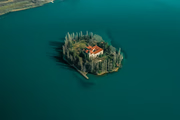

In this context, I am always amazed at how feh opens all the files.
Offline