![[BunsenLabs Logo]](/img/bl.svg)
You are not logged in.
- Topics: Active | Unanswered
#1 2025-03-11 12:46:24
- Pirx
- Member
- Registered: 2018-08-27
- Posts: 176
Should we still use firewall?
Majority of Linux distros comes with a firewall preinstalled, but it's usually disabled by default. I always enable it with a very simple rule (outgoing - yes, incoming - no), but many people argue that there is no need to do it, because your router/ISP provides one for you. Do you use firewall on your home/desktop machine (we're not discussing servers here)?
Last edited by Pirx (2025-03-11 12:46:40)
Offline
#2 2025-03-11 13:15:21
- marens
- Member

- From: World without M$
- Registered: 2023-02-02
- Posts: 1,300
Re: Should we still use firewall?
$ sudo ufw status verbose
[sudo] password for marens:
Status: active
Logging: on (low)
Default: deny (incoming), allow (outgoing), disabled (routed)
New profiles: skip
If people would know how little brain is ruling the world, they would die of fear.
Offline
#3 2025-03-11 14:55:04
- Head_on_a_Stick
- Member

- From: London
- Registered: 2015-09-29
- Posts: 9,093
- Website
Re: Should we still use firewall?
The router's hardware firewall should be all you need if your local network can be trusted but most routers have out of date software and/or firmware and may be vulnerable. That being the case a basic firewall on the local machines can be a good idea, especially if you're running something like Debian that enables and starts systemd services provided by packages automatically on installation.
I use nftables and the supplied workstation configuration with an extra hole punched for SSH:
~$ cat /etc/nftables.conf
flush ruleset

table inet filter {
	chain input {
		type filter hook input priority 0; policy drop;

		# accept any localhost traffic
		iif lo accept

		# accept traffic originated from us
		ct state established,related accept

		# allow ssh
		tcp dport ssh accept

		# accept neighbour discovery otherwise IPv6 connectivity breaks
		icmpv6 type { nd-neighbor-solicit, nd-router-advert, nd-neighbor-advert } accept
	}
}
~$ doas nft list ruleset
table inet filter {
	chain input {
		type filter hook input priority filter; policy drop;
		iif "lo" accept
		ct state established,related accept
		tcp dport 22 accept
		icmpv6 type { nd-router-advert, nd-neighbor-solicit, nd-neighbor-advert } accept
	}
}
~$
Apologies for the stupidly wide tabs, I use 3-space tabs (which is the correct amount) but the forum software has inserted 8 spaces. Grrr.
Offline
#4 2025-03-11 19:19:27
- Pirx
- Member
- Registered: 2018-08-27
- Posts: 176
Re: Should we still use firewall?
That being the case a basic firewall on the local machines can be a good idea, especially if you're running something like Debian that enables and starts systemd services provided by packages automatically on installation.
Then why all Debian-based distros come with a firewall that is disabled by default? I just don't get it...
Offline
#5 2025-03-11 21:10:55
- Head_on_a_Stick
- Member
- From: London
- Registered: 2015-09-29
- Posts: 9,093
- Website
Re: Should we still use firewall?
In most distributions (including Debian-based), the firewall is enabled by default but it is set to allow all traffic, which is the only sensible default.
Offline
#6 2025-03-11 21:36:25
- Pirx
- Member
- Registered: 2018-08-27
- Posts: 176
Re: Should we still use firewall?
Wouldn't be not including firewall at all a more sensible default?
Offline
#7 2025-03-11 21:57:02
- Head_on_a_Stick
- Member
- From: London
- Registered: 2015-09-29
- Posts: 9,093
- Website
Re: Should we still use firewall?
The firewall is part of the kernel. Not including the userspace tools needed to manipulate the firewall would mean that users would have to connect to the network without a firewall to download the tools needed to bring it up.
Offline
#8 2025-03-11 23:18:35
- Pirx
- Member
- Registered: 2018-08-27
- Posts: 176
Re: Should we still use firewall?
But if the firewall is set to allow all traffic then what's the difference?
Offline
#9 2025-03-13 07:16:25
- Head_on_a_Stick
- Member
- From: London
- Registered: 2015-09-29
- Posts: 9,093
- Website
Re: Should we still use firewall?
The firewall needs to be present at first boot because security-conscious users won't want to connect without one but it must have an open ruleset because otherwise it would restrict some users unnecessarily.
Offline
#10 2025-03-13 08:24:14
- Pirx
- Member
- Registered: 2018-08-27
- Posts: 176
Re: Should we still use firewall?
OK. That makes sense.
Offline
#11 2026-03-09 05:03:01
- WizardofCOR
- Member

- Registered: 2023-07-28
- Posts: 95
Re: Should we still use firewall?
Being a little bit of a security freak (you might say I have a little history and experience in this subject), I always recommend enabling firewalls - on every machine, whenever possible.
Especially if/when a machine is connected to any sort of network.
Firewalls help isolate/preclude enumeration and/or malevolent activity. I feel the same way about A/V and anti-malware tools/utilities as well. Linux isn't invulnerable, and neither are Macs.
The game has definitely changed from say, 10-20 years ago -- before rootkits, RATS, phishing bot armies and AI-enabled polymorphic and mutating code. Nowadays, threats are pervasive and practically everywhere. Even VLAN jumping and hypervisor attacks are possible - and all it takes is a single foothold. A vulnerability is a vulnerability, and it only takes one to ruin your day. Defense in depth, (micro)segmenting, zero trust and least privilege are all considered best practices, no matter what OS is used, on any network.
Call me paranoid, but my prerogative is preferring to stay safe rather than sorry. 'Cause ID theft sux.
Stay vigilant, friends!
Just a dude playing a dude, disguised as another dude...
Offline
#12 2026-03-09 08:19:33
- Sun For Miles
- Member

- Registered: 2017-04-12
- Posts: 282
Re: Should we still use firewall?
This is a great question in modern times (post 2020), especially after formalizing connecting to NAT-ed networks with this RFC 8445 (updated ICE spec): Interactive Connectivity Establishment (ICE): A Protocol for Network Address Translator (NAT) Traversal. In my opinion, this vastly complicates question of securing local boxes and demands a lot of extra caution, like thinking about filtering egress traffic using firewall, proxy-ing traffic, removing default route, etc.
However, I keep firewalld on my machine running only to allow virtual machines access to the internet. All the filtering rules are set on my router, where I split every use case in separate VLAN and block inter-vlan traffic, except for my own machine to access management of other network devices. Isolating my work laptops is especially important in this scenario. One of main security features I have on my router/firewall is redirecting all common DNS requests to my local server, as well as blocking come common FQDNs tied to DoH and DoT servers. It's not much, but it's honest work. 
My home machine:
~ ❯ sudo firewall-cmd --state
running
~ ❯ sudo firewall-cmd --list-all
public (default, active)
  target: default
  ingress-priority: 0
  egress-priority: 0
  icmp-block-inversion: no
  interfaces: enp3s0
  sources:
  services: dhcpv6-client
  ports:
  protocols:
  forward: yes
  masquerade: no
  forward-ports:
  source-ports:
  icmp-blocks:
  rich rules:
Home router firewall rules overview (zero detail, just a bit of context):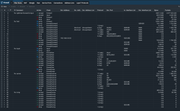
Señor Chang, why do you teach Spanish?
Offline
#13 2026-03-13 07:13:35
- WizardofCOR
- Member
- Registered: 2023-07-28
- Posts: 95
Re: Should we still use firewall?
So not to pry (and thanks for the RC reference), but are you running an IPv6 allowed configuration, with port forwarding?
Just curious, really.
Personally, I've disabled all IPv6 and Toredo capabilities on all devices, removing any/all IPv6-to-IPv4 UDP datagram encapsulation capabilities to preclude inadvertent tunneling and NAT bypassing.
Of course, multiple firewalls/routers and segmentation are also involved, so north/south traffic is easily monitored. Still working on east/west traffic, but network-wide solutions for that are still a little pricey (think Dragos.)
Regardless, and perhaps shifting back to the original conversation, I would definitely still recommend implementing firewalls whenever possible - including all local devices.
If anyone wants to control and monitor both ingress/egress traffic, that capability is certainly possible (and recommended.)
And knowing what traffic is entering/leaving your systems and network is half the battle.
G.I. Joooooooe! lolz
Thanks for the discussion, guys!
Last edited by WizardofCOR (2026-03-13 07:15:31)
Just a dude playing a dude, disguised as another dude...
Offline
#14 2026-03-13 19:00:26
- Sun For Miles
- Member
- Registered: 2017-04-12
- Posts: 282
Re: Should we still use firewall?
So not to pry (and thanks for the RC reference), but are you running an IPv6 allowed configuration, with port forwarding?
Just curious, really.
I keep IPv6 disabled on my home machine and all network gear.
~ ❯ cat /etc/sysctl.d/90-ipv6.conf
net.ipv6.conf.all.disable_ipv6 = 1
net.ipv6.conf.default.disable_ipv6 = 1
# explicitly disable ipv6 on all interfaces
net.ipv6.conf.lo.disable_ipv6 = 1
net.ipv6.conf.enp3s0.disable_ipv6 = 1
net.ipv6.conf.virbr0.disable_ipv6 = 1
~ ❯
Central home network router:
[operator@r0-1] /ipv6/settings> print
                    disable-ipv6: yes
                         forward: no
           multipath-hash-policy: l3
                accept-redirects: no
    accept-router-advertisements: no
      disable-link-local-address: no
  stale-neighbor-detect-interval: 30
          stale-neighbor-timeout: 60
            min-neighbor-entries: 4096
       soft-max-neighbor-entries: 8192
            max-neighbor-entries: 16384
                 allow-fast-path: yes
           ipv6-fast-path-active: no
          ipv6-fast-path-packets: 0
            ipv6-fast-path-bytes: 0
           ipv6-fasttrack-active: no
          ipv6-fasttrack-packets: 0
            ipv6-fasttrack-bytes: 0
[operator@r0-1] /ipv6/settings>
Señor Chang, why do you teach Spanish?
Offline
#15 2026-03-30 07:12:53
- WizardofCOR
- Member
- Registered: 2023-07-28
- Posts: 95
Re: Should we still use firewall?
I do the same, all the way on all subnets. If anyone plugs an IPv6 capable device on my network, it goes nowhere - IPv4 only.
I'd be happy to post code as you have, but my network is, well... a little more 'expansive' than most.
Yet suffice it to say, I think we're in alignment here. 
So shall we say that we've arrived at a unanimous decision that device firewalls are still strongly recommended?
It looks that way to me - I'd also recommend geo-fencing and country-ip blocking (for everyone), but just keep in mind that VPN kind of makes IP-chain firewall rules much less effective than might be expected. And while ports != security, monitoring/controlling them is one of those simple first steps. This includes the preclusion of port forwarding (particularly port 22.) Netstat, nMap, AngryIP, Wireshark and Tenable scans (and others) are all great service/port enumerators to find out what's open and listening on your network. Performing scans and analyzing behavioral traffic are great affirmation techniques employed to maintain integrity and confidence. Visibility is everything, and highly recommended.
Understanding how net traffic works is a big plus when it comes to securing a home network.
Best of luck with your networks - please feel free to reach out if any clarification or assistance is desired.
Last edited by WizardofCOR (2026-03-30 07:51:53)
Just a dude playing a dude, disguised as another dude...
Offline